
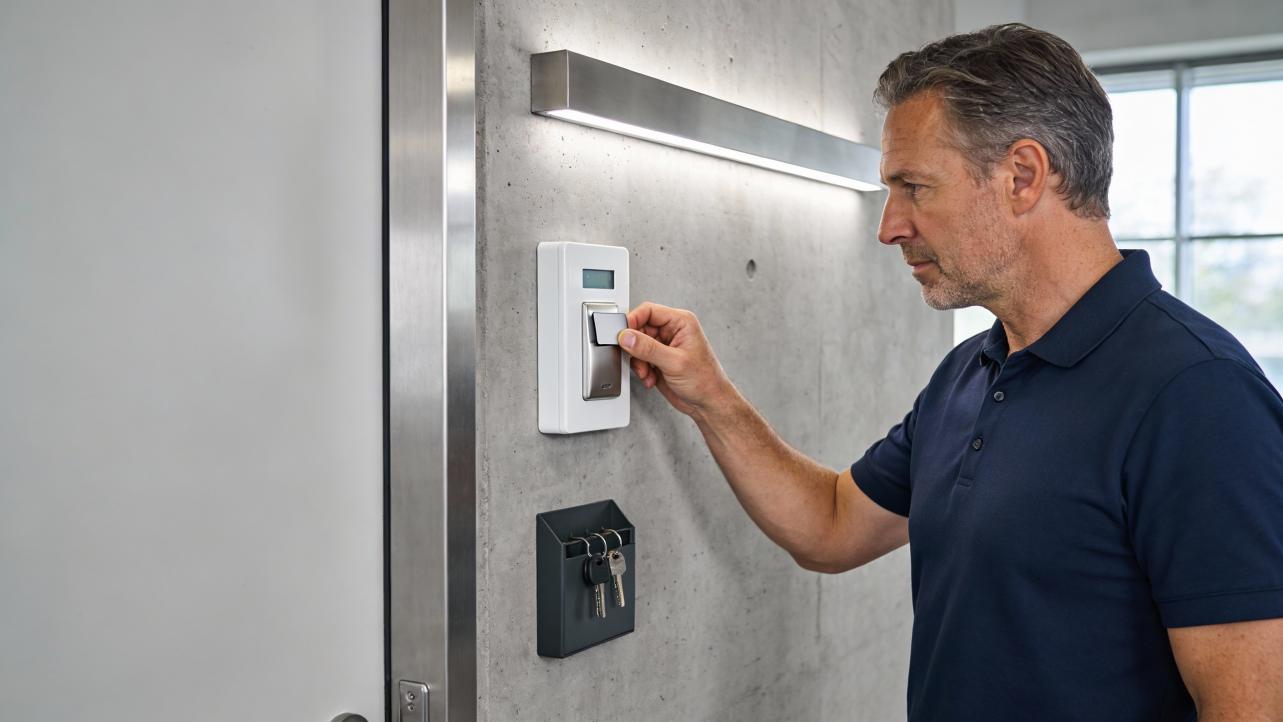
This article explains what tamper alarms are, why your security system keeps beeping, and how to deal with those alerts without weakening your protection.
A tamper alarm is a built-in security safeguard that sounds when someone opens, moves, or interferes with your security hardware, so intruders cannot quietly disable it. That persistent beeping on your wall panel, smart lock, or camera is usually your system's way of saying that someone has tampered with the hardware, not just pressed the wrong buttons.
Picture this: it is ten minutes before opening, your team is lining up to clock in, and the alarm panel by the back door will not stop chirping "tamper" at you. People are distracted, the first payroll punches are late, and no one is sure whether it is actually safe to turn the system on. In many of the offices and shops I see, owners live with that noise for weeks, even though providers like Alarm Grid, Brinks Home, and Sonic Security are clear that tamper faults mean the system is not protecting you properly. The good news is that once you know what a tamper alarm is really watching for, you can stop the beeping quickly, keep your security tight, and get everyone back to work on time.
Tamper Alarms, In Plain English
A tamper alarm is a watchdog built into your security hardware that reacts when someone tries to get at the guts of the system instead of using normal doors, codes, or badges. Alarm Grid describes the tamper on an alarm system as the part that detects when the panel or a sensor is opened and alerts you so an intruder cannot quietly reach batteries, wiring, or communication modules. Traditional systems often put tamper switches inside motion detectors, door and window contacts, sirens, and control boxes, so if someone pulls a device off the wall or opens its cover, the system treats it as a serious event rather than a minor glitch.
Unlike regular intrusion zones that only matter when the system is armed, tamper circuits are usually always awake. Sonic Security explains that tamper circuits stay active even when the alarm is disarmed, which is why your panel can start beeping in the middle of the workday about a tamper fault. When the system is armed, Alarm Grid notes that an opened tamper can act just like a burglary zone and trigger a full alarm; when it is disarmed, it typically generates a trouble condition that must be cleared before you can re-arm.
Tamper protection is not just for big metal alarm boxes. Yale's smart locks use a tamper alarm to detect when the cable between the keypad and the interior lock assembly is pulled or disconnected, usually by someone trying to pry the keypad off the door. Philips wireless video doorbells and spotlight cameras raise a tamper alarm and sound a siren if someone attempts to remove or dismount the device, and Kisi notes that IP security cameras can generate tampering alerts when they are hit, moved, spray-painted, or deliberately blocked. In every case, the idea is the same: if someone touches the hardware in a way they should not, you hear about it immediately.
What Your Beeping Machine Is Trying To Tell You
Most small businesses first meet tamper alarms through a mystery box that will not stop beeping. That "machine" might be an intrusion panel near the back door, the keypad your team uses to arm the system, a smart lock on a staff entrance, or a camera or doorbell that feeds into your alarm.
Short, periodic beeps with a "tamper" or "trouble" message usually mean a device is open, loose, or has disturbed wiring. Providers like Brinks Home and Cove Smart point out that control panels will often show which sensor or zone is affected, while the siren stays relatively quiet. A sustained siren combined with a tamper alert, especially when the system is armed, is treated like a possible break-in: monitoring centers attempt to call you and may dispatch authorities if they cannot confirm the situation, as noted by both Brinks Home and Alarm Grid.
From an operations angle, those beeps matter because they block you from arming the system cleanly at closing and distract staff during opening and shift changes. If ten employees lose just five minutes each while you wrestle with a beeping panel, that is about fifty minutes of paid time gone in one incident, before you even look at the security risk.

Common Reasons a Tamper Alarm Keeps Beeping
Loose Covers, Bumps, and "Just Moving It a Little"
The single most common cause of tamper beeping is physical disturbance. Sonic Security and Millennium Security both highlight loose or ill-fitting covers and damaged casing as a leading source of tamper faults, especially on older or poorly serviced systems. Think about a motion detector that has been clipped by a ladder one too many times, or a door contact whose plastic housing never quite snapped back after a battery change; the tamper switch inside is no longer fully pressed, so the panel thinks someone is opening the device.
Brinks Home advises that when a tamper condition shows up, your first move should be a simple walk-through: check the alarm panel and all visible sensors, and look for covers that are slightly crooked, gaps where plastic should be flush, or devices that move when you nudge them. Cove Smart adds that tamper alerts often happen when sensors are loose, open, or have fallen off entirely, and recommends securing them firmly, even using screws, before you touch any panel settings.
In a real-world small office, this might look like a door contact on the employee entrance that got knocked when someone slammed heavy deliveries into the frame. The next morning, the panel beeps "Zone 3 tamper" every few seconds. Reseating the contact housing so the tamper switch is fully closed can clear the fault and stop the noise without touching a single line of programming.
Wiring and Hidden Electronics
Sometimes the problem is not the plastic you can see but the wiring you cannot. Konnected's guidance on tamper detection explains how traditional alarm systems use end-of-line resistors and wiring loops so changes in resistance can indicate cut, shorted, or bypassed wires. If a wire run is crushed, partially cut, or incorrectly extended, the panel may see a shifted resistance value and log a tamper or fault condition.
Inside certain smart locks, such as those from Yale, the tamper alarm is tied to an internal cable that links the outside keypad to the inside lock assembly. Forcibly pulling or prying the keypad off typically disconnects this cable and triggers an audible alarm from the lock that continues until the batteries are removed or the cable is reconnected. Even if no one is attacking the lock on purpose, a careless battery swap or rough handling of the keypad can disturb that cable enough to cause repeated beeps and app alerts later.
Sonic Security warns that many tamper faults are hidden in concealed wiring or junctions that you cannot easily see, which is why a quick visual sweep does not always find the cause. When you have checked the obvious covers and still see tamper trouble, it is usually time to involve your alarm provider rather than chasing cables through walls with the workday ticking away.
Power, Batteries, and Panel Trouble Conditions
Not every beep with the word "tamper" in it is purely mechanical. Fantastic Services outlines several panel trouble conditions that can trigger beeping and require a reset: power cuts, brownouts, backup battery failures, issues with phone-line detection, and incorrect date or time. Brinks Home adds AC or power failures, missing or inactive phone lines, and low batteries in specific zones to the list.
A classic scenario is a power cut overnight. The system runs on its backup battery, then when mains power returns, the exhausted battery is no longer able to carry its share of the load. The result is often a panel that beeps continuously until the failed battery is replaced and the system reset, exactly as Fantastic Services describes. While this is technically a "trouble" condition rather than a pure tamper event, it behaves similarly from your team's perspective: persistent beeping, warnings on the screen, and refusal to behave like normal until you fix the underlying issue.
For time management and payroll, unstable power and weak batteries are more than a nuisance. If the panel shares space or power with your access control or entry devices, staff can find themselves locked out or unable to arm the system on time, which cascades into late starts and messy punch records.
Smart Locks, Doorbells, and Cameras
Modern edge devices bring tamper behavior right to the doors and corners of your building. Yale's smart locks sound a local alarm when someone disconnects the internal cable by pulling off the keypad, and users with the Yale Access app get a notification whenever that tamper alarm sounds. Philips wireless doorbells and spotlight cameras have a tamper alarm that triggers a siren and sends a real-time alert to your phone when the device is physically interfered with or removed.
Kisi focuses on camera tampering: hitting or moving the camera, cutting its power, spray-painting the lens, or blocking the view can all trigger tampering alarms that are configured in the camera's settings. These alerts matter because, as Kisi points out, nobody is staring at camera feeds 24 hours a day; the tamper alarm is what turns a silently disabled camera into an actionable incident.
From an operations perspective, all of these tamper features protect the doors, cameras, and access points that guard your cash office, HR files, and time-keeping systems. If a camera watching the time clock is spray-painted just before a late-night shift, a tamper alert gives you a chance to respond immediately instead of discovering gaps in your footage when you are trying to investigate a payroll dispute weeks later.
Typical Beeps and What They Mean
Symptom on site |
Likely cause |
Impact on security |
Who should handle it first |
Panel beeps every few seconds and shows "tamper" or "trouble" with a zone number |
Loose or misaligned sensor cover, disturbed device, minor wiring issue |
Medium to high; affected zone may not detect intrusions properly |
On-site leader can inspect and reseat device; call provider if it does not clear |
Loud siren plus tamper alarm while system is armed |
Cover opened or device removed while system is live; potential break-in |
High; monitoring center may treat this like a burglary alarm |
Follow your emergency procedure and work with monitoring staff |
Smart lock or doorbell shrieks when someone touches or removes it |
Keypad pulled, device taken off mount without disabling tamper in the app |
High around that entry point; attempted forced entry or rough handling |
Secure the door, inspect for damage, and reconfigure tamper settings correctly |
Is It Safe To Stop the Beeping Yourself?
You can safely handle basic checks, but you should respect the boundaries. Alarm Grid strongly advises disarming the system before opening any panel cover, because a tamper opened on an armed system is treated like a burglary zone and can trigger a full alarm and response from the monitoring station. Fantastic Services warns that trying to fully reset or power down a system without the proper code or knowledge can be risky, and suggests calling a professional rather than improvising with main power and backup batteries.
A practical playbook looks like this. First, make sure there is no active emergency: check your doors, windows, and cameras and confirm there is no obvious sign of intrusion. Second, read exactly what the panel or app is telling you. Systems from Brinks Home, Cove Smart, and others generally indicate which sensor, zone, or device is in tamper or trouble state; write that down. Third, physically inspect that device. Confirm that covers are fully closed, housings are flush to the wall or frame, and nothing is loose or hanging. If it is a smart lock, check that the keypad and lock body are firmly attached and, where relevant, that internal cables are properly seated as Yale describes.
If minor reseating does not clear the tamper, or if the affected device is the main control panel, it is time to involve your alarm provider or installer rather than guessing. Sonic Security and Millennium Security both emphasize that recurring or hard-to-trace tamper faults are best handled by trained alarm engineers who have the tools to test wiring, switches, and circuit behavior without compromising the system.
From a payroll and time-tracking standpoint, the key is consistency. Every time the alarm panel beeps and nobody knows what to do, you lose minutes of productive time and train your team to ignore security warnings. Giving one or two supervisors clear authority and vendor contact details keeps your response fast and steady.

How Tamper Alarms Help Operations, Not Just Security
It is tempting to treat tamper alarms as annoying noise, but the reason they exist lines up directly with stable operations, clean time records, and lower risk. Security Force and Forbel both point out that intrusion alarm systems are critical for protecting businesses against unauthorized access, theft, and vandalism, and that visible alarms and monitoring are strong deterrents. Tamper features are what keep those systems honest; without them, a determined intruder could open a panel, remove a battery, or cut a wire and leave you with a silent box on the wall.
Monitoring companies treat tamper signals as high priority because they may indicate attempts to defeat the system. Alarm Grid notes that tamper alarms can be sent to the monitoring station, which then attempts to contact the customer and may dispatch authorities if they cannot verify the situation. Millennium Security adds that ignoring recurring tamper warnings contributes to false alarms, potential municipal fines, and, more importantly, periods when the system is not actually protecting the premises even though everyone assumes it is.
There are trade-offs. Slideshare and other sources acknowledge that false alarms and nuisance beeps are a real drawback of alarm systems, along with cost. But the alternative is worse: an unmonitored system that may be disabled without anyone noticing, increased exposure to property crime, and higher insurance and recovery costs. Shergroup and Impact Fire both highlight that professionally installed, monitored security can reduce theft, qualify you for lower insurance premiums, and provide detailed access logs for investigations and compliance. For an operations leader, that translates into fewer after-hours surprises, less time spent reconstructing who was where when, and a stronger footing when you need to validate time-and-attendance questions.
If you think about each tamper beep as a small early-warning signal instead of random noise, the calculus changes. A few minutes spent resolving a real tamper can prevent hours of downtime, lost inventory, or messy investigations later.

A Simple Game Plan To Keep Things Quiet and Secure
You do not need to become a security engineer to get control over tamper alarms; you need a clear routine. Start by treating tamper events the way you treat payroll exceptions: capture the exact message, the time of day, who was on site, and which door or device was involved. Over a month, patterns emerge, and you can see whether one particular sensor, camera, or lock is causing most of the interruptions.
Next, pick and train a small "alarm owner" group at each location. Give them access to the system manual, the monitoring center phone number, and basic instructions for checking sensor covers and visible wiring. Providers like Brinks Home and Cove Smart already offer step-by-step guidance for putting panels into test mode and inspecting sensors, and using those resources prevents trial and error during busy shifts.
Then, schedule preventive care. Fantastic Services recommends replacing backup batteries roughly every 12 to 15 months or when low-battery warnings appear, and suggests replacing alarm systems that are over 15 years old and require frequent resets. Sonic Security underscores the value of regular servicing to reduce tamper faults and late-night siren chaos. Building that cadence into your maintenance calendar keeps your system in the "silent and reliable" category rather than the "noisy and ignored" one.
Finally, when you see the same tamper beeps over and over from the same device, treat it like a chronic process problem, not a random annoyance. A loose sensor that goes unattended does not just irritate staff; it trains them to walk past an alarm panel that is telling them something is wrong. Fixing or replacing that device buys you back focus on the floor and confidence at closing time.
FAQ
Why does my alarm beep about tamper even when it is disarmed?
Because tamper circuits monitor the integrity of the hardware itself, they stay active whether the system is armed or not. As Sonic Security and Alarm Grid explain, the system wants to know immediately if someone opens a panel cover, removes a sensor, or disturbs wiring, since those actions could be the first step in disabling the system before a break-in.
Can I just turn off the tamper feature to stop false alarms?
You can often silence beeps or bypass a problem device, but disabling tamper protection altogether is like turning off the check-engine light and hoping the car keeps running. Millennium Security and Alarm Grid both emphasize that tamper alerts are a key defense against intruders accessing internal components, and monitoring companies treat repeated tampers as serious. The practical move is to fix or replace faulty devices and keep tamper features enabled, not to switch them off permanently.
Closing the loop, a tamper alarm is not your enemy; it is the blunt friend that shouts when something is wrong so you can fix it before it hits your people, your payroll, or your peace of mind. Treat the beeps as signals, put a simple playbook in place, and your system will go back to what you actually want: quietly guarding your business while your team gets on with work.
References
- https://www.slideshare.net/slideshow/advantage-and-disadvantage-of-security-systems/165375669
- https://www.acfalarm.net/blog/2023/09/13/5-reasons-why-security-alarms-are-important-for-businesses
- https://resources.impactfireservices.com/4-types-of-security-systems-to-protect-your-small-business
- https://support.konnected.io/tamper-detection-and-end-of-line-eol-resistors
- https://support.shopyalehome.com/tamper-alarm-HJFEARpeD
- https://www.alarmgrid.com/faq/what-is-the-tamper-on-my-alarm-system-for
- https://brinkshome.com/smartcenter/home-alarm-tamper-reset-what-to-do
- https://www.alarmdoctor.com.au/key-elements-top-benefits-home-security-alarm-system/
- https://support.covesmart.com/History-and-Alarm-Events/alarm-event-system-tamper
- https://blog.fantasticservices.com/how-to-reset-a-house-alarm/


Share:
How Many Employees Can One Attendance Account Support? Software Licensing Explained
What Is PoE (Power over Ethernet) and Why It Simplifies Access Installation