
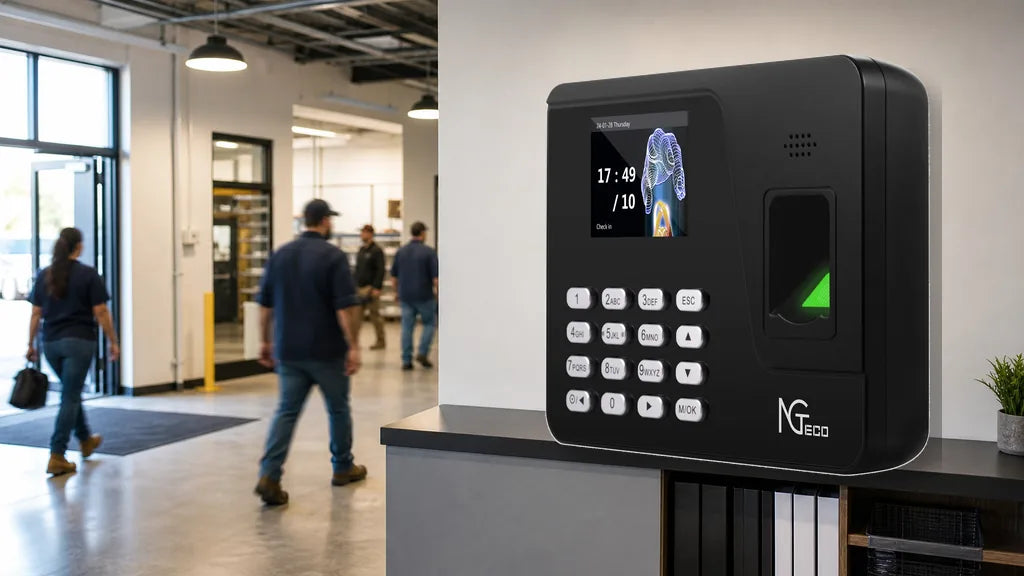
Every time clock has a user limit, and hitting it means new employees can’t clock in. But user count is only one of three numbers that matter. Here’s how to read all three, calculate what you need, and match the right NGTeco time clock model to your team.
Quick match by team size:
- Up to 100 employees → TC2 / K4 / NG-TC4
- 100–200 employees → TC1 / MB1 / NG-TC5
- 200–500 employees → TC3 / AS10 (no overnight shift support) / K4-B
- 500–1,000 employees (offline, single site) → AS10-B (no overnight shift support)
- 500+ employees with cloud or multi-site needs → Multiple TC3 units
- 1,000+ employees → Multiple TC3 units across departments or sites
What Does “Capacity” Mean on a Time Clock?
Every time clock has three separate capacity limits. Any one of them can become a bottleneck for your team.
| Capacity type | What it limits | What happens when it’s full |
|---|---|---|
| User capacity | How many employees you can enroll | New staff can’t be added until existing records are deleted |
| Fingerprint / face capacity | How many biometric templates the device stores | Can be higher than user count if each person enrolls multiple fingers |
| Record capacity | How many individual punch records the device holds | Oldest records are overwritten automatically, with no warning |
The three numbers are independent. A device with room for 500 users but only 20,000 punch records will lose data quickly on a busy team, even if the employee roster is only half full.

How Do You Calculate the Capacity You Need?
Step 1: Set Your User Capacity Floor
Take your current employee count and multiply by 1.5.
Current headcount × 1.5 = minimum user capacity
That buffer covers new hires, temporary staff, and seasonal workers without forcing you to delete existing enrollments. High-turnover operations or businesses with large temp crews should use a higher multiplier.
Step 2: Calculate Your Record Capacity Requirement
Employees × punches per person per day × days between exports = records needed
Example: 50 employees, 4 punches each per day, exported monthly: 50 × 4 × 30 = 6,000 records/month
At that rate, a 20,000-record NGTeco device gives roughly three months of buffer, which is enough for a small team on a regular export schedule.
Step 3: Buy One Tier Up
The cost difference between capacity tiers is small. The disruption of outgrowing a device mid-operation is not. Err on the larger side.

Which Time Clock Matches Your Team Size?
| Team size | Suggested models | User capacity | Fingerprint capacity | Record capacity |
|---|---|---|---|---|
| Up to 100 | TC2 | 100 | 200 | 30,000 |
| Up to 100 | K4 | 100 | 300 | 20,000 |
| Up to 100 | NG-TC4 | 100 | 200 | 30,000 |
| 100–200 | TC1 | 200 | 400 | 30,000 |
| 100–200 | MB1 | 200 | 400 | 30,000 |
| 100–200 | NG-TC5 | 200 | 200 (face) | 30,000 |
| 200–500 | TC3 | 500 | 1,000 | 50,000 |
| 200–500 | AS10 | 500 | 500 | 50,000 |
| 200–500 | K4-B | 500 | 1,000 | 100,000 |
| 500–1,000 | AS10-B | 1,000 | 1,000 | 50,000 |
Note: The AS10 has the highest single-device user capacity in the lineup, well-suited for large single-site teams that don’t need cloud access.
For teams above 1,000 employees, no single device covers the full roster. The right approach is to split enrollment across multiple units by department, shift, or location. Use the same calculation from Step 2 above, applied per device:
Total employees ÷ number of devices = employees per device
Then verify each device’s user capacity covers its assigned group, with the 1.5x buffer applied. For 1,000 to 5,000 employees, two to ten TC3 units linked through NGTeco’s cloud platform lets you track all groups from a single dashboard. For 5,000 to 10,000, scale the number of units accordingly and organize by site or department.
What Happens When the Record Memory Gets Full?
When a time clock’s record memory fills up, it starts overwriting the oldest punch data. The device doesn’t alert you. Records are gone without any indication that something was lost.
How quickly that happens:
| Record capacity | 50 employees (4 punches/day) | 200 employees (4 punches/day) |
|---|---|---|
| 20,000 records | ~100 days | ~25 days |
| 30,000 records | ~150 days | ~37 days |
| 50,000 records | ~250 days | ~62 days |
| 100,000 records | ~500 days | ~125 days |
To Keep Records Intact:
- Export time reports on a fixed schedule, not only when you remember
- For teams of 50 or fewer, monthly exports are usually sufficient
- For teams of 100 to 200, bi-weekly exports are safer
- For teams above 200, weekly exports or a model with 50,000+ record capacity removes the risk entirely
Cloud-connected TC-series models sync punch data to the cloud as it’s recorded, which adds an extra layer of protection on top of the on-device storage.

Capacity Is Only Part of the Decision
The numbers get you to the right size. A few other factors determine how well a time clock fits the way your team works.
Multi-Location Management
User capacity doesn’t help if you need to view data from multiple sites in one place. The offline AS10 and AS10-B, and the app-based K4, K4-B, and MB1, each operate as standalone devices. For businesses managing multiple sites, the TC series with cloud connectivity lets you view all locations in a unified dashboard.
Temporary and High-Turnover Staff
Biometric enrollment takes time to set up and remove per person. RFID cards are faster: assign a card on day one, remove it when someone leaves. The MB1, TC1, and TC3 all support RFID alongside biometric options.
Overnight Shifts
As noted above, the AS10 and AS10-B don’t support overnight shifts. All other NGTeco time clock models handle overnight shifts accurately.

What If Your Team Grows Beyond One Device?
Every time clock on the market has a per-device enrollment ceiling. The standard approach as teams grow is to add units and divide enrollment by department, location, or shift.
With offline or app-based models, each device works independently, and reports have to be consolidated manually. With cloud-connected models like the NGTeco TC series, multiple devices feed into the same dashboard automatically. You can assign each unit to a specific department or site, set different shift rules per group, and pull combined reports without touching each machine separately.
For growing teams, a cloud-connected setup from the start is easier to scale than migrating from an offline or app-based device later.
Which Capacity Level Fits Your Business?
- Up to 100 employees: K4 (built-in battery, app-based), TC2 (dual-band WiFi + cloud), NG-TC4 (cloud entry point).
- 100–200 employees: TC1 (face + fingerprint + card, full cloud). MB1 (same recognition methods via NGTeco Time App).
- 200–500 employees: TC3 (touchscreen, 500 users, dual-band WiFi). K4-B (highest record capacity at 100,000 punches).
- 500–1,000 employees, single site, offline: AS10-B (1,000 users, USB export, no monthly fee).
- 500+ with cloud or multi-site needs: Multiple TC3 units linked through NGTeco’s cloud platform, organized by department or location.
- 1,000–10,000 employees: Multiple TC3 units scaled to team size. Two to ten units cover 1,000–5,000 employees; larger operations scale further with the same per-device enrollment logic.
Every NGTeco time clock model is a one-time purchase with no monthly subscription. Cloud data on TC-series models is encrypted and stored on AWS-secured servers.
Where to Start
Check user capacity first, then fingerprint capacity, then record capacity. Multiply your current headcount by 1.5 to set your floor, and choose a model with room to grow. For teams with overnight shifts, high turnover, or multiple locations, capacity is the foundation, not the whole picture.
FAQs
Q1: What’s the Best Time Clock for 100 Employees?
It depends on how you want to manage attendance. The TC2 offers cloud access and dual-band WiFi for teams up to 100. Budget-first? The NG-TC4 brings cloud connectivity.
Q2: Is User Capacity the Same as Fingerprint Capacity?
No. User capacity is the number of employees the device can enroll. Fingerprint capacity is how many biometric templates it stores, which can exceed the user count if each person registers multiple fingers. Always check both numbers before buying.
Q3: Does a Time Clock Delete Old Records Automatically?
Yes, but not in a way that’s easy to notice. When record memory fills up, the device overwrites the oldest punches with no alert. The data is gone. Regular exports prevent this. NGTeco’s cloud-connected models also sync records to the cloud as a backup.
Q4: How Often Should I Export Time Clock Records?
It depends on team size. For 50 or fewer employees, monthly exports are usually enough. For 100–200 employees, bi-weekly is safer. Above 200, weekly exports or a model with 50,000+ record capacity removes the risk. The K4-B holds 100,000 records, the highest in NGTeco’s lineup.
Q5: Can I Add Employees to a Time Clock Later?
Yes, as long as you haven’t hit the user capacity limit. Enrollment is done directly on the device and takes a minute or two per person. If your team is growing, choose a model with headroom above your current count so you’re not forced to delete old enrollments to make space.


Share:
Do You Need WiFi for a Time Clock? Offline, WiFi, and Cloud Explained
Best Time Clock for a Salon, Spa, or Barbershop (How to Choose)