
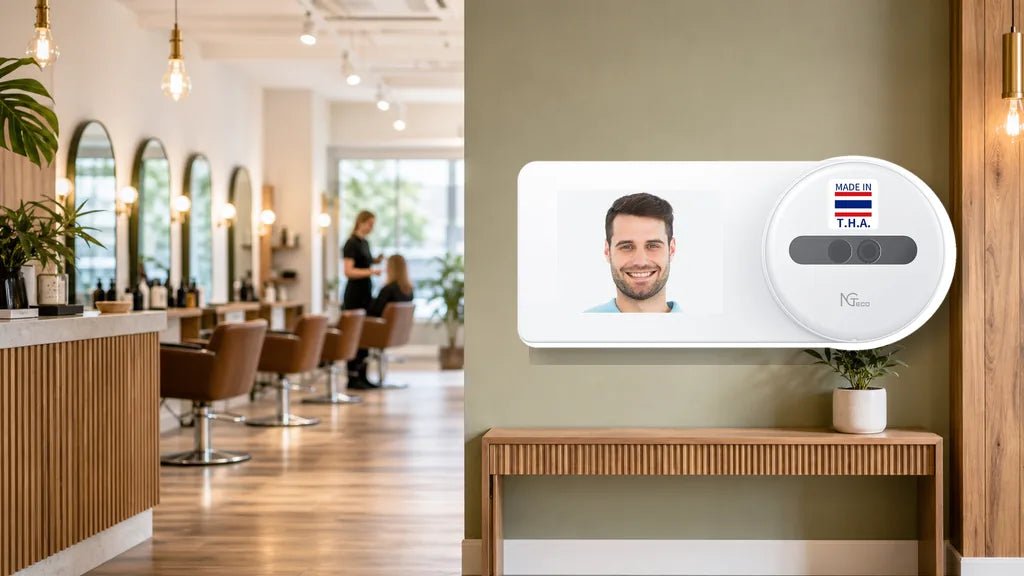
Wet hands, latex gloves, and a room full of clients waiting make a normal punch clock hard to trust in a salon. A time clock for salon staff has to work around chemical smudges, quick glove changes, and stylists who rent a chair instead of working a fixed shift. Here is what separates a clock that holds up in this setting from one that falls apart within weeks.
Quick answer: Salons need a clock that skips fingerprints, because wet hands and gloves ruin the read, scales to your headcount, and connects across every location you run.
What Makes Time Clocks Tricky for Salons and Spas?
A salon floor runs differently than a typical office. Staff move between chairs, wash stations, and back rooms all day, and their hands rarely stay dry or clean. Between color treatments, waxing, and facials, chemical residue builds up fast, and gloves come on and off constantly.
Add in appointment-based scheduling, and shifts start and end at different times across the same day. A time clock for a hair salon, a time clock for spa staff, or a time clock for barbershop crew all face the same core issue: the people clocking in are not sitting at a desk working a fixed schedule.
On top of that, many salons mix full-time staff with part-timers and independent stylists who rent a chair. That mix makes attendance harder to track with paper sheets or a shared PIN code, because anyone can punch in for someone else.


Why Does Face Recognition Work Better Than Fingerprint Here?
Face recognition tends to work better than fingerprint scanning in a salon, and the reason comes down to what hands go through during a shift.
- Wet hands, right after a wash or a rinse, lower how well a fingerprint reads.
- Color, oil, and other product residue on fingertips can throw a scanner off completely.
- Gloves during a treatment block a fingerprint reader outright.
Face recognition skips all of that. It reads your face, not your hands, so you can clock in mid-treatment without pulling off gloves or drying your fingers first.
Among NGTeco’s lineup, a biometric time clock for salon use with face recognition means choosing from NG-TC5, MB1, TC1, or TC3, because these are the models built with a face sensor. If you want face recognition and want to keep the cost down, NG-TC5 gives you that option at $149.99, the lowest price point among the face-capable models. The sizing and location guidance ahead centers on NG-TC5, TC1, and TC3, because these three sit on NGTeco’s cloud tier, while MB1 stays a solid single-site option outside that lineup.

What Size Time Clock Fits a Small Studio or a Full Salon?
Your headcount points you toward the right model faster than any spec sheet.
| Salon Size | Suggested Model | What You Get |
|---|---|---|
| 1 to 5 people | NG-TC5 ($149.99) | Face recognition at the lowest entry price, with enough capacity for a small studio |
| 5 to 20 people | TC1 ($189.99) | Face recognition plus card and password options, with cloud access built in |
| 20+ people or multiple stations | TC3 ($269.99) | A touchscreen, room for up to 500 people, and a stronger dual-band connection |
Appointment-based staffing tends to swing, with extra stylists booked in for busy weekends and lighter coverage on quiet days. Leave some headroom in your headcount estimate rather than buying right at your current staff count, so a busy season does not push you past what the clock can handle.
What Should You Do With Multiple Salon Locations?
Owning several salon locations changes what you need from a time clock.
With a cloud-connected model, you can check who has clocked in at a second or third location right from your phone, without driving over or calling the front desk. Each site groups separately, so you see location A and location B as two separate views instead of one mixed list.
This works with NGTeco’s cloud-tier machines: TC1, TC3, and NG-TC5. The offline AS10 and AS10-B do not connect anywhere beyond the one device, and the app-based K4 and MB1 do not show cross-location data either. If checking on multiple shops matters to you, stick with the cloud-tier lineup.
How Should You Track Part-Timers and Chair Renters?
Salon employee time tracking gets trickier with a rotating cast of part-timers and chair renters, and your time clock should keep up without extra hassle.
- People come and go, so look for a model where adding or removing someone takes a minute, not a setup appointment. TC1, TC3, and MB1 all support card-based clock-ins, which works well for anyone who prefers a quick tap over face or fingerprint.
- Shifts run late, so an overnight-friendly clock matters. NG-TC5, MB1, TC1, and TC3 all handle shifts that cross midnight, while the offline AS10 and AS10-B do not.
- Hours pile up across many names, so pull an hours report each month and check it against what each person worked.

Where Should You Place a Time Clock in a Salon?
Placement affects how smoothly staff use a time clock every day.
Set it up near the front desk or staff entrance, somewhere people pass on their way in rather than out of their way. Keep it a few steps from the wash station, because steam and splashes can affect the display over time.
For a face-recognition model, choose a spot with even lighting. Strong backlight from a window or a bright overhead spot right behind the clock can make the face read less reliable, so aim for a wall with steady, front-facing light instead.
Which Time Clock Should You Choose for Your Salon?
Matching your setup to your salon comes down to three questions: how many people clock in, how many locations you run, and how much you want to spend.
- A small studio that wants to keep cost down: NG-TC5 gives you face recognition at $149.99, without paying for features a one-room studio does not need.
- A standard salon that wants remote access: TC1 combines face recognition, card support, and cloud access at $189.99, so you can check attendance without being on site.
- A bigger salon or a multi-location business: TC3 handles up to 500 people, works across several stations at once, and includes a stronger dual-band connection at $269.99.
Each of these runs as a one-time purchase, with no monthly fee attached to the cloud connection, and cloud data stays encrypted through AWS. When you compare options for the best time clock for small business use, headcount and the number of sites you need to check usually decide the right fit.
Ready to Pick Your Salon’s Time Clock?
Choosing a time clock for a salon starts with solving the wet-hands-and-gloves problem, and face recognition handles that better than fingerprint scanning. From there, match the model to your headcount and to how many locations you run. NG-TC5, TC1, and TC3 cover a small studio, a standard salon, and a bigger multi-location business. Compare the three side by side and pick the fit for your team.
FAQs
Q1: What’s the best way for salon staff to clock in with wet hands?
Face recognition is the most reliable option, because it reads your face instead of your fingertips. Water, product residue, and gloves all interfere with a fingerprint scanner, but none of that affects a face sensor. NG-TC5, MB1, TC1, and TC3 all support this method.
Q2: Is face or fingerprint better for a hair salon?
Face recognition usually wins in a hair salon setting. Wet hands, color residue, and gloves during treatments all lower fingerprint accuracy, while a face sensor works regardless of what your hands have been through that day.
Q3: Can one time clock work across multiple salon locations?
Yes, as long as you choose a cloud-connected model. TC1, TC3, and NG-TC5 let you check attendance at multiple sites from your phone, grouped by location. Offline and app-only models do not offer this.
Q4: How do I track hours for part-time stylists?
Pull an hours report each month and check it against your schedule. Look for a model with overnight support and quick card-based clock-ins, because part-time and rotating shifts often run outside normal hours.
Q5: Is there a salon time clock with no monthly fee?
Yes. NGTeco’s time clocks are a one-time purchase, and the cloud connection does not carry a monthly fee. That includes NG-TC5, TC1, and TC3, all of which support cloud access at no extra recurring cost.


Share:
How Many Employees Can One Time Clock Handle (A Capacity Guide)
Best Time Clock for a Dental, Medical, or Vet Clinic (How to Choose)