
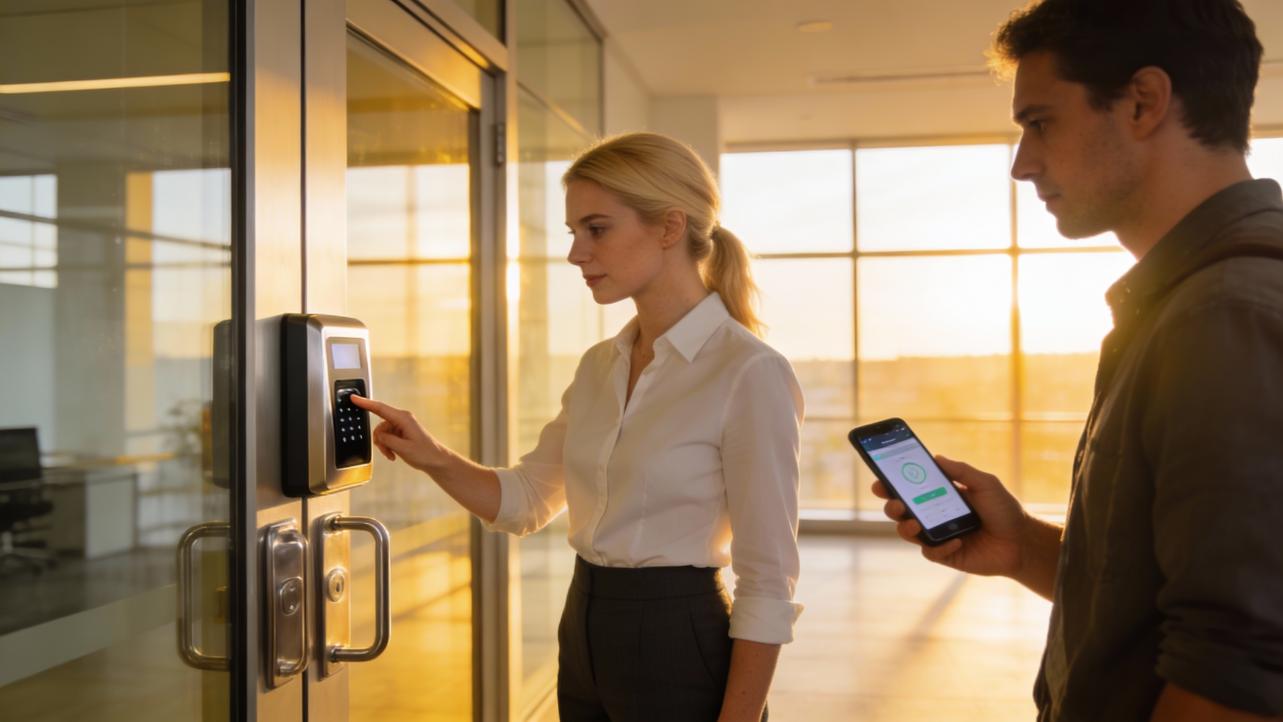
If you run a small business, you do not care about sci‑fi biometrics. You care about one thing: are my time and attendance numbers actually right so I can run payroll without drama?
I have seen both sides up close: warehouses with fingerprint time clocks at every entrance, and field teams checking in from their phones with GPS and selfies. Both camps swear their approach is “more accurate.” The real answer is more nuanced.
Let’s unpack what accuracy really means here, what the research says about biometric performance, and how that translates into cleaner payroll and fewer headaches for your operation.
Defining the Two Options in Real-Life Terms
Before comparing accuracy, it helps to be clear on what we are comparing.
What “App Check-in” Usually Means
App check-in systems ride on smartphones and office networks. Based on real-world platforms described by WiFi-based attendance providers and mobile workforce apps, an app check-in setup typically combines several pieces:
Employees open an attendance app on their phones, log in with a password or device-level biometric such as Face ID or a fingerprint, and tap to clock in or out. The app may use GPS or geofencing to ensure they are within an approved work zone, or it may detect that their registered device is connected to the office WiFi network. Some systems add a quick selfie or in-app biometric check for extra assurance.
Attendance events are pushed to the cloud in real time. Modern platforms described by vendors such as Mewurk and Truein also integrate shift rules, overtime calculations, leave requests, and analytics dashboards. WiFi-based systems highlighted by WiFi Attendance lean heavily on the idea that you can use existing WiFi access points and employees’ phones rather than installing their own hardware.
In short, app check-in is less about a single sensor and more about a whole workflow: identity, location, and policy logic bundled into one mobile-first system.
What “Professional Biometric Devices” Usually Are
Professional biometric devices are standalone terminals designed to sit at a door, gate, or reception desk. They typically use one or more of these biometric identifiers:
Fingerprint scanners that capture a two‑dimensional impression when a finger presses on a sensor. The National Institute of Standards and Technology has found that mature contact-based fingerprint devices can reach match accuracy better than 99.5 percent in controlled tests.
Facial recognition terminals that capture a live facial image and compare it to an enrolled face template. At the heavy-duty end of the spectrum, the Department of Homeland Security reported that the facial recognition systems used at Transportation Security Administration airport checkpoints correctly verified travelers more than 99 percent of the time across over 1,600 volunteers.
More specialized devices may use iris or vein recognition. Analysis from ABI Research notes that iris scanners can achieve around 99.59 percent accuracy, and research cited by Fujitsu reports vein recognition systems with a false rejection rate under 0.00008 percent. These modalities tend to show up in higher-security or regulated environments.
For time and attendance, the practical reality is that most small and midsize businesses end up with fingerprint terminals, facial terminals, or a mix of both. Employees step up to a device, present their finger or face, the device matches against enrolled templates, and the clock-in event is recorded locally or sent to a timekeeping system.
A Quick Side-by-Side View
Here is a simple comparison of the core differences, based on the technologies described in the research.
Aspect |
App Check-in (Phone / WiFi / GPS) |
Professional Biometric Devices (Terminals) |
Core identity mechanism |
Password plus device biometric, GPS, geofence, WiFi presence, optional selfie |
Fingerprint, face, iris, or vein readers tied to enrolled templates |
Typical deployment |
Employees’ smartphones and existing WiFi; cloud-based platform |
Fixed devices at doors or timeclock stations, wired to network or controllers |
Data captured |
Clock in/out plus often full-day presence, location, breaks, leave, overtime |
Punch in/out events at device; sometimes limited to entry and exit timestamps |
Where biometrics are stored |
Often on-device inside the phone’s secure enclave when using native Face ID or Touch ID |
On the terminal or on a central server, depending on configuration |
Primary strength |
Rich, real-time data and flexibility for field or multi-site teams |
Very strong identity assurance and resistance to “buddy punching” |
With that foundation, we can tackle the big question.
Question 1: Which Option Better Confirms “This Is the Right Person”?
When owners and HR teams ask about “accuracy,” they usually mean, can someone fake this, and will the system confuse one person for another?
Raw Biometric Accuracy: How Good Is the Tech?
Across multiple independent sources, the core biometric technologies themselves are very strong when properly implemented.
Research summarized by Identity Management Institute and other security organizations has documented rapid growth in biometric adoption; one survey they cite shows business use of biometrics jumping from 27 percent to 79 percent over just a few years, with most of those organizations also using two-factor authentication. Mitek’s analysis of biometric performance notes that modern facial recognition algorithms can reach accuracy levels above 99.97 percent in ideal settings, with false match rates as low as 0.0001 percent in laboratory tests.
Government testing gives us concrete numbers as well. The Department of Homeland Security’s Science and Technology Directorate evaluated facial recognition systems used by TSA and reported that the Credential Authentication Technology units verified identities correctly over 99 percent of the time, with similar performance across age, gender, and skin tone. Only a small gap appeared, where self-identified Black or African American volunteers still saw accuracy around 98 percent.
When you focus specifically on fingerprints, the picture is similar. NIST’s contactless fingerprint study found that traditional contact-based fingerprint readers achieved better than 99.5 percent matching accuracy. Some mobile or contactless solutions approached 90 to 95 percent when using multiple fingers, but single-finger matching from smartphone-style contactless images often lagged at about 60 to 70 percent match accuracy when compared against older, contact-based records.
Commercial and government testing consistently show that dedicated, well-engineered biometric readers can be extremely accurate at saying, “This is Alice, not Bob.”
How Do Smartphone Biometrics Compare?
App check-in systems often lean on the biometrics already built into employees’ phones rather than building their own sensors. That means their identity accuracy is closely tied to the quality of Face ID, fingerprint unlock, or similar mechanisms on the device.
Guidance from the United Kingdom’s National Cyber Security Centre points out that typical mobile biometric systems achieve false acceptance rates below one in one thousand. Apple has publicly reported that the chance of a random person unlocking an iPhone or iPad with Face ID is less than one in one million, under test conditions. Mitek’s consumer survey found that about 74 percent of people view physical biometrics as the most secure way to log in, which lines up with that performance.
In other words, when your attendance app simply asks the phone, “Did the right person unlock this device using its built-in biometric?” you benefit from years of platform-level security work.
However, when attendance apps try to build their own contactless fingerprint capture using commodity cameras, they run into the same limitations NIST observed in its contactless fingerprint tests. Unless the solution uses multiple fingers and a carefully tuned matching engine, the raw fingerprint matching will not match the accuracy of a professional contact-based scanner.
False Positives and False Negatives: The Errors That Matter for Payroll
Across all biometric systems, there are two kinds of errors that matter to an operations leader: false positives and false negatives.
Regulators and privacy commissioners, such as the Office of the Victorian Information Commissioner, emphasize that all biometric matching is probabilistic. Systems can sometimes accept the wrong person, a false positive, or reject the right person, a false negative. Papers they and others have published highlight that factors like lighting, sensor quality, aging, injury, and even the demographic balance of training data can influence error rates.
TeamPassword’s review of biometric disadvantages underlines this with real incidents. It points to breaches at companies storing biometric templates and also notes that facial recognition systems in particular have historically shown higher error rates for women and people of color in some deployments.
For time and attendance, a false positive is risky because it creates an opening for “buddy punching.” A false negative is operationally painful because it forces manual overrides and delays when people cannot clock in.
Dedicated fingerprint readers in time clocks tend to keep false positives extremely low because they match against a controlled enrollment set. Smartphone-based Face ID and Touch ID also keep false positives very low in isolation, but the app’s overall accuracy depends on how often it falls back to weaker methods such as passwords when the biometric fails.
To make this more concrete, imagine you have 40 employees who each clock in and out twice per day, which gives you around 160 biometric checks daily. If a device has a false acceptance rate of one in one thousand attempts, you would expect, on average, roughly one wrong acceptance every six or seven working days. If the same device limits biometric attempts and quickly falls back to a strong passcode when there is any doubt, that risk becomes manageable. If it quietly accepts marginal matches because it has been tuned for speed over security, the risk climbs.
The key point is that modern biometric sensors in both phones and professional devices can be extremely accurate, but the settings and fallback paths, not just the sensor, determine how often you see real-world errors.
Spoofing and Fraud: Can Someone Hack Their Way In?
Every system can be tricked; what matters is how hard it is.
Identity Management Institute and TeamPassword both highlight that biometric spoofing is a real issue. Researchers at Michigan State University have created synthetic “MasterPrints” that could match a significant number of real fingerprints. Security testers in Vietnam famously fooled early versions of Face ID with crafted masks. Biometric vendors invest heavily in liveness detection to spot printed faces, masks, or replayed fingerprints, but attackers are also learning.
Professional biometric devices used for access control and time clocks typically include anti-spoofing measures and, crucially, sit in supervised physical locations. Someone using a fake finger repeatedly at a wall-mounted reader is easier to spot than someone quietly experimenting on their own phone at home.
App check-in can be more exposed to social engineering and device sharing. Accu‑Time Systems has argued that relying heavily on bring-your-own-device for regulated data increases security and compliance risk, which is why some regulated organizations prefer dedicated biometric time clocks as controlled endpoints. If an employee shares their passcode or leaves their phone at home with someone else, a pure app-based system that does not re-check biometrics at clock-in time is much easier to trick.
When app platforms combine device biometrics, location checks, and occasional selfie verification, they can significantly narrow that gap. Many biometric experts, including those referenced by Mitek and Identity Management Institute, recommend using biometrics as one factor in a multi-factor strategy rather than a stand-alone “magic bullet.”
Identity-Accuracy Verdict
If your question is narrowly, “Which technology is better at deciding that the person at the device is who they say they are?” the balance of evidence favors professional biometric devices, especially contact-based fingerprint and well-tested facial terminals. Studies from NIST, DHS, ABI Research, and others show contact fingerprint, iris, vein, and supervised facial systems achieving extremely high accuracy.
High-quality smartphone biometrics come close in many scenarios. For most small businesses, the difference will not show up as daily chaos. The real differentiators are how the systems are configured, how they handle fallbacks, and whether you are comfortable tying your risk to the security of dozens or hundreds of personally owned phones.

Question 2: Which Option Produces More Reliable Attendance and Payroll Data?
Identity accuracy is important, but from an operations perspective, you really care about whether the hours in your payroll system match reality. That is where app check-in often starts to pull ahead.
Data Completeness: Not Just Who, but Where and How Long
Biometric devices are excellent at proving that a particular person touched a particular reader at a specific time. In many setups, that means a punch at the front door at the start of the day and another punch at the end.
WiFi-based attendance providers argue that this picture is incomplete. Their systems detect when an employee’s registered phone is within office WiFi coverage and can log not just entry and exit but total hours on site, typical break durations, and even movement between buildings on a campus. Instead of two punches and a lot of assumptions, they generate continuous presence data that can be sliced by team, location, or time.
Mobile attendance platforms built around IoT concepts extend this to field and remote staff. Mewurk’s description of its mobile attendance app describes GPS and geofencing to restrict check-ins to approved work sites and real-time synchronization to the cloud, giving managers a live view of who is actually at which site. Their case study of a construction company reported about a 30 percent reduction in unproductive hours after adopting mobile attendance, driven by better schedule adherence and faster decisions.
In practical terms, if you run a service business with crews scattered across job sites and only a biometric reader back at the office, you often end up estimating travel and site time or relying on paper. An app-based system that can verify location at clock-in and clock-out, and feed that directly into your time and attendance rules, gives you much closer alignment between what people actually did and what ends up on the paycheck.
Downtime and Hardware Fragility
WiFi Attendance and similar sources point out another real-world problem: hardware fails. A fingerprint reader with a worn sensor or a face terminal that is misaligned can block dozens of people from clocking in on Monday morning. When that happens, managers fall back to manual sign-in sheets and HR spends days cleaning up timecards.
WiFi-based attendance and smartphone-centric systems reduce this single point of failure. As long as the WiFi network and cloud service are functioning, employees can connect from any functioning phone. Support is often delivered remotely, and there is no need to dispatch an engineer to repair a broken wall unit.
To be fair, mobile systems depend on networks and app stability, and they introduce their own failure modes: dead batteries, outdated phones, or spotty coverage at a remote site. However, when you look at the number of hours lost to “the clock is down again” with older biometric terminals, especially in smaller organizations without a dedicated IT team, the argument that app-based attendance has less disruptive downtime is compelling.
From a payroll-accuracy perspective, every hour the system is down is an hour you are reconstructing history by hand, which is rarely precise.
Automation of Rules: Accuracy Beyond the Punch
Another unsung accuracy factor is how well your system implements your attendance policies. Truein’s material emphasizes this: the real operational gain from a modern app-based attendance platform is in automating late marks, half-day rules, shift timing, and overtime calculations and then turning those into real-time reports.
WiFi Attendance similarly describes systems that not only log presence but also calculate paid time off, overtime, and vacation, and integrate with scheduling tools. Once configured, the system applies the rules consistently and does not forget to apply an overtime multiplier or miscount hours for a shift that crosses midnight.
You can, in theory, plug biometric terminals into a sophisticated time and attendance engine and get similar automation. In practice, many small businesses run fairly basic biometric clock software that exports punch times as flat files or spreadsheets, and then a human re-enters or manipulates data before payroll. Every manual touchpoint introduces errors.
When you look at accuracy at the level of the final paycheck, there is a strong case that an app-centered system designed from the ground up to connect capture, rules, and payroll will outperform a standalone biometric clock feeding into manual processing, even if the biometric sensor on the clock is marginally more precise.
A Simple Example: Two Different Shops
Imagine two manufacturing shops, each with fifty employees.
The first shop uses a fingerprint time clock at the front door. People punch in at 7:55 AM and out at 4:05 PM. Breaks are not individually tracked; the system assumes a standard half-hour lunch. When the reader fails one morning, the supervisor writes down names and times on paper, then later tries to reconstruct punches before sending a spreadsheet to payroll.
The second shop uses a mobile attendance app that requires employees to unlock their phones with device biometrics and be inside the building’s WiFi coverage to clock in or out. The app logs exact in and out times for breaks and automatically adjusts for overtime rules. If someone forgets to clock out, the system flags an exception for a supervisor the same day.
The fingerprint reader in the first shop may be marginally more accurate at confirming each punch belongs to the right person. But the end-to-end process in the second shop generates more complete data with fewer manual corrections. When you add it up over a month, the app-based approach is likely to produce a more accurate picture of payable hours.
From an Operations Fixer standpoint, that is the kind of accuracy that matters when you reconcile labor costs, not the fifth decimal place on a biometric match score.
Question 3: Where Do Privacy, Bias, and Compliance Tip the Scales?
Accuracy is not only a technical question; it is also about whether your system is fair, trusted, and compliant enough to use consistently.
Biometric Data as Permanent Personal Information
Multiple sources, including Identity Management Institute, the Office of the Victorian Information Commissioner, and Onfido’s and Mitek’s industry analyses, emphasize the same warning: biometric identifiers are permanent. You can change a password; you cannot change your fingerprint or the structure of your face if that data is compromised.
TeamPassword’s review catalogues several serious breaches, including one where a security company’s systems exposed fingerprint and facial recognition data for more than a million people, and another where fingerprint data of over five million federal employees was stolen. Onelogin and others note that many jurisdictions now treat biometric data as highly sensitive personal information, subject to strict consent and storage requirements.
Professional biometric devices that store fingerprint templates or facial images on centralized servers create a large, attractive target. Regulators and privacy advocates warn about “function creep,” where face images collected for access control or attendance are later reused for tracking or performance monitoring without clear notice.
App check-in has an advantage when it relies on platform-native biometrics. Guidance from the UK National Cyber Security Centre explains that on common smartphones, biometric templates are stored locally in a secure enclave and are not uploaded to the cloud by default. When your attendance app simply asks the operating system, “Did the right person unlock the device?” your company never handles biometric templates directly. That significantly lowers your privacy and breach exposure.
However, some mobile attendance systems integrate their own facial recognition or fingerprint scanning features for check-in selfies, storing templates in their own cloud. Those systems then have many of the same privacy risks as centralized biometric time clocks. As an operator, you need to ask vendors directly how and where biometric templates are stored and whether they are encrypted and segregated from other personal data, as recommended by privacy regulators.
Fairness, Bias, and Accessibility
Privacy agencies and security experts also highlight fairness issues. The Office of the Victorian Information Commissioner and Onelogin both point out that facial recognition systems often perform worse on underrepresented demographic groups when their training data has been skewed. Studies they reference have shown higher error rates when identifying people of color and women in some deployments.
The DHS evaluation of TSA’s facial systems is a useful counterpoint. It found that accuracy stayed above 98 percent across demographic groups, including Black volunteers, which is far better than many earlier systems. But even that report acknowledges that gaps, even small ones, deserve scrutiny when the technology controls access to essential services.
Accessibility is another concern. TeamPassword notes that some people with disabilities or age-related changes cannot reliably use fingerprint scanners. Wear patterns, injuries, or medical conditions can lead to high failure-to-enroll or frequent false rejections, as privacy commissioners such as those in Victoria have warned. Some individuals cannot show their face for cultural or religious reasons, which makes face-only systems impractical or exclusionary.
For a small business, that translates into constant exceptions: people who always need to be manually added, alternative devices at certain doors, or employees who feel singled out by a system that never recognizes them. Over time, they trust the system less and are less likely to take its rules seriously.
App check-in can be more flexible here. Employees who have trouble with fingerprint readers can still use a device passcode plus GPS or WiFi presence. You can configure exceptions and alternative flows without redesigning hardware at your entrances.
From an operations perspective, a system that is technically accurate but systematically fails specific groups is not accurate at the level that matters: consistent, fair enforcement you can defend and that employees accept.
Question 4: Devices, Networks, and Budget: What Will Actually Work for You?
Even the most accurate system on paper does not help if you cannot afford it or support it.
Cost and Infrastructure
Mitek cites a survey showing that 67 percent of IT professionals viewed cost as the main barrier to implementing biometrics, and nearly half said they would need to upgrade existing systems. WiFi Attendance breaks down the economics in more practical terms: biometric terminals often cost from tens to several hundreds of dollars per unit, and larger offices need multiple devices at different entrances. Hardware also brings maintenance and repair costs whenever sensors fail.
In contrast, WiFi-based and mobile attendance systems mostly ride on infrastructure you already have: smartphones and office WiFi. Many platforms use per-employee monthly pricing that scales up or down with headcount, rather than significant upfront hardware spending.
For a single small office with one entrance and stable staff, a couple of biometric time clocks may be affordable and straightforward. For a network of small locations or a workforce dominated by field staff, the capital cost and complexity of putting biometric readers everywhere becomes hard to justify.
Hygiene and User Comfort
During the pandemic years, hygiene concerns became a big driver of change. RecFaces’ comparison of face and fingerprint biometrics points out that touch-based fingerprint scanners pose obvious hygiene issues, especially when dozens of people share the same sensor all day. Contactless face recognition and app-based verification avoid this.
NIST’s study of contactless fingerprinting mentions improved hygiene as one of the potential benefits of camera-based capture over contact-based scanners. That said, the same study also found that contactless systems had weaker accuracy when restricted to single-finger capture, which creates a trade-off: more hygienic but potentially less accurate unless multiple fingers and more sophisticated processing are used.
From an operations standpoint, if repeated use of a shared fingerprint reader is a concern for your staff, app-based or facial solutions may see better adoption, which in turn leads to more consistent data.
Device Control and BYOD Risk
Accu-Time Systems raises a different operational concern: control over devices. When employees clock in and access business systems from their own phones under bring-your-own-device programs, it becomes harder to control how and where confidential data is accessed and stored. Security tools that allow remote wiping of business data on personal phones can mitigate risk but often make employees uncomfortable, since they fear loss or exposure of their personal content.
By using biometric time clocks as controlled endpoints, organizations avoid extending corporate reach into personal devices for basic functions like timekeeping. Attendance is captured without the company needing to negotiate complex policies about inspecting or wiping phones.
For most small businesses that handle relatively modest amounts of sensitive information, a well-thought-out app-based attendance policy plus clear communication may be sufficient. For clinics, schools, and other environments dealing with highly regulated data, the safer course is often to keep core identity checks on company-controlled devices and avoid pushing everything to employees’ phones.

So, Which Is More Accurate For Your Business?
If we zoom out from all the technical detail and look through an Operations Fixer lens, the answer splits into two layers of accuracy.
At the biometric layer, professional devices clearly have the edge. Independent testing from NIST, DHS, ABI Research, and others shows that dedicated fingerprint, iris, vein, and supervised facial systems can consistently achieve extremely high identity accuracy. They also avoid many of the social and technical quirks of trying to use phone cameras as improvised biometric sensors.
However, at the operational layer where payroll is actually calculated, app-based attendance platforms often deliver more accurate results. They capture richer data: not just a couple of punches a day, but continuous presence, location, breaks, shift details, and overtime rules baked in. They reduce manual re-entry and repairs, which is where many real errors happen. Mobile- and WiFi-based systems have also proven effective at reducing unproductive hours and improving schedule adherence in the field, as the Mewurk case study illustrates.
Your decision should start with a few practical questions.
If your workforce is mostly on-site, with controlled entrances and strong regulatory or security requirements, and you can budget for hardware and its upkeep, professional biometric devices paired with solid time and attendance software will give you the strongest identity assurance and a clear story if you are ever audited.
If your workforce is distributed across sites, constantly in the field, or working hybrid, and your main pain today is messy timecards, late approvals, and manual overtime calculations, a modern app-based attendance platform that leverages on-device biometrics, GPS or WiFi verification, and policy automation is likely to deliver more accurate payroll numbers with less friction.
If your world is somewhere in between, the most resilient setup is often hybrid. Use biometric readers where they genuinely add control, such as main facilities, labs, or secure stockrooms. Use app check-in for remote work, client visits, and satellite sites. Feed both into a single, rules-driven attendance engine so every hour flows into payroll the same way. This aligns well with the broader security guidance from Identity Management Institute and others, which recommend treating biometrics as one component of a multi-factor, multi-layered approach rather than a standalone cure-all.
Whatever you choose, treat time and attendance accuracy like any other operational process: define the failure modes you care about, measure them, pilot on a small group, and adjust based on real numbers rather than vendor promises. The technology is mature enough that you can get excellent accuracy either way. The winning system is the one your people actually use, your managers can support without heroics, and your payroll team can trust at month-end.


Share:
Kindergarten Pick-up Safety: Trends in Facial Recognition Technology
Is Iris Recognition Worth the Investment for SMBs? A Practical ROI Deep Dive