
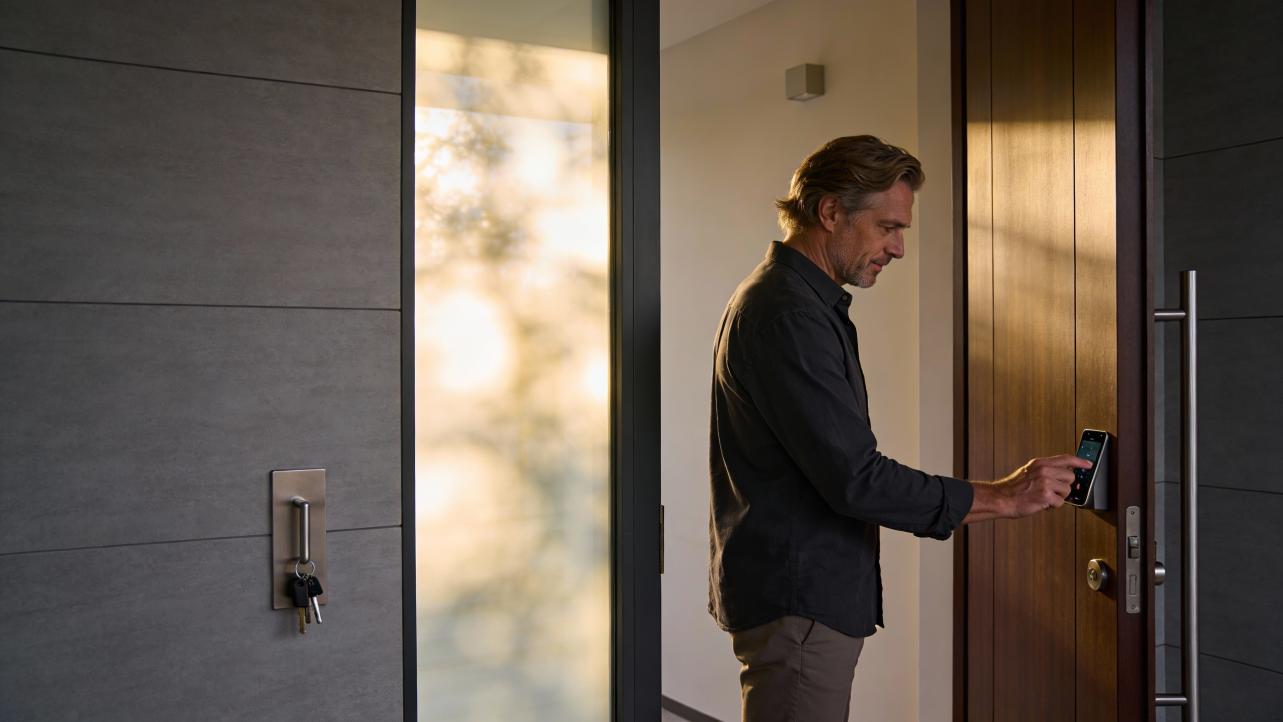
An access controller replaces traditional keys with centralized, auditable door permissions. This article explains how access controllers work, compares all-in-one and split architectures, and helps you choose the right fit for your business.
For most growing businesses, some form of access controller is no longer a nice-to-have; it is the backbone that keeps doors secure, logs clean, and time-and-attendance honest. The real decision is whether an all-in-one platform or a split, modular system best matches your size, risk, and in-house expertise.
Picture a Monday where you are juggling lost keys, a staffer who "forgot" to clock in, and a question about who was in the server room on Saturday. That mess is exactly what modern access control systems are designed to prevent, with security providers consistently reporting stronger security, fewer rekeying headaches, and more accurate payroll when doors are managed by a proper controller and integrated with HR and time-and-attendance tools. In the sections that follow, you will see how an access controller actually works, the trade-offs between all-in-one and split designs, and a practical way to choose what will give you tighter control with less operational noise.
What an Access Controller Actually Does
At the simplest level, an access controller is the decision-maker that sits between a person at the door and the lock on that door. It receives a credential from a card, fob, keypad, biometric reader, or cell phone, checks that credential against defined rules, and then either unlocks the door or denies entry. Companies like ProdataKey describe this as combining authentication and authorization, while firms such as Omnilert emphasize that a typical setup includes the controller, readers, locking devices, and sensors that all work in concert.
Beyond just opening a door, a controller creates an audit trail. Providers such as Senstar and Koorsen Fire & Security highlight that modern systems log every attempt, successful or denied, along with who, when, and where. That log becomes your source of truth when something goes missing, when an incident needs investigation, or when an auditor asks who had access to a sensitive room.
The controller also acts as the coordination point for policies. Identity and security specialists like Microsoft and Palo Alto Networks describe access control as a policy engine that enforces who can go where, under which conditions. In practical terms, that can mean day and time limits, role-based permissions, multifactor authentication on especially sensitive doors, and even automated responses during emergencies, such as unlocking evacuation routes while keeping storage or data rooms secured.
For operations, the biggest shift is moving from chasing physical keys to managing permissions centrally. Facility Protection Group and Sebastian both stress how administrators can quickly grant, revoke, or adjust access across many doors and sites without changing locks. That is where time savings, fewer mistakes, and tighter payroll data begin to show up.
All-in-One Access Control Systems
All-in-one systems bundle the major pieces of access control into a tightly integrated package: controllers, software, and often readers and locks, all designed and supported as a single solution. Many of these are cloud based, which means the configuration, logs, and management tools live in a secure data center instead of on a server in your back room.
In an all-in-one platform, you typically manage everything from a single dashboard. ProdataKey's PDK.io, for example, focuses on multisite management, unified user databases, shared schedules, and health monitoring across locations. Security companies like Higher Info Group and Senstar point out that this centralization is what lets you see real-time activity, adjust permissions, and generate reports for audits and incident reviews without hopping between tools.
For a busy operations leader, the practical advantages are clear. Bringing on a new hire can be as simple as creating a user, assigning a role such as "front office" or "warehouse," and letting the controller push the right permissions to all relevant doors. When someone leaves, you deactivate their credential once and they are locked out everywhere, which providers such as Koorsen, Sebastian, and Facility Protection Group all cite as a key security and efficiency benefit.
Consider a multilocation dental group. With an all-in-one, cloud-based controller, management can see who is opening clinic doors in the morning, ensure only authorized staff can access drug storage rooms, and reconcile door logs with time-and-attendance data to spot patterns like chronic late arrivals. Facility Protection Group specifically calls out access control integration with time-and-attendance systems as a way to make payroll more accurate, while platforms like BAS's MyEnroll360 demonstrate how access data can feed payroll and benefits processes through integrations with systems such as ADP or UKG.
There are trade-offs, and they matter. Cloud-based systems rely on internet connectivity, a point ProdataKey explicitly raises when comparing cloud and on-premise options. You may gain automatic updates and reduced on-site hardware, but you are also trusting your provider's uptime and security practices. All-in-one solutions can also limit your choice of door hardware or readers compared with fully modular designs, because not every third-party device is supported.
For small and mid-sized businesses without deep IT or security staff, however, the appeal is strong: one vendor, one pane of glass, and far fewer moving parts to coordinate.

Split (Modular) Access Control Architectures
Split, or modular, architectures treat the controller, readers, locks, and management software as separate building blocks. Omnilert explicitly lists credential readers, controllers, locking devices, and sensors as distinct components, while sources such as Scylla, FacilitiesNet, and The Alarm Masters describe how these elements can be integrated with video surveillance, alarms, and other building systems.
In a modular setup, you might use very robust electronic locks and door hardware highlighted by FacilitiesNet for exterior doors, biometric readers described by Sebastian or Scylla for server rooms or labs, and standard card readers for general office spaces. The central controller or controllers tie everything together, enforcing rules and logging activity, but you are free to choose best-of-breed devices or keep existing hardware where it still makes sense.
This approach shines in complex environments. Facility Protection Group and Alen Security both note scenarios where certain rooms hold hazardous materials, high-value inventory, or sensitive records. In that kind of facility, you might pair a biometric reader with stricter time windows on a lab or vault, while using simpler badge readers on offices and break rooms, all under a central policy framework informed by zero-trust and least-privilege principles described by SentinelOne, Omnilert, and Frontegg.
The flip side is complexity. FacilitiesNet warns that managers already juggle a broad security stack, and modular access control adds integration and maintenance work. The Alarm Masters emphasizes careful design, labeling, thorough testing, and professional installation to avoid gaps and misconfigurations. When a door misbehaves, someone must determine whether the issue is with the reader, lock, controller, cabling, or software, which can slow troubleshooting if you do not have strong vendor and integrator support.
For organizations with specialized compliance requirements or unique infrastructure, modular systems can be the right kind of flexible. Healthcare entities, for example, must meet HIPAA physical security expectations laid out by HHS and echoed by BAS, including distinct facility access controls, documented maintenance, and clear visitor procedures. A modular architecture allows them to pair specific door hardware, alarms, and logging requirements to each area while still feeding a central controller and audit trail.
All-in-One vs. Split: Side-by-Side
You can think about the trade-offs in practical terms rather than acronyms.
Factor |
All-in-One Platform |
Split / Modular Architecture |
Typical fit |
Small to mid-sized operations, multisite businesses wanting simplicity |
Complex, regulated, or highly customized environments |
Management style |
Single dashboard from one provider; strong cloud and mobile management options |
Mix of controllers, readers, and software that may come from different providers |
Hardware flexibility |
Uses a defined ecosystem of supported devices |
Allows more choice of locks, readers, and specialized devices |
Integration work |
Much of the integration is pre-built by the vendor |
Requires more design, configuration, and testing, often with a systems integrator |
Operational burden |
Lower day-to-day burden; ideal when you lack dedicated security or IT staff |
Higher design and maintenance burden but more control over every component |
Both approaches can deliver the core benefits that providers such as Senstar, Sebastian, and Higher Info Group describe: stronger security, less hassle with keys, comprehensive logs, and better alignment with compliance expectations. The right choice comes down to how much complexity you are truly willing to manage to gain extra flexibility.

How Access Controllers Support Time Management and Payroll Accuracy
For many operations teams, the security angle is obvious, but the hidden value of an access controller shows up in hours and dollars. Facility Protection Group specifically notes that integrating access control with time-and-attendance platforms improves payroll accuracy. When every entry to a site or restricted area is logged, you can reconcile that data with timesheets to spot gaps such as early clock-outs or badge use outside scheduled hours.
Benefit administrators like BAS highlight the importance of facility access controls as part of a broader security and compliance posture for environments handling sensitive information. Their MyEnroll360 platform integrates with payroll systems to keep eligibility and deductions aligned, and access control logs can feed similar workflows where you need proof of who was on-site and when. SentinelOne and Palo Alto Networks both emphasize that detailed audit logs are central to accountability, supporting investigations and regulatory audits.
From a day-to-day perspective, a controller-driven system can quietly fix several operational headaches. Lost keys stop turning into emergency rekeying projects, because a lost card or phone credential can be revoked instantly, as Koorsen, Sebastian, and Higher Info Group stress. Onboarding new employees becomes a matter of assigning roles that automatically grant the right doors and time windows, reinforcing least-privilege access while eliminating the "I never got my key" excuse that disrupts shifts.
Even without turning door data directly into punch-in times, many businesses use access logs as a verification layer. If payroll shows someone working eight hours in the warehouse, but the controller reports only a short visit through that door, you have a clear signal to investigate. Over time, patterns in the logs can reveal chronic overtime, underused spaces, or doors that are constantly propped open, leading to targeted fixes instead of guesswork.
Decision Guide: Do You Need an Access Controller, and Which Type?
The first question is how much risk and friction you currently tolerate. If you hold sensitive documents, valuable inventory, or hazardous materials, providers such as Alen Security, Facility Protection Group, and Scylla are unequivocal: restricting access to trusted, authorized individuals is a core safety and security control. Add any regulatory pressure such as HIPAA, PCI, or internal audit requirements, and the logs and policy enforcement that an access controller provides move from "nice" to "expected."
Next, look at your people, doors, and locations together rather than in isolation. Senstar notes that access control scales across corporate offices, critical infrastructure, and everything in between. If you operate from a single small site with a stable team, a light all-in-one system may be sufficient to replace keys and give you basic audit trails. Once you add multiple entrances, remote workers, contractors, or additional sites, the ability of cloud-based controllers described by ProdataKey and The Alarm Masters to manage many doors and locations from one place becomes a serious advantage.
Consider how dynamic your workforce is. Vendors such as Sebastian and Higher Info Group emphasize that electronic access control pays for itself in environments with frequent onboarding and offboarding, because you no longer reissue keys or rekey locks every time someone changes roles or leaves. If you find yourself doing manual workarounds—sharing door codes, lending keys, or bypassing alarms—that is a clear signal you need a controller enforcing policies consistently.
Finally, be honest about your internal capacity for complexity. If you have strong IT and facilities skills, a split architecture built from components like those described by Omnilert, Scylla, and FacilitiesNet might give you the exact mix of locks, readers, and integrations you want. If your team is thin and you already struggle to keep up with maintenance, an all-in-one platform with clear support, mobile management, and health dashboards such as those in ProdataKey's PDK.io will keep you out of the weeds.

FAQ
Is an access controller overkill for a small business with only a few doors? Not necessarily. Providers like Higher Info Group and Koorsen point out that even small facilities benefit from credential-based access and activity logs, and FacilitiesNet notes that electronic door hardware is now cost-effective for only a few doors. If you handle sensitive information, have any history of lost keys, or want a cleaner link between who entered and who got paid, a modest controller-based system can pay off in reduced rekeying, faster onboarding, and better accountability.
What happens if the internet goes down in a cloud-based system? Cloud-focused vendors such as ProdataKey emphasize that while management and reporting ride on the cloud, access decisions at the door are typically handled by controllers or edge devices that can operate offline for a period of time. Doors continue to follow the last known rules, then synchronize changes and logs once connectivity is restored. If you operate in locations with very unreliable connectivity, you can favor systems with stronger offline capabilities or consider an on-premise or hybrid deployment, which ProdataKey and others describe as another valid option.
Can I start small and expand later without repainting the whole system? Yes, and planning for that is smart. Facility Protection Group, Senstar, and The Alarm Masters all stress that access control platforms can be scaled and reconfigured as you add doors, buildings, or users. The key is to choose a controller and ecosystem that support additional doors, flexible credentials, and integrations you might need later, such as time-and-attendance, video surveillance, or HR platforms. Starting with a future-capable controller helps you avoid ripping and replacing as your business grows.
In the end, the question is less "Do I really need an access controller?" and more "How much longer do I want keys, guesswork, and weak logs running my operation?" Choose the architecture that matches your complexity and capacity, get your policies clear, and let the controller quietly enforce the rules so you can focus on running a tighter, safer, and more predictable business.
References
- https://info.jobrien.com/what-is-access-control-a-guide-to-securing-your-facility
- https://blog.koorsen.com/top-6-benefits-of-access-control-systems
- https://www.basusa.com/blog/the-importance-of-facility-access-controls-in-security-compliance
- https://facprogroup.com/the-benefits-of-access-control-systems-enhancing-security-and-efficiency/
- https://frontegg.com/guides/access-control-in-security
- https://higherinfogroup.com/7-benefits-of-access-control-systems/
- https://www.omnilert.com/blog/what-are-access-control-systems
- https://www.paloaltonetworks.com/cyberpedia/access-control
- https://www.prodatakey.com/single-post/access-controller-software
- https://www.scylla.ai/access-control-systems-overview-and-key-benefits/


Share:
Difference Between ID and IC Cards and How to Tell Them Apart With a Cell Phone Flashlight
Spotting and Handling Leaking or Malfunctioning Door Closers