
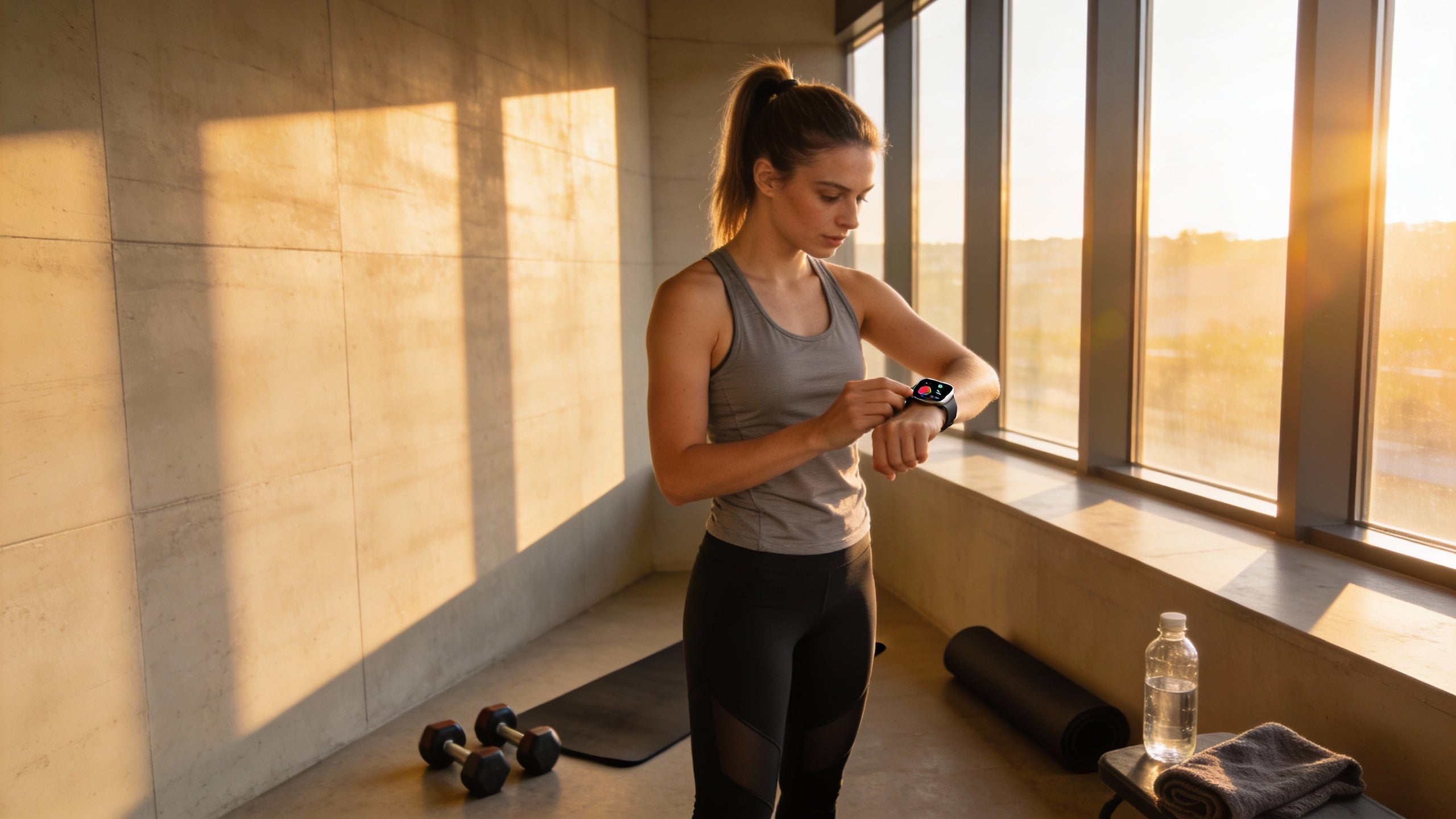
Smartwatches like Apple Watch are moving from personal gadgets to work badges, reshaping how employees unlock doors, track time, and manage their day.
Ever watched someone juggle a coffee, a laptop bag, and a key card at 8:59 AM, only to realize the badge is still on the kitchen counter? Teams that fold wearables into everyday work patterns often discover that those tiny moments of friction disappear and timesheets stop needing so many manual fixes once people can tap a watch instead of chasing plastic cards. This article walks through what works when you turn an Apple Watch or similar wearable into an office key, where it can go wrong, and how to roll it out in a way that boosts productivity without turning the workplace into a surveillance zone.
What It Means When a Watch Becomes Your Office Key
Wearable technology in the workplace usually means body‑worn devices that collect data about movement, heart rate, posture, and the environment while talking to other systems over the network, a pattern described in a broad review of workplace wearables. In industrial settings, these devices already fall into four buckets: physical support like exoskeletons, monitoring and alerts through smart helmets, performance and training tools such as AR glasses, and tracking devices that log location and proximity. That same foundation now shows up in white‑collar offices when a watch or ring becomes both a digital ID and a sensor pointing to how work actually flows.
Mainstream adoption is already here, with nearly one‑third of Americans using wearable devices to track daily health and fitness as part of employer and insurer programs that encourage healthier habits and manage costs through rewards and discounts, employee health tracking research. When you let employees use a smartwatch they already wear as their office key and time clock, you tap into that familiarity instead of forcing a brand‑new gadget or process. Most modern watches can already handle tap‑to‑pay and digital passes, so connecting them to door readers, time‑tracking apps, or single sign‑on is less about new hardware and more about wiring them into access and HR systems you already own.
In practical terms, “Apple Watch meets office access” usually means a few concrete changes. First, the plastic badge becomes optional because the watch holds a secure credential that unlocks doors with a wrist tap. Second, time and attendance moves closer to real time as entry, exit, and break data land directly in your timekeeping system instead of being keyed in at the end of the week. Third, the same device that opens the front door can nudge someone to stand, breathe, or wrap up overtime before burnout becomes a problem, building on the continuous health and stress monitoring described in wearable‑driven wellness programs.

The Business Case: Time, Payroll Accuracy, and Productivity
When you strip the buzzwords away, the case for watch‑based access and time tracking comes down to wasted minutes. Analyses of workplace wearables show that saving just 10 minutes per worker per day can add up to more than 40 hours saved per employee annually, and even a $300 device pays for itself if it prevents a single $1,000 problem or injury, as detailed in research on wearables and workplace productivity. For a 40‑person office, that is roughly 1,600 hours of additional capacity each year, close to one full‑time employee, without hiring anyone or extending shifts.
Tie that time savings to payroll accuracy and the picture gets sharper. Continuous monitoring systems already help safety teams detect risky movements, prevent injuries, and clarify what actually happened when a worker gets hurt, according to work on real‑time safety wearables. Applying the same “single source of truth” mindset to clock‑ins and clock‑outs reduces disputes about who arrived when, cuts down on retroactive adjustments, and makes it harder for one person to clock in for another because watch credentials are tied to an individual account and often locked by a PIN or biometric.
Think about a typical month for a small business. If every weekday one person forgets a badge and it takes 10 minutes of back‑and‑forth with a supervisor or receptionist to sort out access and attendance, that is more than 40 hours a year of pure overhead before even counting payroll corrections. Using a watch or similar wearable as the primary credential means people can forget their badge and still get in and get recorded, because the device they check all day is already on their wrist. That shrinks the pile of “please fix my timesheet” emails and lets managers focus their attention on exceptions that actually matter.
Wearables also change how performance and time data feed into goals. Fitness‑oriented devices in the workplace have been shown to raise engagement when employees get clear, measurable goals and feedback and can connect health‑related metrics with performance expectations, as described in an analysis of fitness trackers and employee performance goals. When time and access data flow automatically from a watch into your task systems, it becomes easier to align objectives such as “reduce prep time before customer calls” or “cut rework on late orders” with actual behavior instead of relying on vague impressions from quarterly reviews.
A Simple Capacity Calculation
The productivity math gets even more interesting when you treat watch‑based access as one element of a wider wearable strategy. Research on safety and efficiency wearables indicates that real‑time data access, hands‑free task management, and instant communication combine to reduce workflow interruptions, cut errors, and speed up training, especially when rolled out in phases and integrated into existing systems, as explained in coverage of workplace wearables and productivity gains. If your team spends five minutes searching for the right meeting room, logging into apps, and dealing with lost badges before they can start work, shaving that down with watch‑based passes and one‑tap app access quickly compounds across dozens of people and hundreds of workdays.
Small businesses do not need full AR glasses or exoskeletons to benefit from this trend. Evaluations of industrial wearables show that even basic monitoring and tracking devices can improve task efficiency and reduce risk, while larger systems such as smart helmets and GPS badges are still in pilot stages and sometimes limited by technical issues like battery life and location accuracy, as summarized in a GAO spotlight on workplace wearables. Using an Apple Watch to streamline access and log time is a low‑friction way to capture a slice of that productivity upside without taking on the complexity of heavy industrial gear.

Beyond the Door: Health, Focus, and Safety Built Into the Workday
Corporate wellness programs increasingly use data from wearables to encourage healthier behavior and manage health and insurance costs through incentives and allowances, building on mainstream consumer adoption documented in employee health tracking research. The same watch that opens your office door can track steps, heart rate, and sleep, then nudge people to move more, respect recovery time, and notice stress before it becomes a problem. For operations leaders, the value is not just in step counts; it is in fewer surprise absences, steadier energy, and better focus across your team.
On the individual side, smartwatches and fitness trackers use sensors such as heart rate and heart rate variability to flag stress and recovery patterns, while also tracking activity and sleep in real time, as described in work on wearables for health and burnout prevention. When those metrics show long streaks of late nights, low activity, and high stress, a watch can prompt guided breathing, short walks, or digital downtime. At the aggregate level, anonymized trends in stress, sleep, and activity give HR and operations leaders early warnings that certain teams or roles may be under unsustainable pressure, helping them adjust workload, staffing, or deadlines before burnout becomes a wave of resignations.
Mental health is another front where wearables are evolving fast. The economic impact of depression and anxiety is enormous, with estimates that these conditions cost the global economy about $1 trillion annually in lost productivity, a figure cited in research on therapeutic wearables and employee wellness. Beyond passive tracking, newer therapeutic devices use gentle vibrations and other cues to calm the nervous system, improve focus, and add 30 to 60 minutes of sleep per night in some studies, and are being adopted by high‑performance organizations. While an Apple Watch by itself is not a therapeutic medical device, it can host mindfulness and breathing apps, integrate with stress‑oriented wearables, and provide a single interface where employees manage both work and self‑care prompts.
Safety is not just for warehouses and job sites. Wearable safety gear such as smart helmets, vests, and wristbands already track activity, posture, biometrics, and environmental conditions in real time to prevent injuries and support safer return‑to‑work decisions, as laid out in guidance on employee safety and real‑time monitoring. Even in an office, features such as fall detection, emergency alerts, and noise or air‑quality notifications on a watch can shorten response times when something goes wrong. For mixed environments where staff split time between desk work and light industrial or field tasks, tying all of this into one wearable drastically simplifies training and support.

The Risks: Privacy, Trust, and Legal Lines
Health and activity tracking at work generates highly sensitive data, which brings real privacy and compliance obligations that go far beyond normal timekeeping. Experts on employee wellness programs emphasize that best practice is to route wearable data through a third‑party aggregator, strip personal identifiers, and feed only de‑identified information to employers, while also avoiding selling employee health data to third parties due to the risk of civil, reputational, and even criminal consequences, as detailed in analysis of employee health tracking programs. For watch‑based access and time tracking, that means being crystal clear about what you collect, how long you keep it, and who can see it, and separating identity‑based access logs from any wellness or health data coming from the same device.
Independent government reviews point out that continuous monitoring via wearables can raise worker stress, especially if people feel constantly watched or fear that data will be used against them in performance decisions, as highlighted in a GAO review of workplace wearables. Some workers in pilot programs described wearables as heavy or intrusive and reported discomfort with tracking of their movements and physiology. The lesson for watch‑based office access is simple: just because you can track location every second does not mean you should. Limiting data collection to what is necessary for security, timekeeping, and clearly defined safety use cases helps keep monitoring proportional to the actual risk.
Legal frameworks also matter. Employment law experts note that under regulations such as the Americans with Disabilities Act, there is a sharp distinction between limited, situational health monitoring and constant, individual health surveillance, and they advise using wearable data in aggregate form for groups of roughly 10 or more to reduce the risk of discrimination claims, as summarized in coverage of new uses of wearable devices in workplaces. If your Apple Watch access program eventually connects with wellness features, you will want explicit, informed consent; clear policies that separate wellness participation from performance evaluation; and an easy path for employees to opt out without penalty.
Ethical programs go further by giving employees access to their own data and involving them in policy design. Safety and workers’ compensation specialists recommend transparent communication about what is collected, how it will be used, and how it supports prevention rather than punishment, along with strong security practices that respect evolving privacy laws, as emphasized in guidance on using real‑time monitoring ethically. In practice, this might look like publishing a plain‑language data use statement, hosting Q&A sessions before rollout, and setting up a joint committee of operations, HR, and frontline employees to review metrics and suggest adjustments.

How to Roll Out Watch‑Based Access Without Chaos
Successful wearable deployments in other industries rarely start with a big‑bang rollout; they start with a small, well‑defined pilot that collects feedback, then expand in waves while tying data into existing systems, according to implementation roadmaps for wearables and workplace productivity. For an Apple Watch access project, that might mean starting with one floor or one department where work patterns are predictable, mapping current access and time‑tracking pain points, and setting clear criteria for success such as fewer badge‑related delays, fewer manual timesheet edits, and stable or improved employee satisfaction.
Device and use‑case fit matters. Industrial case studies show that different roles benefit from different devices, with office employees leaning toward smartwatches, field crews using smart helmets or AR glasses, and warehouse staff relying on wrist scanners and smart glasses, a pattern seen in analyses of wearables transforming workplace safety and productivity. In a primarily office‑based small business, that often means focusing your efforts on watches and phones as access keys, time clocks, and communication tools, while leaving heavier gear for specific high‑risk roles. The goal is to make the watch the easiest, most natural way to start work, not another device people have to remember to charge or sync.
Metrics keep you honest. Productivity‑focused research recommends tracking task completion time, error rates, injury counts, and worker satisfaction as key indicators of wearable program success, all surfaced in simple dashboards or apps and reviewed regularly with stakeholders, as outlined in reports on workplace wearable performance metrics. For watch‑based access, you might track door queue times at peak hours, the volume of access‑related help desk tickets, the number of timecard corrections each pay period, and employee sentiment about convenience and privacy. Over time, those metrics tell you whether the system is paying for itself and where it needs tuning.
Communication and trust are make‑or‑break. Analyses of workplace wearable adoption show that employees are far more likely to embrace these tools when leaders are upfront about goals, explain the personal benefits, and tackle “Big Brother” fears head‑on, as discussed in guidance on introducing workplace wearables to employees. Pair that with wellness‑oriented best practices that stress voluntary participation, clear boundaries around data use, and support rather than surveillance, and your odds of a smooth rollout go up significantly, echoing the privacy‑first design of modern health‑oriented wearable programs.
Quick Snapshot: Pros, Cons, and Guardrails
Aspect |
What Apple Watch–style access enables |
Key risk |
Practical guardrail |
Time and payroll |
Automatic, precise clock‑ins and fewer manual edits, aligned with data‑driven performance goals |
Over‑reliance on raw data without context |
Keep manager review and exception handling; use data as a starting point, not a verdict |
Productivity |
Less time lost to badges, logins, and searching for information, mirroring documented workflow gains from wearables |
“Tool fatigue” if the watch becomes a constant distraction |
Limit work notifications; use the watch mainly for access, safety, and critical alerts |
Wellness and safety |
Integrated prompts for movement, stress breaks, and faster emergency responses, aligned with health and safety monitoring via wearables |
Blurring lines between health data and HR decisions |
Separate wellness platforms and policies from performance systems; keep health data aggregated |
Privacy and trust |
Transparent, opt‑in programs can boost engagement with well‑structured incentives, as highlighted in wearable‑centric wellness research |
Fear of surveillance and legal exposure |
Use third‑party aggregators, minimize identifiable data, and document clear retention and access rules |

FAQ: Common Operator Questions
Do you need to buy everyone an Apple Watch?
Not necessarily. Many employer programs rely on subsidies, allowances, or “earn‑your‑device” models instead of buying hardware outright, with insurers and wellness vendors often helping with bulk pricing or reimbursement, as described in employee wearable benefit models. For a small business, a practical path is to support both Apple Watch and phones as access credentials, offer a modest stipend for those who want a watch, and provide an alternative like a traditional badge so no one is forced into a device they do not want.
Can you use watch data to discipline people?
You can, but that is usually the fastest way to kill trust in the program. Legal and HR guidance on workplace wearables stresses that continuous health or activity monitoring can cross lines under disability and privacy laws, and recommends using aggregated data and focusing individual‑level use on safety and clear policy violations, as outlined in workplace wearable law and privacy guidance. A healthier approach is to rely on watch‑based access data as one input among many for coaching and schedule management, while drawing clear red lines that wellness metrics will not be used to punish or stigmatize employees.
What if employees are worried about “Big Brother”?
That concern is rational, and you should treat it as a design requirement, not a resistance problem. Studies of real‑time monitoring and health‑tracking wearables emphasize that transparent policies, limited data use, and clear explanations of personal benefit are essential for adoption, as shown in both safety‑focused monitoring programs and health‑oriented wearable initiatives. In practice, that means co‑creating policies with employees, explaining in plain language what data will never be collected or used, and giving people full access to their own information so they feel like owners rather than subjects.
Closing Thoughts
When a watch becomes an office key, a time clock, and a quiet coach on someone’s wrist, you unlock more than doors. You gain cleaner data for payroll, a tighter grip on how work actually flows, and a practical way to support focus, safety, and health—so long as you balance that power with strict privacy guardrails and honest communication. Treat Apple Watch–style access as one tool in a bigger operational toolkit, and it can help your team work smarter without feeling watched every second.


Share:
Access Control Wiring Diagram: Connecting Power, Controller, and Locks (Beginner's Guide)
The "Always Online" Generation: Real-Time Push Notifications Are the New Standard