
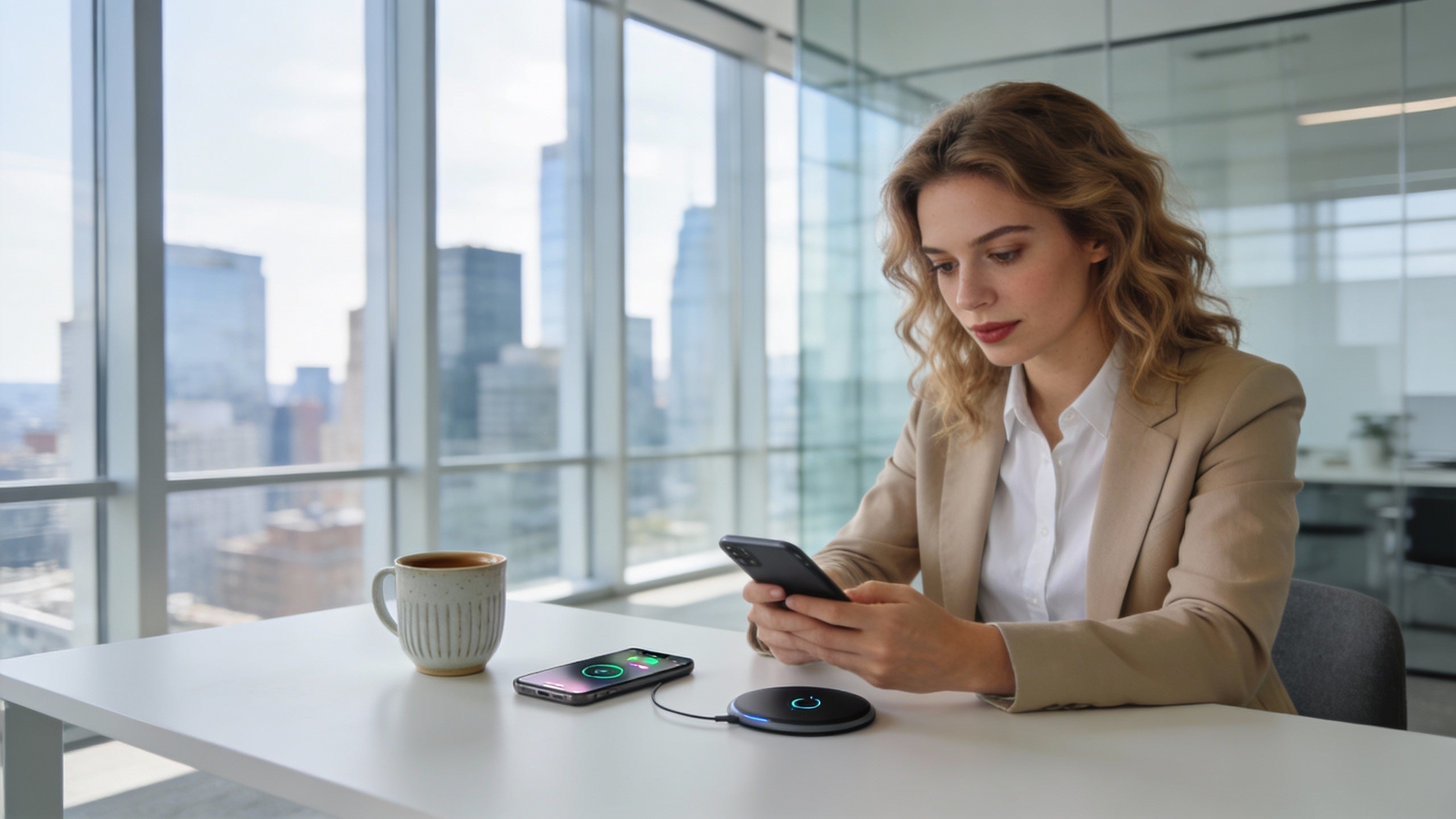
Real-time push notifications now shape how employees and customers get information, and this article shows how to turn them into a focused operational tool instead of a constant distraction.
Real-time push notifications are now the default way your staff and customers expect to get information, and they can either tighten your operations or quietly shred focus, time, and payroll accuracy. The difference comes down to what you trigger, when you send it, and how clearly you set boundaries.
Picture your front desk getting buzzed by schedule swaps, group chats, and app alerts while trying to check in a customer; by lunch, half the team is behind and nobody is sure who actually clocked in on time. Used well, those same alerts can cut late clock-ins, clean up timesheets, and stop expensive payroll corrections in just a few weeks. This guide shows how to harness the "always online" expectation so real-time notifications work for your business instead of against it, with concrete examples you can apply this month.
What “Always Online” Looks Like on the Ground
Research on smartphone push notifications shows that even a single alert during a task slows response times and increases errors, especially for heavy phone users. In that study, people who were already at risk for smartphone overuse made more mistakes and showed slower brain responses whenever a notification arrived mid-task. That is exactly what happens to a cashier trying to close a drawer while their phone buzzes, or a supervisor approving timecards while the scheduling app pings in the background.
Neuroscience work on how notifications affect our brains describes how sounds and pop-ups trigger stress hormones and dopamine-driven anticipation, keeping people in a constant state of “ready to respond.” Even when no one picks up the phone, just seeing a phone on the table is enough to reduce the depth of in-person conversations and concentration. Translate that to your shop floor and you get staff who are technically “on the clock” but mentally split between the customer in front of them, the chat thread on their screen, and the next buzz they expect.
Clinical guidance on the impact of notifications on emotional well-being warns that constant alerts can feed anxiety and a sense of never being fully off duty. For a small team, that shows up as burnout, more sick days, and people scrolling in the break room instead of resting. When the default culture is “respond instantly,” even simple schedule messages can feel like pressure instead of support.

How Real-Time Push Became the Default
Behavioral research on the psychology of push shows that around 60% of users engage more frequently with apps that send notifications, because those pings help create habits and pull people back in throughout the day, as summarized in work on why users engage more with notified apps. The catch is that effectiveness depends heavily on timing and relevance: context-aware pushes tied to real behavior outperform blunt “blast everyone at 8:00 AM” strategies and create far less fatigue.
Retail field data on mobile push promotions and timing found that behavior-based notifications sent before a shopping trip made users up to 23% more likely to open the app and 6% more likely to visit a store, while location-based pushes near the store raised app opens by 27% and coupon clicks by 22%. When both types were combined, people who engaged once outside the mall were 35% more likely to click again inside. That pattern mirrors what happens in operations apps: smart, moment-based nudges around a shift or a task outperform generic, constant reminders.
Specialists in app engagement stress that real-time notifications for mobile apps are now a core lever for keeping users active, especially for time-sensitive updates like limited-time offers or order status changes. In practice, your younger staff grew up with that pattern; they expect their scheduling, time-tracking, and payroll tools to behave the same way. If your system never notifies, they miss shifts; if it notifies about everything, they tune it out.

The Operational Upside for Scheduling and Payroll
The same real-time logic that powers marketing campaigns can quietly clean up operational chaos when you aim it at time and attendance. Modern scheduling tools described as real-time mobile alert “nervous systems” reduce schedule gaps, speed up shift coverage, and raise schedule adherence by sending instant alerts for open shifts, approvals, and last-minute changes. For employees, those alerts increase transparency and give them more control over swapping or picking up shifts, which is a major driver of retention in high-turnover industries.
Think about clock-in behavior. If three employees show up on time but forget to clock in for five minutes, you pay an extra fifteen minutes of “ghost” time that day. At $18.00 per hour, that is roughly $4.50 per day, or more than $1,600.00 per year, just in minor forgetfulness. A simple event-driven alert that reminds people to clock in when they are scheduled but missing from the timesheet can reclaim most of that without micromanaging anyone.
Real-time alerts also let you catch compliance issues before they become expensive. When systems apply event-driven logic similar to what is described for real-time alerts in software projects, they can watch for overtime thresholds, missed breaks, or unapproved timecard edits and notify the right manager immediately. Instead of discovering problems three days after payroll runs, you fix them the same afternoon.
On the customer side, real-time web push tied to inventory status can push slow-moving products, promote well-stocked items, or trigger low-stock urgency, as shown in work on how web push affects customer demand. For a small retailer, that means a promotion can go out the moment you see extra stock in the back room, without waiting for next week’s email campaign.

The Hidden Costs Your Timesheets Do Not Show
Lab studies on smartphone push notifications demonstrate that alerts do not just feel distracting; they measurably reduce cognitive control and attention. Participants exposed to notifications showed weaker brain responses linked to response inhibition and more errors on tasks that demanded focus, with the heaviest users hit the hardest. If your front-line staff constantly bounce between POS screens, internal chats, and scheduling pings, you should expect more mis-keyed orders, missed punches, and sloppy data entry.
Work on notifications and adolescent brain development indicates that constant alerts change how our brains handle focus, increasing forgetfulness and erasing roughly the last 90 seconds of learning after a sound. In a workplace, that looks like a server walking away from the line to check a group thread and then forgetting the special request they had just been told, or a manager getting halfway through reviewing a timecard adjustment before a buzz resets their train of thought.
Digital well-being research on smartphone vigilance finds that disabling notifications can reduce the mental habit of constantly monitoring the phone, but individuals with high fear of missing out often compensate by checking manually, as described in work on notification-disabling interventions and online vigilance. That matters for policy: simply telling staff to “turn off notifications” does not magically restore focus. You have to set up tools and norms so people do not feel punished for putting the phone down.
When you add all this up on a schedule, you get what many managers describe as “phantom overtime.” People are on the clock, looking busy, but a good chunk of their attention is being rented out to every app that can vibrate. The timesheet still shows eight hours; the true productive time is much lower.

What Real-Time Push Actually Is (And Is Not)
In practical terms, a real-time notification is an automatic message triggered by an event, sent within seconds, and meant to prompt awareness or action. Experts on real-time notifications for app engagement describe them as instant alerts about relevant in-app events that keep users engaged with timely information. The key words there are “instant” and “relevant”; a message that arrives hours later or has nothing to do with what someone is doing is just noise.
For operations, three buckets matter most. Critical alerts are things like failed clock-ins for safety-sensitive roles, potential labor-law violations as someone approaches a daily or weekly limit, or system outages that block punching entirely. Workflow alerts are schedule changes, opened or dropped shifts, approval status for time off or swaps, and nudges around tasks that truly must happen now. Relationship alerts are softer touches such as work anniversaries, recognition, or non-urgent announcements; they build culture but do not need real-time delivery.
The benefits and risks look roughly like this:
Dimension |
When real-time push helps |
When it backfires |
Time and attendance |
Immediate clock-in reminders and missed-punch alerts reduce corrections and time theft |
Every minor schedule tweak generates a buzz, causing staff to ignore or mute the app |
Payroll accuracy |
Instant flags on missing approvals or out-of-range hours catch errors before payroll closes |
Managers receive so many alerts that they miss the truly important ones and approve in a rush |
Employee experience |
Clear, timely updates on shifts and approvals reduce anxiety and build trust |
After-hours pings and constant group chats make people feel like they are never off the clock |
Customer impact |
Quick alerts fill open shifts and keep coverage strong during peak times |
Staff check their phones during service, hurting attention and perceived service quality |
Your job is to keep the first column without sliding into the second.

Designing a Smart Notification Playbook
Decide What Truly Needs Real Time
Start by listing the moments in a week where a delay costs you real money or customer goodwill, then connect those to events your systems can detect. Missed clock-ins for opening shifts, uncovered positions during peak hours, potential overtime that will blow up labor budgets, and payment failures that hold up orders are good candidates. By contrast, new-menu announcements, non-urgent policy updates, or generic “have you checked out our app?” messages can wait for email or scheduled posts.
Borrow a page from teams that rely on real-time alerts in software delivery, where they only promote issues that truly block progress to high-priority channels. Apply the same discipline to your workforce tools: if everything is urgent, nothing is.
Protect Focus During Paid Time
Next, look at where and when your staff actually need focus. For front-of-house roles, that might be during the lunch rush and dinner rush; in a warehouse, it may be during pick-and-pack blocks; in a clinic, during patient visits. Configure apps so operational alerts still fire, but social chatter, low-priority marketing, and non-essential app notifications are minimized during those windows.
Evidence that notifications impair attention and task performance supports the idea of “quiet zones” even during the workday. You can make this actionable by using scheduled Do Not Disturb profiles on shared tablets, desktop focus modes on front-desk computers, and clear rules that personal phones stay off the counter during service, paired with reliable, role-based alerts on your official scheduling or time-tracking tools.
Put Guardrails Around After-Hours Messaging
Finally, address the “always online” expectation head-on. Younger workers often assume that if a manager messages in the evening, they are supposed to answer, even if they technically do not have to. Clinical work on notifications and emotional well-being emphasizes that this feeling of constant availability feeds stress and erodes recovery.
Set a simple, written rule for your team: what kinds of alerts can go out after hours, who should receive them, and whether any response is expected before the next shift. For example, you might send last-minute open-shift alerts in the evening but make it clear that no one is penalized for ignoring them. You might also reserve true emergencies for phone calls or SMS, and keep app-based notifications strictly inside agreed work windows. For anything tied to pay, check your local regulations and, if needed, get advice from a qualified professional to stay on the right side of compensation rules.
Putting It Into Practice: A One-Week Rollout Plan
On Day 1, audit what is currently being sent. Install your scheduling and time-tracking apps on a spare device, join all the channels a typical employee sees, and watch the notifications for a full shift. Note which ones are useful in the moment, which could be batched, and which should never have been sent at all.
Early in the week, define event triggers for the alerts you want to keep: missing clock-ins after a set grace period, unapproved time off that will affect coverage, overtime thresholds, or payroll exports with errors. For each trigger, decide who needs to know, through which channel, and how fast. Keep real-time pushes for high-impact events and move everything else into daily digests or dashboards.
Midweek, communicate the new rules to your team in plain language. Explain when they will get alerts, what each one means, and how they should respond. Emphasize that you are reducing noise, not watching them more closely, and that the goal is fewer surprises on the schedule and on their paycheck. Invite feedback after a few days so you can adjust thresholds or timing.
By the end of the week, measure a few simple indicators: late clock-ins, missed punches, last-minute schedule scrambles, and payroll corrections. You do not need fancy analytics to spot change; even a basic tally on a notepad will show whether the alerts are helping or just shifting the chaos around. Adjust and repeat until the numbers move in the right direction and the team reports that their phones feel more helpful than stressful.

Closing
Real-time push notifications are not going away; for the “always online” generation, they are the default language of work and life. Your advantage comes from treating them as an operational tool, not background noise, so every buzz either protects revenue, sharpens payroll accuracy, or genuinely supports your people. With a clear playbook and a week of focused tuning, you can keep the benefits of being always connected without letting your business run on constant interruption.


Share:
Access Control Wiring Diagram: Connecting Power, Controller, and Locks (Beginner's Guide)
The QR Code Lifestyle: Not Just for Ordering Food but for Visitor Passes Too