
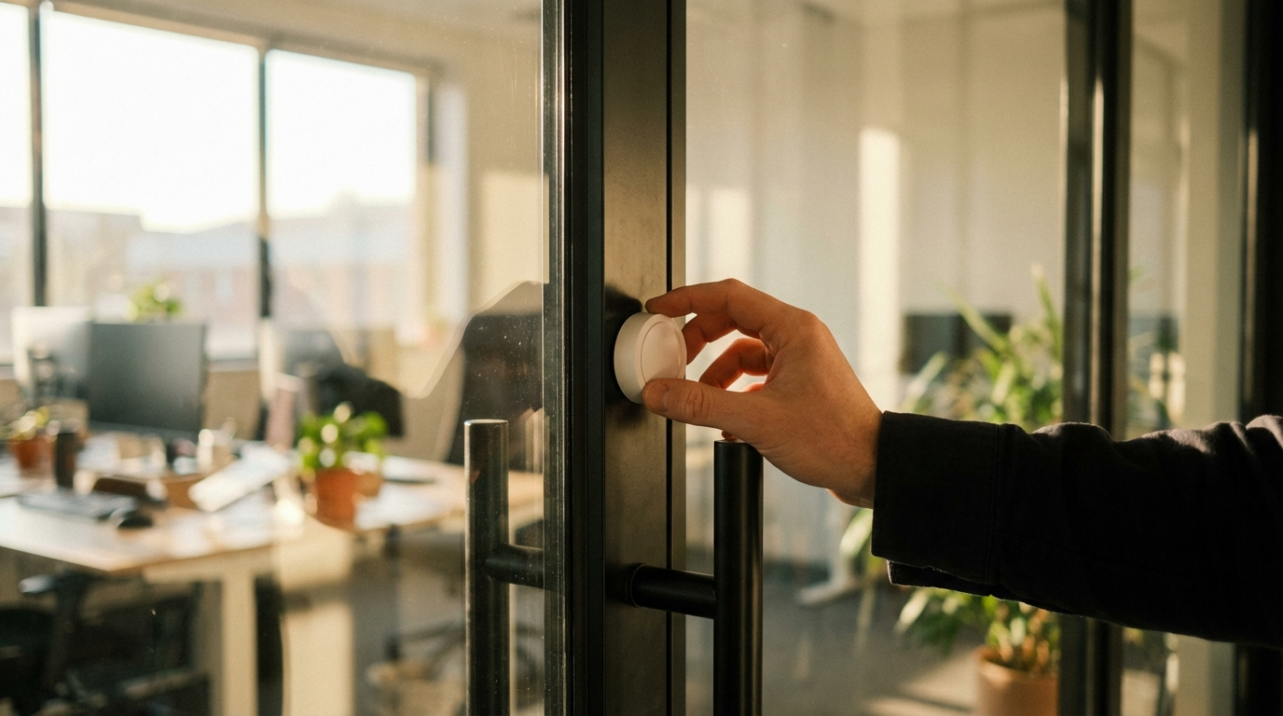
Ever walked into your rented office on a Monday, found the door slightly ajar, and wondered how many people still have a key you never issued? When you are juggling hourly staff, vendors, and hybrid schedules, that “who was in here?” feeling quietly erodes trust, time, and sometimes payroll accuracy. Teams that switch to renter-friendly smart locks, portable alarms, and app-based access logs cut key drama, reduce “I was there” disputes, and get a clearer picture of who was on-site and when. This guide shows how those portable, trace-free devices are reshaping rental office security in 2026 and how to put them to work in your own space without wrecking walls or relationships with your landlord.
Why Rental Offices Are Ground Zero for Portable Security
Modern office rentals have shifted from rows of fixed desks to flexible hybrid hubs, with technology turning leased spaces into collaboration centers rather than permanent homes for every worker, as highlighted in analyses of modern office rentals. Smart-building systems, hot desks, and cloud-based apps let teams move between home, coworking suites, and short-term offices, which is great for agility but hard on old-school, key-based security.
That flexibility means more shared lobbies, common corridors, and rotating neighbors, all of which raise the stakes for strong access control and surveillance in multi-tenant buildings, as emphasized in overviews of must-have security features for office buildings. You are expected to protect people, equipment, and data, even though you do not own the doors, walls, or wiring.
Traditional business-grade systems combine intrusion sensors, video cameras, and professional monitoring, and they work well for entire buildings or large tenants, as noted in reviews of business security systems. The catch for smaller tenants is control and portability: the landlord usually owns the wiring and contracts, while you shoulder the risk. That gap is exactly where portable, trace-free gear is exploding in popularity.

What “Portable, Trace-Free” Security Really Means in 2026
In rental offices, portable and trace-free means devices you can install, manage, and remove yourself without drilling, rewiring, or leaving scars on the space. Smart security systems in rentals now lean heavily on wireless devices, adhesive mounts, and app control, a pattern reflected in guides to smart security systems for rentals. You peel off a sensor, pack the hub, and move it to the next suite or building as your business grows.
Instead of hardwired card readers and ceiling cameras that belong to the landlord, you see door and window sensors stuck on with high-strength tape, compact base stations sitting on shelves, and lightweight cameras perched on brackets that clamp to furniture. Portable door locks with built-in alarms, such as compact travel locks that emit a 130 dB siren when forced, add a temporary but powerful layer to standard hardware without touching the existing latch.
Here is how this approach compares with building-controlled systems from an operator’s point of view.
Aspect |
Portable, trace-free devices |
Built-in building systems |
Ownership and control |
Devices and credentials belong to your company, so you decide who gets access and when. |
Hardware and software are usually owned by the landlord or a third-party integrator. |
Impact on space |
Adhesive mounts, clamps, and stand-alone hubs avoid drilling and rewiring, minimizing move-out headaches. |
Door hardware, cabling, and ceiling cameras are physically integrated and typically stay with the building. |
Portability |
You can redeploy the same kit when you move suites, floors, or buildings. |
Moving usually means starting from scratch with a new design and install. |
Data and logs |
Access and sensor logs stay with you, which is valuable for internal investigations and timekeeping. |
Logs can be robust but may be controlled by building management, making access slower or limited. |
Deployment speed |
Small teams can install most devices after hours or on a weekend with little downtime, similar to the rapid DIY setups described in smart home security system reviews. |
Changes often require vendor scheduling, building approvals, and daytime disruption. |
These tradeoffs are pushing many small businesses toward a hybrid model: let the building handle perimeter and life-safety systems, then layer in your own portable, trace-free gear to close the gaps that affect operations, time management, and payroll.

Trend 1: Mobile, Non-Destructive Access Control
Across office buildings, access control is the backbone of security, combining credentials, readers, locks, and management software to control who can enter which spaces and when, a role underscored in overviews of top security essentials for office buildings. Multi-tenant landlords increasingly deploy cloud-managed, touchless readers at main entries and elevators, while tenants are left to figure out inside-the-suite access on their own.
At the enterprise end, access control is rushing toward cloud and mobile credentials; one 2026-focused review of access control security trends notes that roughly 92% of organizations already run access control in the cloud, with mobile IDs, biometrics, and multi-factor authentication becoming standard. That same evolution is reaching rental offices, but many small tenants still lack the budget, authority, or patience to retrofit heavy-duty readers into their doors.
Portable solutions bridge that gap. Keypad-based smart locks and latch adapters can often be installed on interior doors with little or no modification, relying on removable plates or existing holes while leaving the original lock in place. Portable door-lock devices with built-in sirens, including compact travel locks rated at around 130 dB, attach to standard doors to prevent forced entry and sound a loud alarm if someone tries to push through. For a small firm subleasing one room inside a larger suite, this kind of device turns an ordinary office door into a controlled zone without touching the landlord’s hardware.
From an operations standpoint, the biggest payoff is clean, exportable access data. Many modern systems log each unlock event with a user, time, and sometimes location, similar in spirit to the granular logs used in office access platforms discussed in office building security solutions. When you run hourly payroll, those records become a helpful cross-check: if someone’s timecard claims 8:00 AM to 5:00 PM, but their first unlock in the week is consistently closer to 8:15 AM, you have objective data to start a coaching conversation instead of relying on gut feel.
Over time, that same data also highlights patterns like frequent late-night entries by particular roles or unexplained weekend access, letting you tighten schedules and reduce both overtime surprises and security risk.
Trend 2: DIY Wireless Kits Renters Can Take With Them
Smart home security systems have matured into full-fledged platforms that connect to Wi-Fi so you can monitor and control cameras, sensors, locks, and lights from a single app, with options for self-monitoring or 24/7 professional response, as described in testing of smart home security systems. For small businesses renting an office, those same kits are increasingly attractive because they are wireless, compact, movable, and light on long-term contracts.
Renter-focused packages often start with a base station, keypad, and a handful of entry and motion sensors, and they rely heavily on adhesive strips and clamps rather than screws, a non-destructive approach that rental-focused reviews highlight as critical for protecting deposits and walls. Systems tailored to apartments and rental properties emphasize traits that translate directly to office suites: wireless installation, the ability to move the system to a new address, flexible month-to-month plans, and compatibility with existing Wi-Fi and smartphones, all priorities for smart security systems in rentals.
On the resident side, survey research of hundreds of renters shows that smart locks, thermostats, and security cameras have shifted from “nice to have” to baseline expectations; about 65% of respondents say smart tech makes a property more appealing and more than half expect smart locks and security cameras in modern rentals. When people are that used to controlled access and app-visible cameras at home, they notice when the office feels like a step backward, and they associate that gap with both safety and professionalism.
Business-focused testing of small and midsize systems points to a similar pattern in the workplace: integrated kits that combine intrusion sensors, cameras, and optional professional monitoring give startups and small offices a viable alternative to heavyweight commercial installs, especially when budgets are tight, as outlined in comparisons of business security systems. Budget-friendly options allow a basic system to scale by adding more sensors and cameras over time, without the need to renegotiate building-level contracts.
Operationally, DIY wireless kits shine when your company expects to move within a few years. You can install the base station and sensors over a weekend, train staff on the app, and then simply unmount and pack everything when you relocate. The time saved on vendor coordination and building approvals is significant, but so is the consistency: the same arming routines, alerts, and audit logs follow your team from one address to the next, which makes it much easier to keep a stable security and timekeeping playbook while your real estate footprint changes.

Trend 3: Portable Sensors That Catch Real-World Problems
Door sensors and keypad locks are only part of the story. For rental properties of all types, smart thermostats, smart plugs, cameras, noise detectors, and Wi-Fi-connected smoke detectors are emerging as key devices for protecting income and reducing insurance claims by catching problems early. This bundle of smart devices is emphasized in landlord-focused discussions of rental protection tools, where remote monitoring and control are credited with reducing damage, preventing large parties, and improving tenant comfort.
Smart security guides for rentals recommend a core mix of cameras, smart locks, door and window sensors, and smart smoke and carbon monoxide detectors, all controlled through apps that send real-time alerts and integrate with broader smart platforms, reflecting the approach championed in smart security systems for rentals. For office renters, many of these devices are just as relevant. A smart thermostat in a small suite lets you keep temperature reasonable when the office is empty so you are not paying for a freezer or a sauna on weekends, while remote-connected smoke detectors send alerts to your phone even if no one is on-site.
Multi-function sensors are a particularly powerful trend. Some modern DIY systems include sensors that can detect motion, water leaks, ambient light, temperature changes, and even the sounds of smoke or carbon monoxide alarms, giving you broad coverage with fewer gadgets, as described in evaluations of systems like the Arlo Home Security offering within smart home security system tests. For a rental office, placing one of these sensors near a kitchenette, server closet, or storage room can mean catching a leak, overheating equipment, or suspicious after-hours movement before it blossoms into a full-blown outage or insurance claim.
Consider a small accounting firm sharing a floor with several other tenants. A couple of outdoor-rated cameras at the suite entrance and shared hallway, a noise detector near the conference room, and a leak- and temperature-aware sensor near the file cabinets together create a picture of what is happening without drilling a single hole. When an after-hours gathering gets too loud or someone props the door open late at night, you receive an alert the same way you would for a failed login or fire alarm, and you can respond before neighbors, landlords, or insurers are involved.
Trend 4: Cloud Logs as an Operations Tool, Not Just Security
Cloud-managed access and security systems do more than keep people out; they generate detailed data on who goes where and when. Access-control providers are starting to use those logs to understand occupancy patterns, right-size real estate, and tune building systems, a trend highlighted in discussions of data-driven access control security trends. For a small tenant, the same data can double as an operations and time management tool.
Digital visitor management systems, which replace paper sign-in sheets with preregistration, electronic badges, and host notifications, create a searchable log of everyone who enters the suite, as described in both office building security essentials and must-have office security features. When tied to your own portable cameras and door sensors, those logs help answer practical questions: Did the contractor really arrive at 9:00 AM? How long was the delivery team inside the storage room? Is the “we stayed late three nights this week” claim accurate?
Business security providers serving small and midsize companies often stress the value of professional monitoring and rich event histories, noting that recorded clips and access logs make it easier to resolve disputes and investigate incidents, as in roundups of business security systems. In practice, those same logs can support payroll audits and scheduling improvements. If your access data says most staff do not arrive before 8:30 AM, you can shift opening hours, reduce wasted early-morning coverage, and still meet client needs.
The key is to treat these logs as operational data, not just “security footage.” Someone on your team should review weekly summaries, compare them with schedules and timecards, and flag anomalies early. That habit not only tightens security but also keeps your labor assumptions honest.

Privacy and Cybersecurity: The Tradeoff Behind All This Data
As powerful as connected security can be, renters have real concerns about privacy and reliability. Survey work on smart apartment technology shows that over a third of renters worry about being monitored without consent, and meaningful numbers fear smart lock malfunctions, technology failures during emergencies, or being locked out due to app issues. Those same people are now your employees and contractors during the workday, bringing those worries right into your office.
Property management companies deploying smart tech at scale are urged to standardize approved devices, enforce strong authentication and secure default settings, centralize updates, and clearly define how data is handled when residents move in or out, as outlined in briefings on smart home cybersecurity responsibilities for PMCs. For a small business tenant, that translates into two questions: what is the landlord doing on their side of the house, and how disciplined are you with your own portable gear?
Access-control and video vendors now stress end-to-end encryption, secure mobile credential provisioning, and regular vulnerability testing across physical and mobile components, as captured in access control security trend discussions. Meanwhile, cloud security platforms increasingly rely on cookies and other analytics to track user behavior, personalize experiences, and improve services; one prominent provider’s cookie policy explicitly notes that analytics-derived data can be used across its own site and other media. Using these services responsibly means reading the privacy policies, adjusting settings, and limiting who in your organization holds admin-level access.
Inside your office, a few simple ground rules go a long way. Keep cameras out of private areas such as restrooms, and use transparent signage and onboarding to explain what is monitored and why. Use strong, unique passwords and multi-factor authentication on every security app and portal. Define a process for deprovisioning access when someone leaves, including removing their mobile credentials, revoking app logins, and rotating any shared codes.
From an operations perspective, naming a single owner for security and access reduces “shadow admin” risk and confusion. That person does not have to be a technical specialist, but they should be responsible for approving device purchases, keeping an inventory, managing user access, and coordinating with both the landlord and any external monitoring provider.
A Simple Rollout Blueprint for Your Rental Office
The most effective implementations start small and focused. Step one is to map your current risks and constraints: list what you are protecting (people, equipment, data), where it lives, and who touches it, then add the lease limitations that matter, such as no drilling or restricted wiring changes. Matching that risk map with your landlord’s existing security—what they cover at the building perimeter versus what is left to you—helps prevent duplication and wasted spending.
Step two is to decide what lives on the building’s system and what you own. Many tenants lean on building-controlled badges or key fobs for main entrances and elevators, then add their own portable locks, sensors, and cameras inside the suite. This layered approach mirrors integrated strategies recommended in office building security solution overviews, but with a renter-friendly twist: your inner layer comes with you when you move.
Step three is to start at the door. Install a portable or minimally invasive smart lock or door reinforcement device on your primary entry, then add a simple sensor and camera pointed at that door. Configure the app so designated managers receive real-time alerts for off-hours access and so every event is logged. Once that is stable, extend coverage to secondary doors, storage rooms, or any space holding sensitive documents or equipment.
Step four is to add smart sensors where they will pay off fastest. A multi-function sensor near your most expensive hardware, a noise detector near your most commonly used meeting space, and a smart thermostat covering the suite can collectively prevent damage, reduce neighbor complaints, and trim wasted energy. When those devices are wireless and adhesive-mounted, they stay firmly within the “trace-free” comfort zone.
Step five is to tie the new data into your routines. Fold weekly access and alert summaries into leadership meetings, cross-check them with schedules and timecards, and update policies when you see patterns. Train new hires on both the “how” (which app, which code) and the “why” (protecting client data, keeping time records honest, reducing disruptions). When security becomes part of how you run the workday, not a one-off gadget project, the return on the investment becomes obvious.
Common Questions About Portable Security in Rental Offices
Will portable devices upset my landlord?
Most landlords care about two things: preserving the building and avoiding liability. Wireless, adhesive-mounted sensors and stand-alone hubs are designed specifically to avoid wall damage and complex wiring, which is a major selling point for smart security systems in rentals. Before installing anything visible from shared halls, share a short plan with building management that explains what you are adding, how it is mounted, and how it complements, rather than replaces, their systems. Offering to remove all devices and mounting strips at move-out and to provide basic footage or logs in the event of a building-level incident usually earns quick approval.
How do we avoid getting buried in alerts?
Over-alerting is a real productivity killer. Start by defining which events truly require real-time notifications, such as after-hours door opens, panic button activations, or smoke alarm sounds, a focus echoed in integrated office security solution guidance. For less urgent events, like motion in a hallway during business hours, rely on daily or weekly summaries instead of push alerts. Modern systems tested in smart home security reviews allow you to fine-tune which alerts go to which people, so managers see what they need without every employee’s cell phone lighting up all day.
Are portable setups enough for high-risk operations?
If you store high-value inventory, sensitive regulated data, or operate in a high-crime area, portable gear alone might not be sufficient. Comprehensive solutions that blend access control, 24/7 professional monitoring, and robust video coverage are still recommended for higher-risk operations, as stressed in overviews of business security systems and office security essentials. In those cases, portable and trace-free devices should be seen as a flexible inner layer that protects your specific rooms, assets, and workflows on top of a more traditional building- or campus-level system.
Security in rental offices is no longer just about keeping a key in the right pocket. Portable, trace-free devices let you tighten access, see what is happening, and keep cleaner time and activity records without punching holes in the landlord’s walls or your schedule. Lock down the basics, use the data, and let your hardware quietly pull its weight so you can stay focused on running the business, not chasing keys and stories.


Share:
Coworking 3.0: Automated Zone Access Based on Membership Tiers
Modular Upgrade Trends: Why “All-in-One” Boxes Are Yielding to Scalable Components