
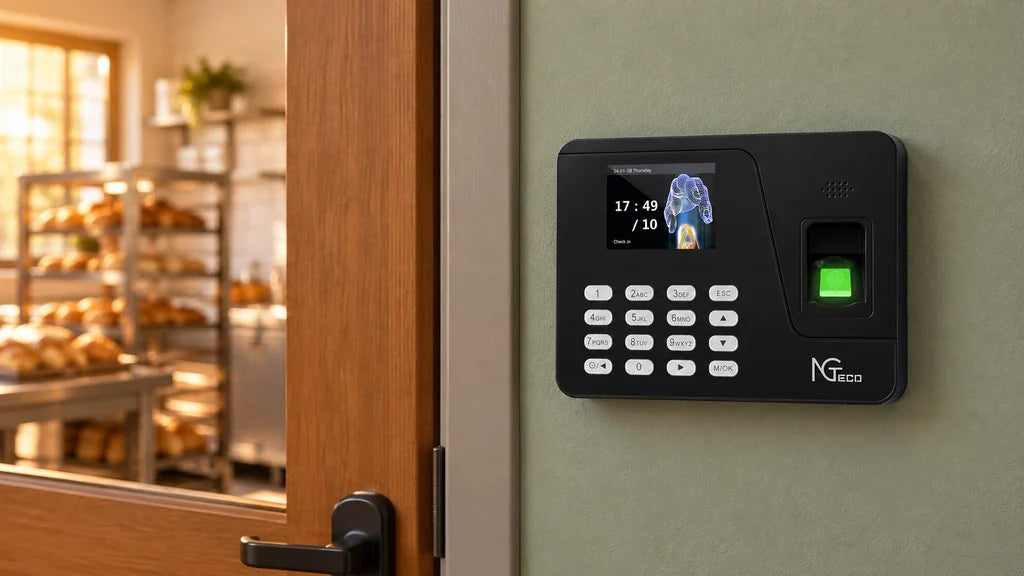
A time clock with no monthly fee can lower ongoing costs, but only if its record-access method fits the way your team works. For someone searching “time clock no monthly fee,” that distinction prevents an unexpected software charge. Before buying, compare the one-time device price with how you will retrieve punches, review exceptions, export data, and handle any optional software features. A lower purchase price is useful only when the whole workflow remains practical.
- Start with the total cost of the device, record access, and any optional paid tools.
- Match the access method to the person who reviews attendance records.
- Confirm what changes when your team, locations, or reporting needs grow.

Upfront Price vs. Long-Term Time Clock Cost
The lowest purchase price is not always the lowest long-term cost. A small business should compare what it will spend during the expected life of the device, rather than comparing a hardware price alone.
Costs Included in the Initial Purchase
The initial price usually covers the terminal and its standard hardware functions. For example, our AS10 offline time clock is listed at $99.00 on our U.S. store and is designed to operate without Wi-Fi, a network, or cloud access. That can suit a team that wants a straightforward device and a local record-review routine.
The purchase price answers only one part of the decision. Ask what is included with the device on the day you buy it, then list any service or workflow costs that may sit outside that price.
Costs That May Appear Later
Compare the following items over a realistic ownership period, such as one or two years:
- Optional software features or subscriptions
- Additional terminals for another entrance or location
- Replacement cards, accessories, or devices
- Data-export needs and payroll preparation time
- Support needs beyond the included purchase terms
These are not automatic costs for every business. They are questions to resolve before a low upfront price becomes a harder-to-manage process later.
Punch Record Access Through USB, an App, or the Cloud
Record access should drive the choice because a time clock only helps after someone can retrieve and review the punches. The right method depends on where the reviewer works and how often records need attention.
Local USB Record Access
Local access works well when the record owner is usually at the same site as the device. Our AS10 uses a USB 2.0 Host connection, so a designated person can export records from the terminal and review them on a computer. This approach keeps the workflow independent of Wi-Fi and cloud access.
It is a sensible fit when one location has a stable routine, a single reviewer, and a predictable payroll handoff. It is less convenient when someone needs to check a missed punch while away from the workplace.
App and Cloud Record Access
Connected access can reduce the need to visit the device before reviewing attendance. Our TC1 cloud time clock supports mobile and web access, multi-device synchronization, and attendance reports. Its U.S. product page lists free lifetime access to core features, including automatic hour calculation, while identifying TimeEntrix as an optional subscription for advanced tools such as GPS-restricted punch-in, real-time reports, smart reminders, and unlimited employees.
That distinction matters for a buyer searching for time clock software with no monthly fee. The core workflow may have no recurring software charge, but an advanced feature set can have separate terms. Confirm the current software terms for the exact model and planned workflow before purchase.
The Right No-Monthly-Fee Workflow for Your Team
The best time clock for a small business with no monthly fee matches the team’s review routine, not a feature list. Start with who needs the record, where they work, and how quickly they need to act on an exception.
| Team Situation | Practical Record Workflow | What to Verify |
|---|---|---|
| One site with an on-site owner | Local export and scheduled review | USB export process and the person responsible for payroll handoff |
| One site with an off-site manager | Connected record access | Current core features, internet setup, and access permissions |
| More than one location or terminal | Shared connected review | Multi-device setup, reporting needs, and any advanced software terms |
The table is a starting point, not a promise that one setup fits every business. A single-site shop may prefer an offline process even when cloud features are available, while a small team with an owner who travels may value connected access more than the lowest device price.
A Stable Single-Site Routine
Choose a local workflow when the same person can export and review records at the workplace on a regular schedule. It keeps the process simple and limits the number of moving parts. The key is a clear routine for checking missing punches before payroll is finalized.
A Remote or Multi-Device Review Routine
Choose connected access when a manager needs to see attendance away from the terminal or when records from more than one device need review together. The added convenience has value only if the included features cover the real task. Check our cloud time clock overview and the exact product page before treating an optional feature as part of a no-subscription setup.
Costs That Can Return After the Initial Purchase
An initial one-time purchase does not prevent future costs when the business changes. Before deciding that a time clock has no subscription cost for your needs, ask what happens when the original setup no longer covers the workflow.

Growth and Replacement Questions
Ask these questions before ordering:
- If another entrance needs a terminal, can the same record-review process still work?
- If the business adds a location, who combines or reviews the records?
- If an employee needs a replacement credential, what hardware or setup is required?
- If payroll needs a different export or report, is it included in the current workflow?
- If the device is replaced, how will the business retain the records it needs?
These questions do not require a complex system today. They help a buyer recognize the point at which a local process may need a connected option or a different service level.
Time Spent Is Part of the Cost
Manual work has a cost even when there is no invoice. If a manager repeatedly copies records, tracks down files, or waits to reach one device before resolving a question, the workflow may be more expensive in staff time than a different setup.
Measure the process by actual tasks: exporting records, reviewing exceptions, preparing the payroll handoff, and answering employee questions. That gives a clearer comparison than assuming that a cloud-connected device is always more costly or that offline access is always cheaper.
NGTeco Options for Offline and Cloud-Connected Record Access
We offer different record-access paths because no single no-monthly-fee workflow fits every small business. The right choice begins with whether records need to stay local or be reviewed through a connected account.
AS10 for Local, Offline Record Review
AS10 is an offline fingerprint and password time clock for teams that want local record access. It has USB 2.0 Host communication and does not require Wi-Fi, a network, or cloud access for its basic operation. At the time of this review, our U.S. store shows AS10 available to add to cart at $99.00.
AS10 fits a local process where an on-site person can retrieve records. It does not support overnight shifts, so a business with employees who regularly cross midnight should confirm that its chosen device and workflow can record those shifts correctly.
TC1 for Connected Core Features
TC1 is a cloud-connected option for a team that needs mobile or web access to attendance data. It supports fingerprint, password, face, and ID card recognition, with capacity for up to 200 users and 30,000 logs. At the time of this review, our U.S. store shows TC1 available to add to cart at $189.99.
Its core software features are free for life, while certain advanced TimeEntrix features are optional and subscription-based. That makes TC1 relevant to a time clock no subscription search when the included core features meet the business’s needs. Review the current plan details before relying on advanced reporting or other paid tools.
Compare the Workflow Before You Buy
Choose AS10 when a local USB export routine fits the team and no overnight-shift support is needed. Choose TC1 when connected record access and its included core features fit the people reviewing attendance. In either case, confirm the current product price, stock status, and software terms before ordering so the no-monthly-fee time clock you select matches the work that follows every punch.
Frequently Asked Questions
Q1: Can an offline time clock keep recording without internet access?
Yes. An offline time clock does not rely on an internet connection to record a punch. The business still needs a defined process for exporting the records and reviewing them before payroll, but a network outage does not prevent the offline device from operating.
Q2: Who should have access to employee time records?
Keep access limited to people who have a real role in attendance review, payroll preparation, or support. Decide in advance who can retrieve reports, handle correction requests, and answer employee questions, then review those responsibilities when the business grows.
Q3: What should a business test before its first payroll cycle?
Test a normal clock-in, clock-out, missed-punch correction, report retrieval, and payroll handoff. A short test reveals whether the device setup, reviewer responsibilities, and report format work together before the records become payroll-critical.
Q4: What should a buyer save when comparing software terms?
Save the feature list, price, and terms that apply when the device is purchased. Software plans can change over time, so retaining the current details makes it easier to compare an included feature with an optional service later.
Q5: Can a business move from an offline process to connected record access later?
Possibly, but do not assume records, employee enrollment, or setup rules transfer automatically between devices or services. Before changing workflows, confirm the current migration and setup options for the specific products under consideration.


Share:
When Does a Cloud-Based Biometric Time Clock Make Sense for a Small Business?
Time and Attendance Systems for Small Businesses: When Do You Need More Than a Time Clock?