
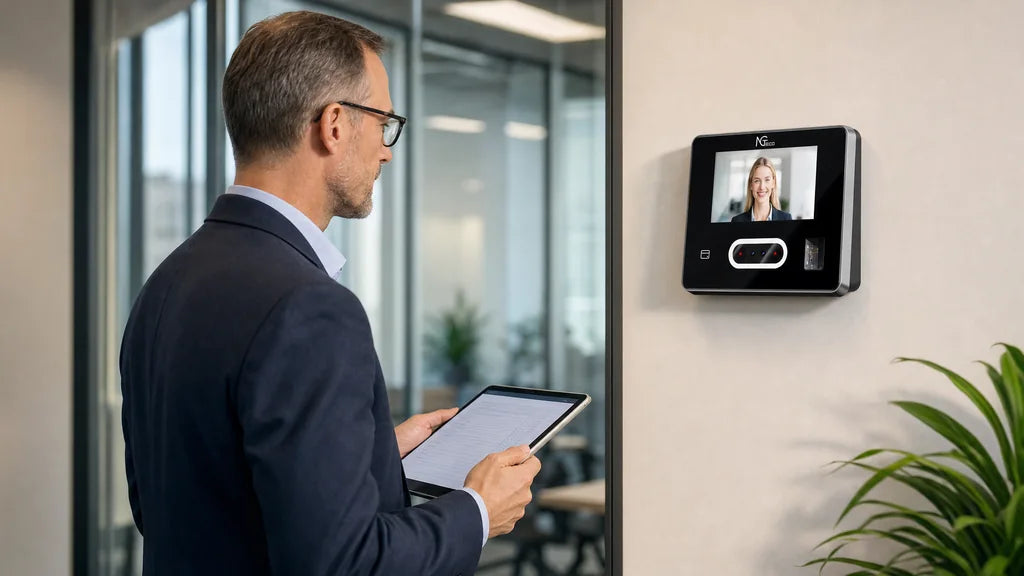
At a Glance
- A time clock is the physical machine or digital system your team uses to clock in and clock out.
- A time card is an attendance record—either a stamped physical card or a digital log—documenting employee hours worked.
- Modern time clocks automatically log clock-in and clock-out events and compile them into digital time cards.
- Managers can export time card data in minutes instead of manually calculating paper cards.
Small business owners searching for time clock vs. time card usually want to know if these are two names for one thing or two separate tools. They are closely related, but they are not the same. A time clock is the device or terminal employees use to record shift attendance, while a time card is the physical slip or digital record that stores those timestamps. Understanding how both work together helps streamline payroll processing, minimize human error, and keep labor compliance on track.

What Sets a Time Clock Apart From a Time Card?
A time clock and a time card share the same primary goal—tracking employee hours—but operate at opposite ends of the attendance workflow.
| Dimension | Time Clock | Time Card |
|---|---|---|
| Core Role | The input hardware or application used to clock in and out | The output document or database storing shift timestamps |
| Primary Function | Captures real-time clock-in and clock-out timestamps | Calculates total hours worked across shifts and pay periods |
| Common Formats | Biometric terminals, RFID badge readers, PIN pads, mobile apps | Paper punch cards, CSV attendance exports, cloud time sheets |
| Primary User | Employees punching in and out at shift start/end | Supervisors, HR managers, and payroll administrators |
In short: the time clock captures the event, and the time card preserves the record.
What Is a Time Clock?
A time clock is the hardware unit or software portal where workers record the exact start and end moments of each shift.
It Records Every Clock In and Clock Out
A time clock typically sits near a workplace entrance, warehouse floor, or retail breakroom. While early mechanical units used metal wheels to physically stamp timestamps onto cardboard slips, modern electronic terminals store every punch securely in local memory or sync it directly to the cloud.
It Recognizes Staff Through Multiple Verification Methods
- Fingerprint verification for quick biometric authentication
- Facial recognition for completely contactless sign-ins
- PIN or alphanumeric passwords for simple terminal access
- RFID proximity cards or key fob taps for instant swiping
Each verification method logs who clocked in and the exact second it occurred, immediately feeding clean data into the employee's time card.
It Fits Diverse Workplace Environments
Auto shops, logistics warehouses, multi-shift diners, and corporate offices all rely on fixed check-in terminals. For businesses hiring event staff or temporary workers, biometric authentication eliminates proxy attendance because physical biological traits cannot be passed between co-workers like a physical keycard.
[[related_products_1]]
What Types of Time Clocks Are There?
Workplace hardware varies depending on team structure, mobility requirements, and verification needs.
- Mechanical punch clocks: Employees slide a cardboard ticket into an automatic feeder that physically prints date and time stamps.
- Proximity badge clocks: Workers swipe an RFID card or fob against a sensor to log attendance electronically.
- Biometric time clocks: Terminals leverage fingerprint or facial matching algorithms to verify user identity and prevent buddy punching.
- Cloud and mobile clocks: Distributed teams check in via browser consoles or smartphone apps, making them ideal for multi-location operations.
Traditional vs. Modern Digital Systems
Mechanical punch clocks involve low upfront machine costs, but processing stacks of cards by hand demands hours of manual data entry and invites payroll disputes. In contrast, modern badge, biometric, and cloud terminals calculate cumulative shift hours automatically, generating export-ready digital time records on demand.

What Is a Time Card?
A time card is the itemized record detailing an employee's shift arrival, break intervals, departure times, and total compensable hours under FLSA regulations.
It Can Be a Physical Attendance Card
In traditional setups, employees store a heavy paper card in a wall-mounted slot rack next to the clock. Workers punch the card at shift intervals, requiring payroll staff to collect, tally, and transcribe each line item manually at the close of every pay cycle.
It Lists Complete Shift Timestamp Pairs
- Employee identity details and payroll ID number
- Calendar dates for all scheduled workdays
- Exact in-and-out punch intervals (including lunch breaks)
- Regular and overtime hours worked
- Federally mandated employer recordkeeping fields
Paper slips risk faded ink, ink-smudged numbers, and torn cards that compromise historical records.
It Now Lives as an Automated Digital Record
Modern businesses rely on digital time cards stored directly within terminal internal storage or synchronized payroll software. Querying historical shift data for an individual employee or an entire department takes seconds instead of hours spent thumbing through physical archives.
| Operational Factor | Traditional Paper Time Card | Automated Digital Time Card |
|---|---|---|
| Data Storage | Physical card racks and paper binders | Encrypted flash memory and cloud servers |
| Payroll Math | Manually calculated by supervisors | Calculated automatically by device firmware |
| Risk of Record Loss | High risk from water, tears, or misplacement | Zero risk with automated digital backups |
| Administrative Access | Restricted to on-site physical review | Instantly accessible via software or USB drive |
How Do a Time Clock and a Time Card Work Together?
An automated time clock converts raw attendance punches into consolidated, audit-ready digital time cards in three continuous steps.
1. Capture Raw Punch Events
The time clock records each employee's exact check-in and check-out timestamps, authenticating identity via biometric markers, passcodes, or proximity tags.
2. Calculate Total Daily and Weekly Work Hours
Internal terminal firmware aggregates timestamp pairs, deducts lunch breaks according to company rules, and tallies regular and overtime hours.
3. Generate and Export Detailed Payroll Reports
Supervisors review summarized attendance logs directly on the device display or export formatted Excel spreadsheets to a USB thumb drive or accounting system.
Consider an event production firm managing off-site conventions alongside permanent warehouse operations. Crew members clock in at mobile or stationary units, while the system creates individual digital time cards for every site. At project completion, administrators pull unified timesheet reports across all job codes without chasing down physical paperwork.
What Are the Key Time Tracking Terms?
Clarifying industry terminology helps businesses evaluate hardware and software solutions effectively when selecting workforce management equipment:
- Time clock: The input hardware terminal or software app used by staff to record shifts.
- Time card: The physical slip or electronic ledger that compiles an employee's cumulative shift hours.
- Time card machine: A common synonym for an electronic or mechanical time clock.
- Timesheet: A broader reporting ledger often organizing employee hours by specific project, client, or task.
- Punch clock: A legacy term referring to mechanical timestamp machines with ink ribbons.
- Buddy punching: An unauthorized practice where one worker clocks in on behalf of an absent co-worker.
- Biometric clock: An advanced terminal that validates punches using biological traits like fingerprints or facial structures.
For more detailed purchasing guidance, explore our guide on how to choose the best time clock for small businesses.
What Should You Check When You Buy a Time Clock?
When you evaluate employee time clock systems, prioritize how efficiently the hardware captures attendance punches and exports clean time cards.
Verify Multi-Factor Verification Methods
Versatile terminals supporting fingerprint scans, facial matching, keypad PINs, and RFID cards accommodate diverse crew preferences and clean versus dusty work environments.
Assess On-Device Data Storage and Processing
Ensure the device stores sufficient punch logs (such as 50,000 to 100,000 events) locally so network outages never interrupt shift tracking or cause data loss.
Prioritize Simple Data Export Options
Choose terminals that provide instant USB flash drive downloads without requiring complicated third-party subscription software or ongoing maintenance fees.
The NGTeco TC1 exemplifies this modern balance. Supporting facial scanning, fingerprint identification, RFID cards, and PIN entry, it adapts seamlessly to varied team sizes. Clock-in data automatically compiles into digital employee time cards that export straight to USB flash memory in standard Excel format, freeing your administrative staff from tedious manual calculation.
See Your Time Cards Build Themselves
While a time clock records shift actions as they happen, a time card preserves those entries for accurate wage calculations. Upgrading to a digital attendance platform eliminates paper clutter, protects company margins, and ensures strict labor standard compliance. Discover how an NGTeco time clock can streamline your payroll from punch to report.
Time Clock vs. Time Card: Common FAQs
Q1: What is the main difference between a timesheet and a time card?
A time card records specific start and end timestamps from a physical machine to track total shift duration. A timesheet is typically a comprehensive document allocating hours worked across multiple job codes, clients, or specific project milestones.
Q2: Do modern businesses still require paper time cards?
No. Modern digital time clocks generate and back up electronic time cards automatically, eliminating the need for paper supplies, ink ribbons, and manual tallying.
Q3: What are other common names for a time clock?
A time clock is frequently called a punch clock, attendance terminal, time card machine, or badge recorder.
Q4: Can managers export time card data directly from the machine?
Yes. Most modern standalone terminals, such as the NGTeco TC1, allow administrators to download detailed attendance spreadsheets onto a USB flash drive in a few seconds.


Share:
Why the Hours on Two Attendance Reports May Not Match
How to Track Part-Time Employees With Different Schedules Each Day