
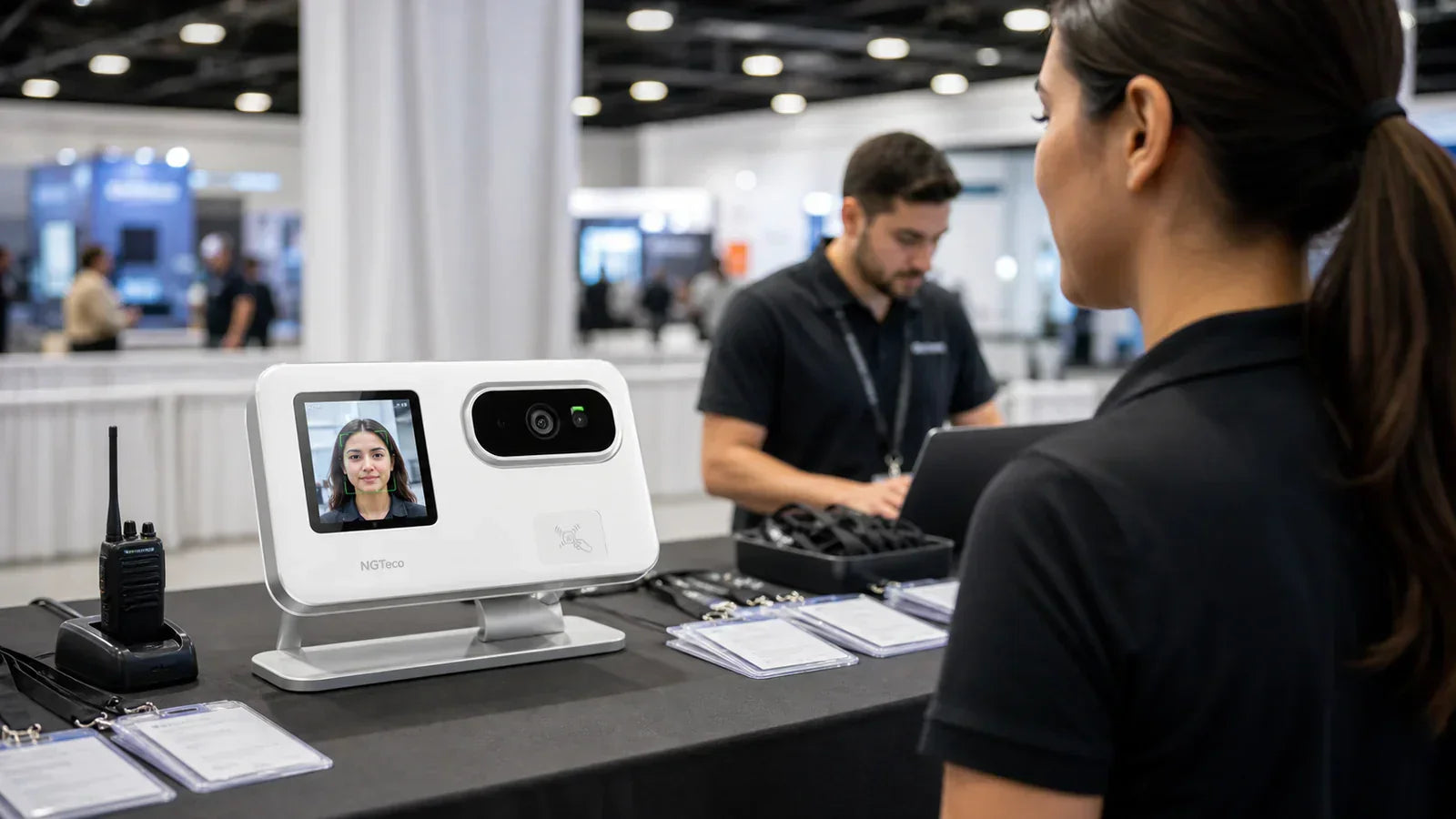
A pop-up or trade show packs a full week of hiring into a few days, and a paper sign-in sheet rarely survives the rush. The right time clock for small business events turns that scramble into records you can actually check after the lights go down.
Quick Take:
- Enroll your crew before the event, so new hires can punch from day one.
- Have everyone clock in and out on a time clock, not a paper sheet.
- Use fingerprint or face to stop one worker from punching in for another.
- Spot-check missed punches during the event, while you can still ask the worker.
- Review and export the records right after, while the day is fresh.
Why Is Event Staff Time Tracking Different From Daily Office Attendance?
Because the crew is temporary, the shifts are short and intense, and any mistake is found after everyone has gone home.
An office team clocks in the same way every day. An event team doesn't:
- People join fast — new hires show up the morning of the event with no time to learn the process.
- Check-ins come in waves — a rush at setup, another at shift change, another at teardown.
- Managers are busy — they're handling customers or the booth, not watching the clock.
- Errors surface late — you spot a missing record after the event, when the worker is already gone.
That last point is the real trap. Once the event ends, there's often no one left to confirm what time a shift actually started or finished.

What Goes Wrong When Temporary Workers Use Paper Sign-In Sheets?
The sheet ends up incomplete, and you can't tell who worked which hours.
Paper looks simple, but it breaks down fast on an event floor:
- Handwriting you can't read, so the name or time is a guess.
- Shared sign-in times, where one person fills in the row for three.
- Missing end times, because nobody signs out after teardown.
- No clear approval, so there's no record that a manager checked it.
- Hard to match the day, when several events blur together.
None of this means your staff is dishonest. It means the record was never built to hold up. Event teams need clock-in records they can review, not a sheet they have to decode.

Can a Biometric Time Clock Help Reduce Buddy Punching at Events?
Yes. A fingerprint or face ties each punch to the person, so a coworker can't clock in for someone who isn't there.
At an event, workers often don't know each other, and a shared PIN or paper line is easy to fudge. A biometric time clock asks the person to be present to punch, which removes that gap.
It isn't a full replacement for oversight. A manager still confirms shift times and handles corrections. But it does remove the easiest form of buddy punching, which matters when you're trusting a crew you only met that morning.
What Should a Clock-In and Out Machine Do for Short-Term Staff?
For a temporary crew, the machine should be effortless for someone who's never used it. Look for these when you choose the best time clock for small business events:
- A simple punch flow — one tap or scan, so a new hire gets it on the first try.
- A clear missed-punch process — an easy way for a manager to fix a gap.
- More than one punch option — face, fingerprint, or card, depending on the crew and the space.
- Reviewable records — totals you can read without sorting through paper.
- Overnight shift support — for events that run past midnight.
- Easy cleanup — records that stay organized once the event wraps.
The goal isn't the machine with the most features. It's the one your weekend crew can use without training.

Event Time Tracking Plan: Before, During, and After the Event
Match each stage to one job, and the chaos turns into a record.
The biggest fix is simple: check missed punches during the event, not after it ends.
| Stage | What to do | Why it matters |
| Before the event | Enroll staff and set shift times | New hires are ready to punch on day one |
| Start of shift | Confirm everyone clocks in | Catches no-shows and late starts early |
| During the event | Spot-check for missed punches | You can still ask the worker in person |
| End of shift | Make sure everyone clocks out | Stops open shifts with no end time |
| After the event | Review and export the records | Clean totals while the day is fresh |
Run this once, and the next event is easier, because you already know where the gaps tend to show up.
How NGTeco Fits Temporary and Event-Based Teams
NGTeco time clocks are made for small businesses that hire in bursts, so you don't have to lean on handwritten sheets. Here is what they do for an event crew:
- They give your crew more than one way to punch. Depending on the model, staff can clock in by fingerprint, face, password, or ID card to suit the space and the people.
- They keep working into the night. Models with overnight shift support cover events that run past midnight.
- They keep recording without power. A built-in battery on select models protects your data through a power cut at a busy booth.
- They make recurring events easier. With cloud-connected models, you review and export records from an app or web login, so each event builds on the last.
- They skip the monthly fee. Core features come free, so the cost stays in the machine.
Pick your model by crew size, by the punch method that fits the event, and by whether you need to review records remotely. A larger crew points to a higher-capacity machine, while a single weekend booth may only need a simple one.
Turn the Rush Into Records
Event work will always be busy. The goal isn't to slow it down; it's to come away with records you can trust.
Set a before, during, and after plan first. Then pick the time clock your temporary crew can use without a second thought, and the post-event cleanup becomes a quick review.
FAQs about event staff time clocks
Q1: What is the best time clock for small business events?
The best one is the simplest for a temporary crew to use. Look for a quick punch, more than one clock-in method, and records you can review afterward. NGTeco offers fingerprint, face, password, and card models so you can match the machine to your event.
Q2: How do you track temporary workers at a trade show?
Enroll staff before the show, have everyone punch in and out on a time clock at the booth, and spot-check for missed punches during the day. Checking on-site means you can still ask a worker in person, instead of guessing after the show ends.
Q3: Can biometric clocking work for short-term staff?
Yes. A fingerprint or face punch takes seconds and ties each record to the right person, which helps when a crew doesn't know each other. You enroll them once at the start, and they punch the same way for the rest of the event.
Q4: What should managers check after an event shift?
Check that everyone clocked out, that no shifts are left open, and that the daily totals look right. Review and export the records while the day is fresh, so any gaps can be sorted before the crew moves on.


Share:
Attendance Machine for Multi-Location Teams: How Small Businesses Can See Who Is Working Across Branches
How to Choose a Time Clock for Your Business (by Type, Team Size & Needs)