
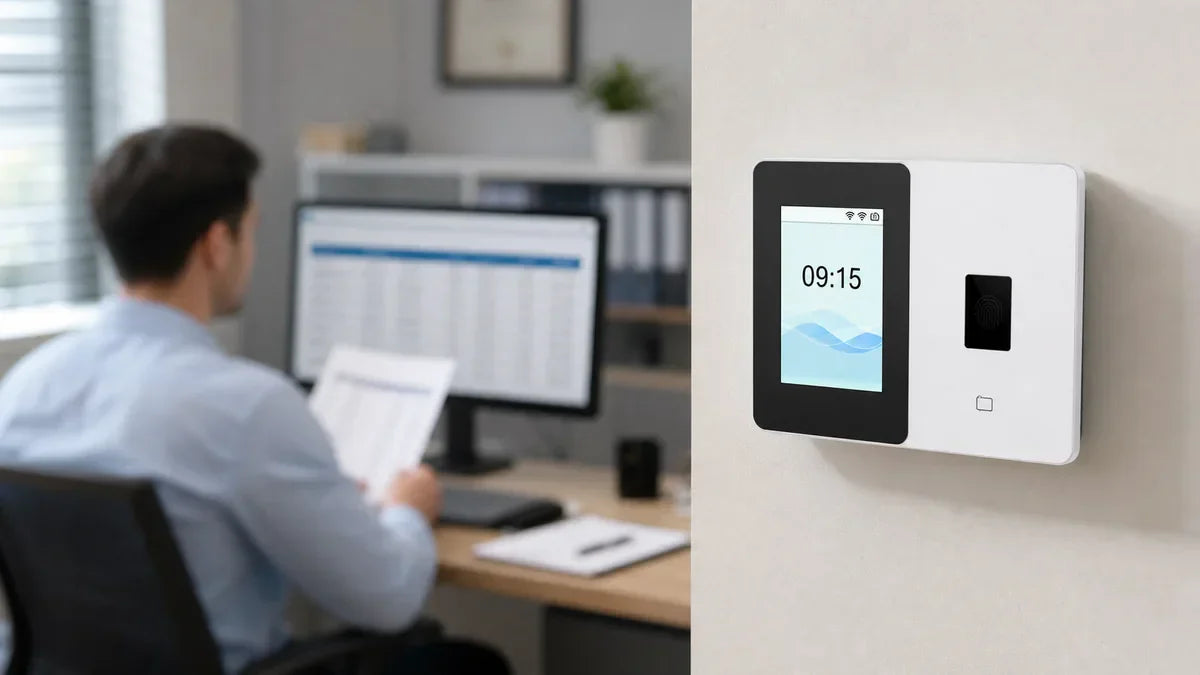
Tracking employee hours shouldn't be complicated, but picking the right time clock often is. Fingerprint or face? WiFi or offline? One location or many? The wrong pick costs you time and money. Here's a clear breakdown to help you match a time clock to your business, without guessing.

What Does a Time Clock Do?
A time clock records when employees clock in and out, automatically calculates total hours worked, and lets you export attendance reports with one click.
That's the core job. Everything beyond that, like WiFi sync, cloud access, or biometric recognition, is about how well it fits your specific setup.

What Are the Right Questions to Ask Before You Buy a Time Clock?
Before comparing models, get clear on five things:
- What industry are you in? (Restaurant, warehouse, office, retail, events?)
- How many employees will use it?
- How do you want people to clock in? (Fingerprint, face, card, PIN?)
- Do you need remote or cloud access?
- One location or multiple?
Each section below maps directly to one of them, so you can skip to what matters most and find your match fast.
Which Time Clock Fits Your Industry?
Your industry shapes everything else. The environment your employees work in, whether hands are clean or dirty, whether hygiene matters, whether staff rotate fast, often decides the right clock-in method before you even look at specs.
| Business type | Top priority | Recommended method | Suggested model |
| Restaurant / café | Hygiene, wet hands | Face | NG-TC5 / TC1 |
| Warehouse / factory | Dirty hands, night shifts | Face / RFID | TC1 / TC3 |
| Retail / convenience | Multi-location, rotating staff | Cloud + card / face | TC1 / TC3 |
| Office | Accuracy, preventing buddy punching | Fingerprint / Face | TC2 / TC1 |
| Auto repair / contractor | Greasy hands, job sites | Face / card | TC1 / TC3 |
| Events / temp staff | Large temp crews, fast enrollment | RFID / cloud | TC3 |
Face recognition and cloud access come up repeatedly, which reflects what most of these industries have in common: dirty hands, rotating staff, or multiple sites. Fingerprint is the exception, and it works best where conditions are clean and consistent.
How Many Employees Will Use It?
Every time clock has a user cap, and it's a hard one. Once it reaches its maximum, it stops enrolling new employees. So if your team is growing, it pays to build in some headroom now.
A rough guide by team size:
- Fewer than 10 people: Almost any model covers you.
- 10 to 50: Pay attention to fingerprint and user capacity.
- 50 to 500: Look for models that support larger rosters. Some NGTeco clocks handle up to 500 users and 1,000 fingerprints.
- 500 to 1,000+: You'll need a high-capacity model with room to grow. Consider running multiple devices across departments or locations to distribute the load, especially if staff is spread across shifts or sites.
And if your team regularly includes temp or seasonal workers on top of your core staff, count them in your total when sizing up.
| Team size | Offline only | App + WiFi | Cloud + remote access |
| 1–10 | AS10 ($99) | K4 ($149.99) | TC1 ($189.99) |
| 10–50 | AS10-B ($99) | K4-B / MB1 | TC1 / TC2 |
| 50–100 | AS10-B | K4-B | TC3 ($269.99) |
| 100–500 | AS10-B | K4-B | TC3 |
| 500–1,000 | Multiple AS10-B units | Multiple K4-B units | Multiple TC3 units |
| 1,000+ | Multiple AS10-B units | Multiple K4-B units | Multiple TC3 units + cloud management |
Which Punch Method Is Right for Your Team?
The work environment your staff is in, whether a clean office, a busy kitchen, or an outdoor job site, points clearly to one or two clock-in methods.
| Method | Best for | Watch out for | NGTeco models |
| Fingerprint / PIN | Office environments, budget-conscious teams, preventing buddy punching | Wet or dirty hands reduce accuracy | AS10, K4, TC2 |
| Face recognition | No-touch environments, food service, staff who wear gloves | Strong backlight or extreme angles | NG-TC5, MB1, TC1, TC3 |
| RFID card | High-turnover teams, temporary staff | Cards can be lost or shared | MB1, TC1, TC3 |
| Multi-method (face + fingerprint + card) | Teams that want flexibility across roles | Slightly higher price point | MB1, TC1, TC3 |
For the industries covered earlier, that breaks down like this:
- Restaurant / café / food production: Face recognition keeps things hygienic when hands are wet or gloved. → NG-TC5 or TC1.
- Warehouse / factory / auto shop: Face or RFID both work when fingerprints aren't reliable. → TC1 or TC3.
- Office: Fingerprint is fast, accurate, and clean. → TC2 or AS10 if budget is tight.
- Retail with rotating staff: RFID card lets new hires clock in the same day, no lengthy enrollment. → TC1 or TC3.
- Events / temp-heavy operations: RFID plus cloud management means you can add dozens of workers quickly and track them all in one place. → TC3.
If your team spans multiple types of roles, a multi-method model like the TC1 or TC3 lets different employees use the method that works best for them.
Do You Need Cloud and Remote Access?
Remote visibility is the dividing line between two very different types of time clocks. The core question: do you need to check on attendance without being physically at the clock?
You'll benefit from cloud access if:
- You're not on-site every day and want to view attendance from your phone or laptop
- You manage shifts across departments and need one place to see everything
- You want data automatically backed up and accessible from multiple devices
Local-only works fine if:
- You run a single location and only need records you can pull via USB at the end of the week
- Your setup is simple and you'd rather keep things offline
On the hardware side, that maps to three setups:
- Fully offline (AS10 / AS10-B): Data stored on the device, exported via USB. No app, no account, no WiFi needed.
- App-connected (K4 / K4-B / MB1): Your phone syncs directly with the time clock over WiFi through the NGTeco Time App. No full cloud dashboard required.
- Full cloud (TC1 / TC2 / TC3 / NG-TC5): Check who's clocked in from anywhere, manage schedules, and pull reports from any browser in real time.
Are You Running One Location or Multiple?
Single location: The choice stays open across the whole lineup.
Multiple locations: The options narrow significantly, and for good reason.
Running attendance across more than one site requires more than just an extra device on the wall. To manage it properly, you need to:
- See data from all sites in one place
- Set different rules or schedules per location
- Make sure employees are only clocking in where they're supposed to be
That kind of cross-site visibility requires a cloud-connected setup with per-location permissions built in. With the TC1 or TC3, you can assign access by location or department, view combined data across all sites, and manage everything remotely without logging into each device separately.
The AS10, K4, and MB1 are designed for single-location use and aren't built for this.
Do You Hire Temp or Shift Workers?
Temporary staff and shift schedules create specific gaps that a standard time clock setup can miss.
High Turnover or Large Temp Crews
Enrollment speed matters when you're adding and removing employees frequently. RFID cards are the fastest option. You can hand a new hire a card on day one without any biometric setup. The MB1, TC1, and TC3 all support RFID alongside other methods.
Night Shifts or Shifts That Cross Midnight
Not every time clock handles this cleanly. If an employee clocks in before midnight and out after, some devices will misread the hours or fail to log the record correctly. The AS10 and AS10-B don't support overnight shifts. The K4, MB1, and the full TC series all handle it accurately.
Multiple Roles or Varying Schedules
Cloud-based management lets you set distinct shift rules by department. With the TC series, each group gets its own schedule, tracked separately and visible in one dashboard.
How Much Should You Spend on a Time Clock?
Time clocks for small businesses typically range from $50 to $500, with most landing between $99 and $300 depending on what they can do. Basic fingerprint-only models sit at the lower end, and prices go up from there.
The general pricing pattern: larger user and record capacity costs more. WiFi and app connectivity adds to the price over offline-only models. Face recognition typically runs higher than fingerprint alone. And models that support cloud access, multiple locations, or multiple punch methods sit at the top of the range.
For most small businesses, $99 to $200 covers everything they need. Here's where NGTeco's lineup falls across those price points:
| Budget | Models | Best for |
| $99 | AS10 / AS10-B / NG-TC4 | Single location, small team, fingerprint only |
| ~$150 | K4 / K4-B / NG-TC5 | App-connected or entry-level face recognition |
| $160–$180 | TC2 / MB1 | Built-in battery, multi-method, fingerprint flagship |
| $190 | TC1 | Cloud access, face + fingerprint + card, best-seller |
| $270 | TC3 | Touchscreen, dual-band WiFi, 500-person capacity, multi-site |
One thing worth factoring in: some time clocks charge a monthly software fee on top of the hardware cost. At $10 to $30 per month, that's $120 to $360 a year, every year. NGTeco's lineup is a one-time purchase, and the cloud software included with TC-series models carries no monthly subscription.
Why Accurate Attendance Records Matter
Whichever model you land on, the value shows up in the records it keeps, and three things determine how reliable those records are:
- Biometric recognition ties every clock-in to a specific person, not a shared PIN or a borrowed card
- Automatic logging records every punch with a timestamp, so there's no manual entry and no gaps
- Cloud storage on AWS-secured servers keeps that data backed up with built-in privacy protections
When a question comes up over hours worked, you have a complete, verifiable record to refer back to, and your employees do too.
That's Your Match
Your industry, team size, clock-in method, access needs, and location setup together point to one or two models. That's the whole decision.
Compare the full NGTeco lineup on the product page and find the one built for your setup.
FAQs About Time Clocks for Businesses
Q1: What's the best time clock for a small business?
For most small businesses under 10 people, the AS10 ($99) handles the basics offline. If you want app connectivity and a built-in battery, the K4 ($149.99) is the next step up. And if you want cloud access with face recognition, the TC1 ($189.99) is the most popular pick in this category.
Q2: Do I need WiFi for a time clock?
Not necessarily. The AS10 and AS10-B work completely offline and export records via USB. But if you want to check attendance remotely, sync data across devices, or use a mobile app, you'll need a WiFi-connected model.
Q3: Is fingerprint or face recognition better?
Neither is universally better. Fingerprint works well in clean, dry environments like offices. Face recognition is the stronger pick anywhere hands are frequently wet, dirty, or gloved, like kitchens, warehouses, or auto shops. Some NGTeco models support both, so you're not forced to choose one.
Q4: Can one time clock work for multiple locations?
Yes, but the time clock needs to be cloud-connected with multi-site support built in. With the right setup, you can view attendance from all locations in one dashboard and manage permissions by site. Models without cloud connectivity are designed for single-location use.
Q5: Is there a time clock with no monthly fee?
Yes. NGTeco's entire lineup is a one-time purchase, and basic cloud attendance features come with no subscription fees.
Q6: Which NGTeco clock supports night shifts?
The K4, K4-B, MB1, TC1, TC2, TC3, and NG-TC5 all support overnight shifts. The AS10 and AS10-B do not. If any of your employees work shifts that cross midnight, pick from the supported list.


Share:
Event Staff Time Tracking: How to Manage Temporary Workers Across Pop-Ups, Trade Shows, and Busy Weekends
Do You Need WiFi for a Time Clock? Offline, WiFi, and Cloud Explained