
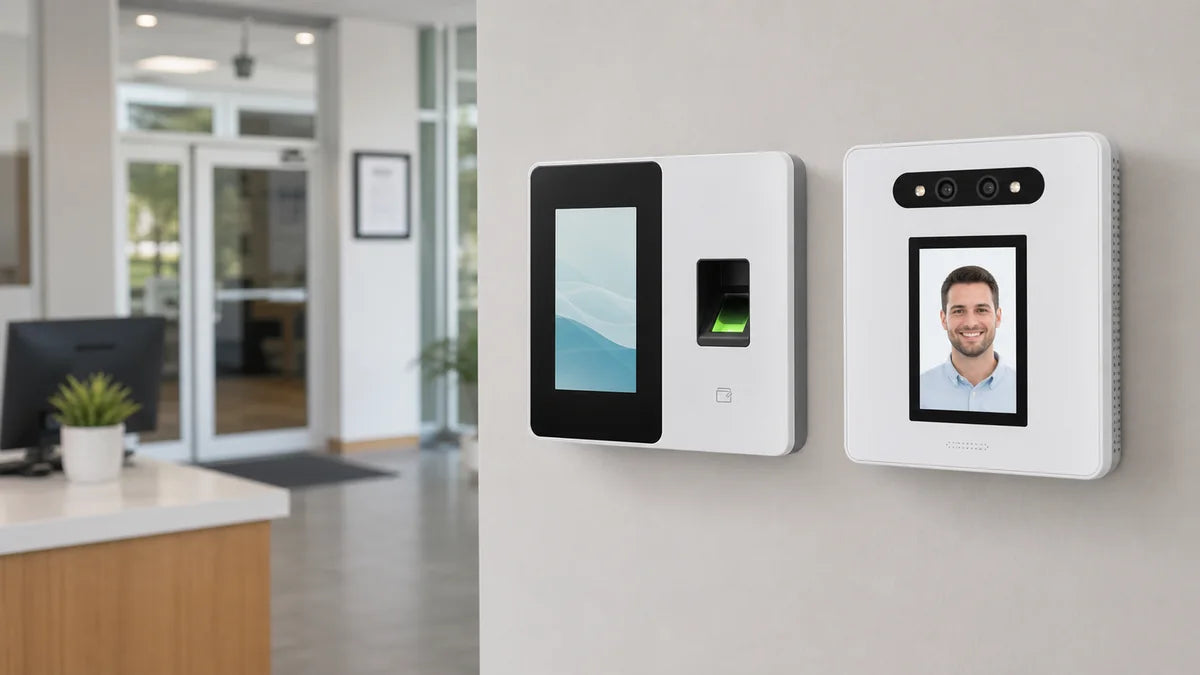
Many business owners shopping for a biometric punch clock open with the same question: face or fingerprint? But the real answer usually lies in how your team works on an ordinary day. A dry office, a greasy repair bay, a gloved kitchen crew, and a front desk that clears six people in five minutes all have different needs. Here is a quick snapshot before the details.
Quick pick:
- Dry hands, fixed location, steady team → fingerprint
- Gloves, grease, wet hands, busy shift changes → face
- Mixed conditions or rotating staff → a machine that handles both
What Does a Biometric Punch Clock Really Verify?
Strip away the tech talk, and a biometric time clock exists to confirm one thing: was this specific person standing at the machine?
Every other method verifies something that can be passed around. A PIN can be shared. A card can be handed off in the parking lot. A name on a paper sheet can be added at any time. A fingerprint or a face cannot be lent out, so each punch carries its own proof.
That pays off in two direct ways:
- It helps reduce buddy punching. A coworker can no longer clock in for someone running late.
- It makes missed punches checkable. A worker who arrives late may create a missed punch on purpose and later report an on-time arrival. With a clock-in and out machine that ties every punch to a verified person, gaps still happen, but they become visible rather than open to creative storytelling.
No machine replaces a clear attendance policy. Biometrics give you trustworthy raw records, and your rules decide what happens when a punch goes missing.
This fits small businesses especially well. A 10-person shop has nobody free to audit timesheets every week, so punches verified at the source save the most checking time precisely where checking time is scarcest.
How Do the Two Technologies Actually Work?
Before comparing workplaces, it helps to understand what each method is actually doing, because the hardware difference is what drives the real-world gap.
A fingerprint time clock captures the ridge pattern on a fingertip and matches it against a stored template. The sensor needs direct, clean contact to get a clear read. That makes it fast and consistent in controlled environments. Physical condition matters, though: dry skin, worn ridges from years of manual work, or moisture on the finger can all reduce accuracy on a given day.
A facial recognition time clock uses a camera to map the geometry of a face, measuring distances between key reference points. No contact is required. The tradeoff is that lighting and camera positioning affect read quality more than they would with a fingerprint sensor.
A few practical hardware differences that matter before you buy:
- Touch requirement. Fingerprint needs contact; face does not. In kitchens, repair shops, or any setting where hands stay occupied or dirty, that gap shows up every single shift.
- Placement sensitivity. A fingerprint reader works anywhere within arm's reach. A facial recognition time clock needs a stable mount at face height with consistent indoor lighting and no direct window glare behind the user.
- User capacity. Face-capable machines tend to support more enrolled users on the same device, which suits rotating crews or locations with high staff turnover.
- Backup options. Many fingerprint-focused clocks pair with an ID card slot as a fallback for problem scans. Worth checking before purchasing.
- Environmental tolerance. Fingerprint sensors dislike grease, moisture, and heavy calluses. A camera-based reader is indifferent to what is on someone's hands but needs a clean, steady view of the face.
Neither method is inherently more accurate than the other in ideal conditions. The gap shows up in real-world conditions, which is exactly why the workplace environment drives the choice more than the technology itself.

When Is a Fingerprint Time Clock the Better Fit?
Fingerprint readers have run reliably in workplaces for decades, and they still earn their spot. A fingerprint punch clock fits best when:
- Hands stay clean and dry. Offices, studios, and front desks give the sensor an easy read every time.
- The team is small and steady. Enroll each person once, and the routine runs itself for years.
- The machine lives in a fixed spot. A wall mount by the entrance turns punching into muscle memory.
- Budget leads the decision. Fingerprint models tend to sit at the friendlier end of the price range.
Know the limits, too. Years of manual work can wear fingerprints smooth, and very dry or cracked winter skin reads poorly on cold mornings.
The practical fix is a backup method. With a fingerprint-focused machine like the NGTeco TC2, your team can punch by fingertip or by ID card, so a finger that won't scan never blocks that day's record. The TC2 also carries a built-in 2000 mAh battery, so a short power outage at the counter does not create a gap in attendance data.

When Is a Facial Recognition Time Clock Easier to Use?
The face case has little to do with looking high-tech. It comes down to touch, because some jobs make touching a sensor awkward for eight hours straight:
- Kitchens. Wet hands, oily hands, and gloved hands, all day long.
- Repair bays and workshops. Grease and grime defeat a fingerprint sensor fast.
- Receiving and stockrooms. Arms full of boxes, no free finger to spare.
- Front desks at shift change. Six people punching in five minutes move faster when each only needs to glance at the machine.
In these settings, a facial recognition time clock removes a small daily friction, and small frictions are exactly what produce skipped punches.
Placement tips from teams who run these machines:
- Mount at an average face height, where short and tall employees both stand naturally.
- Keep steady indoor light on the user's face.
- Avoid pointing the machine at a bright window.
If your team would rather never touch a sensor at all, a face-first model like the NGTeco NG-TC5 keeps punching down to a glance. Walk up, look, done, even with both hands full. It also supports up to 200 enrolled users, which gives growing teams or rotating part-time crews room without hitting a capacity ceiling early.
Fingerprint vs. Face: Which Is Better for Different Workplaces?
Match the method to the condition, not to the spec sheet:
| Workplace Condition | Fingerprint Fit | Face Fit | What to Consider |
| Dry office, steady staff | Strong | Strong | Either works; price may decide |
| Kitchen or repair area | Weak — sensors dislike grease and water | Strong | Touch-free wins here |
| Small retail counter | Strong | Good | A fixed spot suits a fingerprint reader |
| High-traffic shift change | Good | Strong | A glance clears the line faster |
| Privacy-sensitive team | Good | Good | Offer a card or PIN as an opt-out path |
What about wet hands or gloves? Go face, or pick a machine with a card fallback. Forcing glove removal twenty times a day guarantees skipped punches, and skipped punches are the very thing you bought the machine to end.

NGTeco TC2 vs NG-TC5: A Side-by-Side Look
If you are weighing a fingerprint-first setup against a face-first one, here is how two NGTeco models compare on the specs that affect daily use:
| TC2 (Fingerprint Flagship) | NG-TC5 (Face-First) | |
| Recognition Method | Fingerprint + ID Card | Face |
| User Capacity | Up to 100 | Up to 200 |
| Built-in Battery | Yes (2000 mAh) | No |
| Wi-Fi | 2.4 GHz + 5 GHz | 2.4 GHz |
| Display | 2.8" LCD | 2.8" LCD |
A few things this table points to in practice:
The TC2's built-in battery keeps recording punches through a short power outage, useful for retail counters or locations where the outlet is not always reliable. Dual-band Wi-Fi also gives it a steadier connection in crowded networks.
The NG-TC5 supports twice the user capacity at a slightly lower price point, which makes it a practical fit for teams that rotate staff frequently or run multiple part-time schedules. No contact needed means no slowdown at peak clock-in times.

How Should You Talk to Employees About Biometric Clocking?
A biometric rollout succeeds or stalls on trust, so the conversation deserves as much planning as the purchase. Four habits help:
- Explain the why. Tell the team in plain words that everyone's hours get recorded the same way, so nobody's record depends on memory or favoritism.
- Frame it as fairness. The machine treats the owner's punch and the newest hire's punch identically, and accurate records protect employees as much as the business.
- Name who sees the records. Spell out which managers can view attendance data and what they use it for. Vague answers breed rumors.
- Put the policy in writing and offer a path out. A short, clear document beats a hallway announcement. And if anyone feels uneasy about scanning a face or finger, let them punch in a card or PIN instead. Comfort with the machine matters as much as the machine itself.
Handled this way, the new clock reads as a fairness upgrade rather than a surveillance device, and most hesitation fades within the first week of normal use.
Which NGTeco Time Clock Should You Consider?
Work backward from your busiest hour:
- Clean, fixed, steady environment → a fingerprint model covers you, and the TC2 adds a card backup and a built-in battery for stubborn scans or brief outages.
- Gloved, greasy, or hands-full environments → a face model like the NG-TC5 keeps every punch touch-free and handles a larger roster out of the box.
- Mixed environment, or a rotating crew of part-timers → the NGTeco TC1 lets each person punch by face, fingerprint, PIN, or ID card on the same device, so the cook, the cashier, and the weekend temp each get a method that suits their hands, while you get every punch in the same record.
Choose by workplace, not by feature count. The best machine is the one your team uses without a second thought, day after day, with no coaching needed.
Face, Fingerprint, or Both: The Choice Is in Your Floor Plan
There is no absolute winner. A dry, settled office runs happily on fingerprints, and the low price point makes the decision easy. Wet hands, gloves, and rush-hour shift changes tilt the choice toward a facial recognition time clock. Watch your own floor for a week, count the moments a punch gets skipped, and pick the method, or the combination, that removes them. The right biometric machine disappears into the routine, and the clean records stay.
FAQs about biometric time clocks
Q1: Is a facial recognition time clock better than a fingerprint time clock?
Neither wins everywhere. Fingerprint suits dry hands, fixed spots, and steady teams, while face suits gloves, grease, and busy shift changes. The workplace decides, not the technology.
Q2: What if employees have wet or dirty hands?
Pick a face-capable machine, or at minimum a model with a card or PIN fallback, so a punch never depends on stopping to wash and dry hands first.
Q3: Can a one-time clock support more than one punch method?
Yes. Multi-method machines accept face, fingerprint, PIN, and ID card on the same unit, which helps mixed teams and gives hesitant employees a comfortable alternative.
Q4: Is biometric clocking practical for small businesses?
Very. Small teams rarely have anyone free to audit timesheets, so punches verified at the source save the most checking work precisely where checking time is scarcest.


Share:
Time Clocks That Calculate Hours: How Small Businesses Can Stop Rebuilding Work Hours by Hand
Attendance Machine for Multi-Location Teams: How Small Businesses Can See Who Is Working Across Branches