
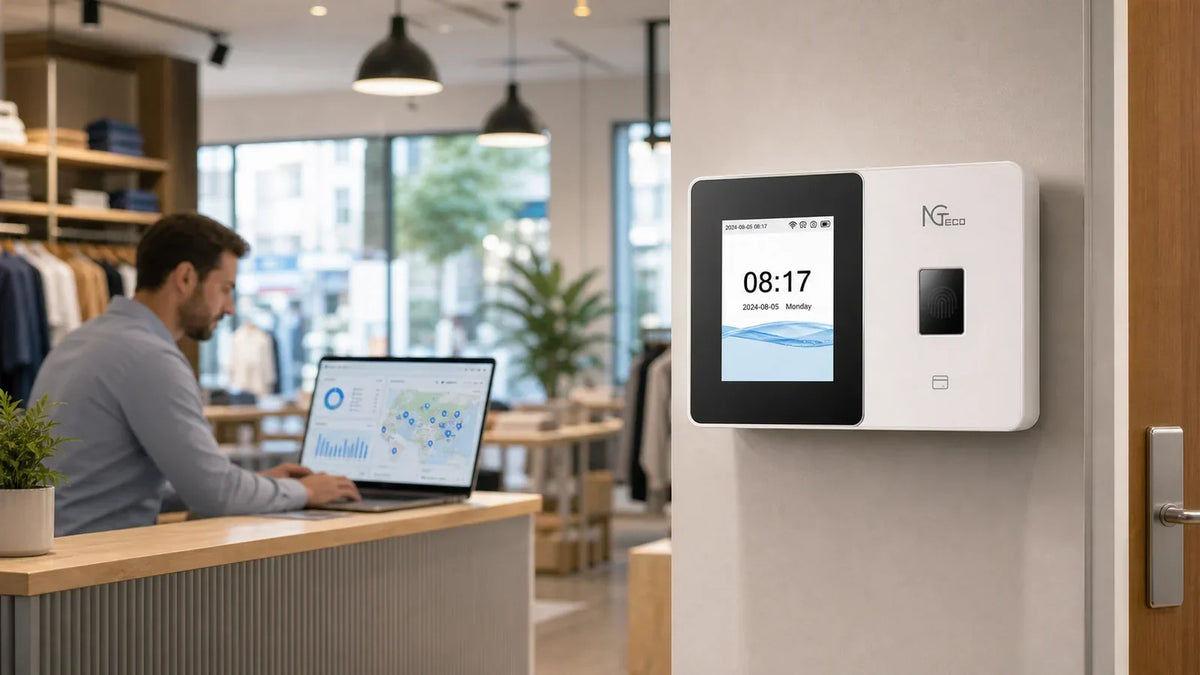
Your shop runs from a phone and a card reader; a desktop never made the list. Then you go shopping for a punch clock, and every product page brings up software, syncing, or a dashboard. So, can you run a time clock without a computer at all?
Yes, in three ways:
- Phone only: An app-connected model like the K4 or MB1 handles everything.
- No phone, no PC: The standalone AS10 runs offline and exports reports via USB.
- Multi-site teams: The TC series adds an optional web dashboard for larger operations.

Does a Time Clock Require a Computer?
No. A modern time clock operates independently, making a computer entirely optional. The device manages the full attendance workflow on its own:
- Recording: Each punch saves directly to onboard memory.
- Calculating: The unit totals regular and overtime hours automatically without external software.
- Reporting: Attendance summaries export via USB flash drive, mobile app, or an optional web portal.
Time clocks that function without a computer generally fall into three distinct categories based on how you access data:
| Type | How It Works | Management Method | Best Fit For |
|---|---|---|---|
| Standalone | Sealed unit; logs and totals hours on-device, exports via USB drive | Onboard screen and keypad | Owners wanting zero external devices or network setup |
| App-Connected | Connects to Wi-Fi and syncs punches to a free mobile app | Smartphone (iOS / Android) | Mobile-first managers who require remote access |
| Cloud-Connected | Syncs to cloud storage; managed via mobile app or web browser | Smartphone app plus optional web browser | Growing teams, warehouses, and multi-location businesses |
What Are the Three Ways to Manage a Time Clock?
Every NGTeco machine is engineered around a specific management style to match your existing workplace hardware.
1. On the Machine Itself, with USB Export
Everything happens on the device. You enroll fingerprints on the screen, employees punch in and out, and hours accumulate in onboard memory. At the end of the pay period, plug in a USB flash drive to download Excel-ready reports. The Basic Time Clock AS10 operates completely offline with no network, apps, or recurring fees required.
2. From a Phone App
The device connects to local Wi-Fi, turning your smartphone into a portable control center. Managers can configure shifts, add new hires, and review hours from anywhere while staff punch in at the terminal. The WiFi Time Clock K4, K4-B, and MB1 utilize the free NGTeco Time app for seamless mobile administration.
3. From a Web Dashboard (Optional)
The TC series pairs with the NGTeco Office mobile app and cloud platform. Daily monitoring fits in your pocket, while a standard desktop browser allows for large-screen data auditing whenever desired. The computer remains completely optional, giving you full operational flexibility.
| Management Style | Example Models | Punch Methods | Phone Required? | Computer Required? |
|---|---|---|---|---|
| On-Device + USB | AS10 / AS10-B | Fingerprint, PIN | No | No |
| Mobile App | K4 / K4-B | Fingerprint, PIN | Yes (Admin only) | No |
| Mobile App | MB1 | Face, Fingerprint, RFID, PIN | Yes (Admin only) | No |
| App + Web Portal | TC1 / TC2 / TC3 | Face, Fingerprint, RFID, PIN | App or Browser | Optional |

Can You Run a Time Clock with Only a Phone?
Yes. A smartphone covers every administrative task while employees punch in and out at the wall terminal. The process requires just three simple steps:
- Connect the time clock to local Wi-Fi.
- Add employees and configure shift rules in the mobile app.
- Monitor real-time punch logs and export payroll reports remotely.
The K4 model includes a built-in backup battery, ensuring uninterrupted punch tracking during sudden power outages. For larger seasonal teams, the K4-B expands user capacity significantly. In industrial kitchens or repair workshops where hands may be wet or greasy, the MB1 provides contactless facial recognition and RFID card verification.

What About No Phone and No Computer at All?
A true standalone unit records, stores, and totals attendance entirely offline. Standalone hardware delivers substantial operational benefits:
- Instant setup: Mount the device, plug it into power, enroll user fingerprints, and start tracking immediately.
- Zero connectivity dependencies: No Wi-Fi passwords, server syncs, or firmware updates required.
- Enhanced privacy: Biometric templates and attendance data remain stored exclusively on local hardware.
When payroll is due, insert a USB drive to export a pre-formatted spreadsheet with calculated totals. The AS10 securely stores thousands of punch records for small teams, while the AS10-B supports expanded employee rosters with identical offline reliability.
When Does a Computer Make Things Easier?
While a computer is never mandatory, an optional web dashboard provides distinct advantages in three operational scenarios:
- Multi-location management: Compare attendance across multiple retail stores or branch offices side by side.
- Large employee rosters: Filter, search, and audit time logs across 50+ employees efficiently on a wide screen.
- Dedicated payroll auditing: Review pay-period summaries and make batch adjustments with full keyboard and mouse control.
The cloud-connected TC series provides this hybrid capability seamlessly:
- Cloud Time Clock TC1: Supports face recognition, fingerprint scanning, RFID cards, and PIN entry.
- Cloud Time Clock TC2: Dedicated fingerprint scanning paired with an integrated backup battery.
- Cloud Time Clock TC3: High-capacity touchscreen interface optimized for high-traffic workplaces.

Find the Time Clock That Fits Your Counter
If your daily workflow centers around a smartphone and a counter terminal, your attendance tracking should reflect that simplicity. NGTeco offers dedicated solutions across offline, mobile-managed, and cloud-connected hardware. Explore the full collection of NGTeco time clocks to find the right fit for your team.
Time Clocks Without a Computer FAQs
Q1: Will employees still be able to clock in if the Wi-Fi goes down?
Yes. All punches are written directly to internal storage first. When network connectivity is restored, stored punches sync to the mobile app or cloud automatically.
Q2: Do I lose attendance data if the power goes out?
No. Non-volatile onboard memory preserves records during outages. Additionally, battery-equipped models like the K4, K4-B, and TC2 continue operating normally on backup power.
Q3: Do employees need to install an app on their personal phones?
No. The companion app is strictly for managerial oversight. Employees punch directly at the physical wall clock using their face, fingerprint, badge, or PIN.
Q4: What file format does the USB export use?
The export produces an Excel-compatible spreadsheet (.xls / .csv) with pre-calculated hour totals that opens directly in Microsoft Excel, Google Sheets, or Apple Numbers.
Q5: Are there monthly subscription fees for the companion app?
Standard punch syncing, shift management, and report generation features are included free with hardware purchase without mandatory monthly software subscriptions.


Share:
Can a Time Clock Work Without an App?
What Size Time Clock Do You Need? (Picks for 5, 10, 20, 30 & 50-Person Teams)