
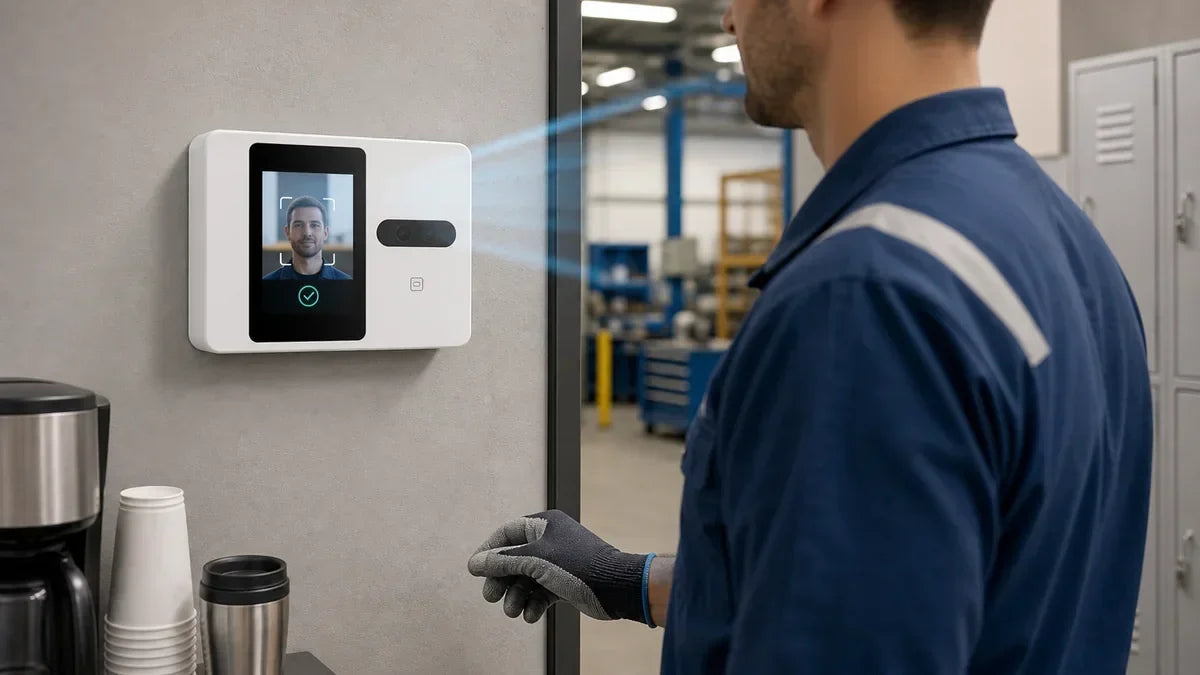
Yes, a time clock can run completely without an app. A time clock without app support provides accurate attendance tracking for small businesses while eliminating software complexity. Here is a quick overview of how app-free and app-connected models compare:
- Some models operate fully standalone with zero app or smartphone requirements.
- App-connected models pair with mobile devices for remote access and cloud sync.
- Standalone time clocks calculate and store hour totals directly on internal memory.
- Attendance data exports directly through a USB flash drive instead of wireless sync.
- The best option depends on whether you prefer on-site management or remote oversight.

Do All Time Clocks Need an App?
No. Modern hardware provides flexible management paths, and neither option is inherently better for every business.
Standalone Clocks
Standalone models function entirely on their own. Employees clock in and out directly on the terminal using biometric fingerprints or PIN passwords, and records remain stored securely in onboard flash memory. Setup, daily punch logging, and payroll data extraction all take place on the physical machine without smartphone apps or account logins.
App-Connected Clocks
App-enabled units pair with mobile software over Wi-Fi, allowing supervisors to review live punches, adjust shift schedules, and download payroll reports from a smartphone. This setup is ideal for business owners who want real-time visibility across multiple job sites or storefronts.
Matching Hardware to Your Workflow
Choosing between these formats comes down to management preferences: hands-on on-device administration versus mobile convenience. A single-location workshop has different operational priorities than a distributed retail brand, and your biometric time clock should reflect those requirements.
| Feature | Standalone (No App) | App-Connected |
|---|---|---|
| Initial Setup | Plug in and enroll on-device | Pair with Wi-Fi and mobile app |
| Checking Hours | Directly on screen or via USB export | Real-time smartphone dashboard |
| Data Synchronization | Manual USB flash drive transfer | Automated wireless / cloud sync |
| Ideal Deployment | Single location, hands-on managers | Multi-location, remote supervisors |
| System Dependencies | Zero network or app dependencies | Requires stable Wi-Fi network |
Which NGTeco Clocks Work With No App at All?
The NGTeco AS10 and AS10-B operate completely offline without requiring an app, network connection, or smartphone at any stage. Employees verify attendance using fingerprint recognition or PIN codes, and internal memory securely logs every timestamp.
When pay periods end, administrators insert a standard USB drive to export attendance summaries into an Excel-ready report file. The entire payroll cycle remains strictly on-premise without touching Wi-Fi networks.
| Operational Requirement | NGTeco AS10 / AS10-B |
|---|---|
| Smartphone Needed? | No |
| Companion App Download? | No |
| Active Wi-Fi Connection? | No |
| Verification Methods | Biometric fingerprint, numeric PIN |
| Report Retrieval | USB flash drive export (.xls/.csv) |
This streamlined architecture is ideal for garages, retail counters, and workshops seeking durable hardware with zero software maintenance.

What Do You Give Up Without an App?
Operating an app-free terminal involves specific operational trade-offs that business owners should evaluate upfront.
No Remote Access
Without an app, administrators cannot review hours remotely while offsite. Checking punch logs requires walking up to the device or plugging in a USB drive. While suitable for on-site managers, supervisors who travel frequently must schedule physical visits to collect attendance files.
Manual Data Retrieval
App-free hardware lacks background cloud synchronization. Every data retrieval requires a manual USB export. While straightforward for weekly or bi-weekly pay cycles, administrators must establish a regular export schedule to avoid payroll delays.
Isolated Multi-Location Records
Managing several locations with standalone hardware means attendance records stay compartmentalized on individual machines. Compiling unified payroll requires exporting reports from each terminal separately and merging spreadsheets manually.
For growing enterprises seeking centralized oversight, implementing multi-location cloud attendance systems delivers substantial administrative efficiency.

Who Should Choose an App-Free Time Clock?
An app-free standalone time clock provides optimal utility for businesses matching specific operational criteria:
- Single-location operations: Small storefronts where managers handle payroll on-site.
- App-fatigued owners: Managers who prefer avoiding software installations and login credentials.
- Off-grid work environments: Construction trailers, basements, or remote workshops with weak or absent Wi-Fi.
- High-privacy facilities: Businesses requiring strict on-premise data storage without external network transmission.
For single-facility operations comfortable with occasional USB exports, standalone models like the AS10 deliver reliable performance without software upkeep.
When Is an App Worth It?
Companion apps provide high ROI when business operations expand beyond basic single-room setups, allowing managers to match hardware capabilities to team size and distribution.
Multiple Locations
Operating multiple storefronts or warehouses makes mobile sync invaluable. Instead of driving between facilities to collect USB logs, managers can review multi-site attendance from a single smartphone dashboard.
Real-Time Visibility
Connected terminals deliver real-time attendance updates, enabling supervisors to monitor shift coverage, late arrivals, and active headcounts instantly.
Managing Larger Rosters
Larger employee rosters involve complex shift scheduling. Companion apps allow managers to filter records, audit anomalies, and manage profiles without navigating small physical device keypads.
NGTeco's connected models, including the K4 and TC1, bridge this gap by offering mobile management alongside versatile physical authentication.

Ready to Pick the Right Time Clock?
Both hardware styles provide accurate attendance tracking. If you want a completely offline setup with zero apps, the NGTeco AS10 operates independently. If you prefer remote mobile access, explore the NGTeco K4 or the NGTeco TC1 for instant mobile and cloud synchronization.
Time Clocks Without an App FAQs
Q1: Can I use a time clock without a smartphone?
Yes. Standalone models like the AS10 operate entirely through onboard hardware. Employees clock in via fingerprint or PIN, and administrators export reports via USB without smartphone apps or user accounts.
Q2: Which NGTeco models operate without an app?
The AS10 and AS10-B operate completely offline. The primary difference lies in hardware capacity: the AS10-B supports larger employee headcounts and log memory while maintaining the same app-free USB workflow.
Q3: How do I export employee hours without an app?
Insert a USB flash drive into the terminal's port and select the export function. The device generates an Excel-compatible spreadsheet containing calculated work hours that can be opened on any PC, Mac, or tablet.
Q4: Is an app-free time clock harder to maintain?
No. Day-to-day clocking is identical to connected units. The only operational difference is manual data extraction via USB rather than background Wi-Fi syncing.


Share:
How Far Should a Time Clock Be From the WiFi Router?
Do You Need a Computer to Use a Time Clock?