
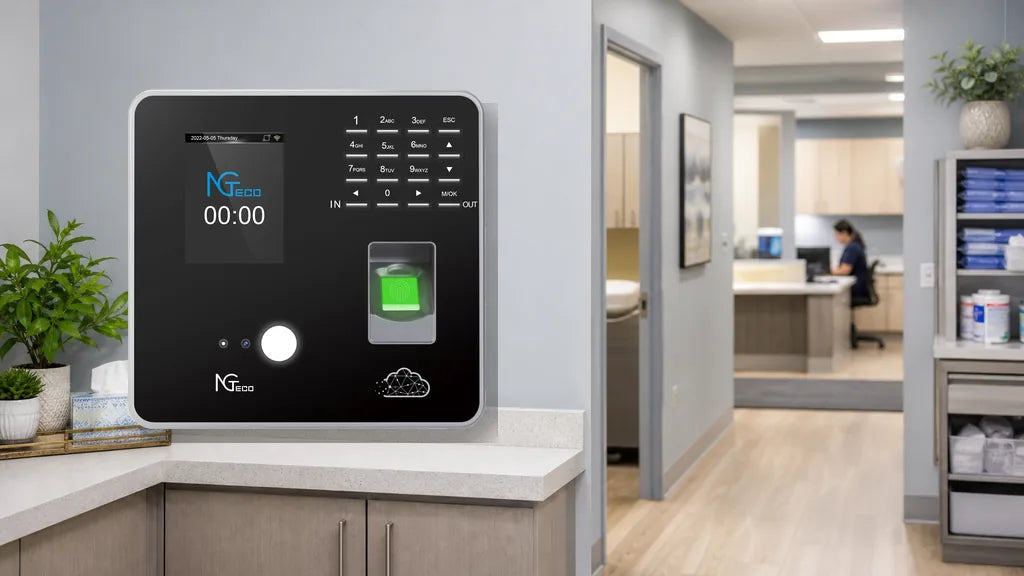
Two different businesses can successfully share a single time clock. The device will track punches for both workforces without mixing records when properly configured. You simply need an attendance terminal that supports department grouping. This hardware setup reduces capital costs for shared retail spaces and small joint offices while keeping timesheets neatly organized for separate payroll processing.

Can One Time Clock Serve Two Businesses?
Moving into a shared building brings practical questions about co-locating hardware. A single attendance machine can track hours for multiple companies effectively. The physical terminal captures biometric or PIN punches at a central entrance, while the underlying firmware and cloud software organize records chronologically by organization.
Administrators assign each employee to a designated company profile or department inside the system menu. This ensures clean separation when exporting pay period summaries. A shared time clock succeeds when both business owners align on device placement, mounting responsibilities, and network connectivity.
The Mechanics of Shared Tracking
The physical hardware serves as a neutral data-collection terminal, applying a secure timestamp to every interaction regardless of business affiliation.
Software-Driven Separation
Digital attendance software categorizes raw punch data into segmented reports. Attaching an organizational tag to each user profile enables administrators to filter timesheets independently without exposing other teams' records.
A multi-company setup functions reliably when user enrollment is mapped accurately from day one, allowing managers to export filtered reports containing only their active team members.

When Sharing Makes Sense
Certain co-located business arrangements benefit directly from shared attendance infrastructure, particularly small teams sharing storefronts or joint light-industrial facilities where cost reduction is a key priority.
Small Headcounts in One Location
Fewer employees mean shorter lines during shift transitions. Ten employees clocking in takes under two minutes, whereas fifty workers attempting to punch simultaneously at 9:00 AM creates lobby bottlenecks. Keeping combined headcounts manageable preserves operational efficiency.
High Trust Between Managers
Both business owners require administrative visibility. Mutual trust ensures timesheet parameters and network configurations remain intact without accidental data overrides.
Shared Physical Entry Points
Co-located businesses sharing a main entrance, break room, or central hallway can easily mount a single terminal accessible to all arriving staff.
| Operational Scenario | Recommended Deployment | Primary Advantage |
|---|---|---|
| Adjacent Retail Storefronts | Two retail counters sharing one backroom terminal | Eliminates duplicate equipment purchases and setup costs |
| Co-Working Offices | Micro-businesses sharing common reception | Low headcount per entity prevents punch bottlenecks |
| Shared Industrial Warehouses | Separate logistics crews using one central clock | Centralized entry placement simplifies attendance auditing |

How to Keep Two Teams' Records Separate
Maintaining clean data separation requires configuring distinct department groups within the terminal settings before enrolling staff. Assign Company A to Department 1 and Company B to Department 2 so all subsequent punches route to the correct business profile.
Create Distinct Departments
Configure organizational boundaries in the administrative settings using our time clock software setup guide. Naming distinct department profiles establishes the foundation for multi-tenant employee tracking.
Assign Employees During Enrollment
Select the corresponding company department during employee biometric registration to ensure work hours route to the proper payroll bucket.
Maintain Accurate Employee Rosters
Remove terminated or inactive staff promptly from assigned departments to preserve system memory and prevent clutter in administrative reporting views.
Export Timesheets Individually
At the end of each pay cycle, filter records by department to generate isolated CSV or Excel timesheets for each independent payroll provider.
Utilize Cloud Grouping
Cloud-connected models across the NGTeco time clock collection provide multi-tenant account views, allowing managers to log in remotely and view only their department's data. For organizations managing hybrid or field staff alongside on-site teams, deploying a cloud-based employee attendance system enables seamless remote reporting.
When You Are Better Off With Two Separate Clocks
Shared hardware becomes counterproductive when businesses experience rapid headcount expansion or require strict cryptographic and network isolation.
Large Staff Numbers Cause Punch Delays
When combined staff counts grow, simultaneous shift handoffs cause long queues at the scanner, potentially leading to artificial tardiness records.
Strict Data Privacy and Compliance Requirements
Enterprises handling proprietary workflows often require strict operational data privacy. Adhering to official NIST data protection guidelines ensures organizational records and personally identifiable employee data remain completely isolated.
Segmented Network and Firewall Policies
If two companies utilize distinct corporate Wi-Fi networks with isolated subnets and firewalls, connecting a single hardware terminal to both networks is technically unfeasible. Organizations following federal CISA network hardening guidance strictly prohibit untrusted third-party devices on proprietary local area networks, making dedicated hardware necessary. Review our guide on time clock offline, Wi-Fi, and cloud modes to choose the appropriate network architecture.
Complex Multi-Tier Approval Hierarchies
When each company maintains multiple internal sub-departments (such as sales, logistics, and management), managing dozens of granular sub-groups on a shared device becomes overly cumbersome.
Which Time Clock Works Best for Sharing?
Selecting reliable hardware with robust grouping capabilities ensures seamless multi-company timekeeping.
The TC1 Model for Offline and Cloud Workflows
The NGTeco TC1 supports straightforward department setup via its physical keypad and cloud portal, offering USB flash drive export for offline environments and Wi-Fi sync for remote payroll management.
The TC3 Model for Advanced Cloud Management
The NGTeco TC3 features a responsive touchscreen interface and real-time cloud sync, allowing off-site business owners to monitor their specific team attendance from any web browser.
Durable Biometric Verification
Higher daily transaction volumes require resilient optical fingerprint sensors and facial recognition cameras. Complying with FTC personal data protection principles ensures employee biometric data and punch logs are safely handled.
Upgrade Your Shared Office Setup Today
Sharing an attendance terminal streamlines overhead while keeping employee records clean and auditable. The NGTeco TC1 and TC3 provide the built-in department grouping and cloud reporting tools necessary for co-located operations. Explore modern attendance hardware engineered to simplify multi-business workplace management.
Common Questions About Sharing a Time Clock
Q1: Can two separate companies operating in the same building use the same time clock?
Yes. By configuring separate department groups in the device menu, a single terminal logs punches for both companies while keeping timesheet records isolated.
Q2: How do I keep two distinct teams' hours completely separate on a shared device?
Assign each worker to their company's designated department ID during enrollment. When generating payroll, filter reports by department to export isolated timesheets.
Q3: Is it financially practical for adjacent storefronts to share one time clock?
Yes. Splitting equipment and installation costs lowers startup expenses, provided combined staff sizes align with how many employees a single time clock can handle.
Q4: When should each business deploy an independent time clock?
Deploy dedicated terminals when combined headcount exceeds 50 workers, when shift start times create lobby congestion, or when IT policies mandate isolated network subnets.
Q5: Which software feature is most critical for a shared time clock setup?
Departmental filtering and group assignment are essential, ensuring managers can view, edit, and export only their specific team's attendance data.


Share:
What Size Time Clock Do You Need? (Picks for 5, 10, 20, 30 & 50-Person Teams)
Decimal Hours vs. Hours and Minutes: How to Read a Time Clock Report