
This guide explains the door-by-door hardware you need for a complete access control system that improves security and supports accurate time and attendance.
A complete access system needs more than a keypad on the wall. You are buying a matched set of locks, readers, controllers, power, and safety hardware that all work together at every door.
Picture payroll Monday: half an hour lost chasing who was really on-site because doors were left propped open and keys were passed around. Small businesses that standardize their access hardware usually move from that chaos to clean entry logs and faster payroll runs. The teams that succeed treat access control like a real project, not a random pile of gadgets. The breakdown below gives you a door-by-door hardware shopping list plus the reasoning behind it, so you can order once, install once, and get reliable security and time data every day.
What a Complete Access System Includes
A physical access system controls who can enter specific doors and when. It combines credentials, readers, controllers, and locks with a central management platform that enforces rules and records events, which is the core of modern physical access control described in essential elements of physical access control and security. Instead of metal keys that are hard to track, every credential swipe or code entry becomes a transaction that can be logged, audited, and revoked quickly.
When these components are deployed across all your important doors, the system not only protects people and assets but also creates a trustworthy record of who came through which door and at what time, similar to the security and compliance benefits highlighted in the ultimate guide to access control systems. Those same logs can support cleaner timekeeping, fewer disputes over hours worked, and faster resolution when someone asks, "Was I really here at 7:02 AM on Friday?"
A practical way to think about the shopping list is in five buckets that mirror how experts group system components in an access control hardware guide: door and lock hardware, credentials and readers, controllers and panels, power and wiring, and safety and monitoring accessories. If you cover those five, you have the backbone of a complete system rather than a partial fix that still leans on old keys and guesswork.

Core Hardware Buckets at a Glance
The table below shows the main categories you need to cover and how they fit together operationally.
Hardware bucket |
What it does at each door |
Typical examples |
Must-have for full system? |
Door and lock hardware |
Physically secures the opening and responds to electronic unlock signals |
Electric strikes, magnetic locks, electrified mortise or cylindrical locks |
Yes |
Credentials and readers |
Identify who is requesting access and send data to the controller |
Card or fob readers, mobile readers, keypads, biometric readers |
Yes |
Controllers and panels |
Make the access decision and fire the lock or alarm output |
Door controllers, reader interface modules, centralized panels |
Yes |
Power and wiring |
Feed low-voltage power and communications between all components |
Power supplies with battery backup, low-voltage cable, network cabling |
Yes |
Safety and monitoring gear |
Maintain life safety, log anomalies, and improve visibility |
Door position switches, request-to-exit devices, cameras, sounders |
Strongly recommended |
Controllers, readers, locks, and management software are consistently identified as the core pieces in reputable component overviews such as access control technologies you need to know, so if one of these buckets is missing, you are buying trouble.

Door and Lock Hardware: Build a Reliable Opening
Every controlled opening starts as a physical door with hinges, a latch, and usually a closer, which is why commercial door hardware such as locks, exit devices, closers, and hinges is treated as a foundation for security and accessibility in different types of commercial door hardware. If the door itself is flimsy or the closer does not pull it shut, no amount of electronics will save the day.
For access control, you are choosing locks that respond to electrical signals while still honoring building and fire codes, aligning with the focus on electrified locks and code compliance in access control technologies you need to know. At a minimum, each access-controlled door typically needs a compatible lock (electric strike, magnetic lock, or electrified cylindrical or mortise lock), a code-compliant door closer, and robust hinges that can handle the traffic and door weight.
The big decision is usually between electric strikes and magnetic locks, both of which are standard choices in access control hardware guides. Electric strikes sit in the frame and release the latch when powered; they are often configured in a "fail secure" mode where the door stays locked if power fails, which is common for perimeter doors where you want security maintained. Magnetic locks mount at the top of the door and use a strong magnet that is inherently "fail safe," meaning the door unlocks when power is cut, which is useful for life-safety exits but demands careful coordination with fire inspectors, as emphasized in access control technologies you need to know.
Mechanical hardware still matters even when you go electronic, because high-traffic commercial doors benefit from Grade 1 or Grade 2 locks and heavy-duty hinges that withstand repeated cycles without sagging, a durability point underlined in discussions of different types of commercial door hardware. For example, if you are securing eight hallway doors that will each cycle hundreds of times per day, it is usually cheaper long term to buy higher-grade hardware once than to keep sending maintenance to adjust sagging doors and misaligned strikes that cause access failures.

Credentials and Readers: Decide How People "Knock"
A credential is simply the key your system recognizes, whether it is something a person has, knows, or is, which is how credentials are defined in basic components of a general access control system. Common options include access cards or fobs, numeric PIN codes, and biometrics like fingerprints or facial characteristics, all of which trade off convenience and security in the ways described in essential elements of physical access control and security.
Readers are the devices mounted next to your doors that capture those credentials and pass them to the controller, playing the role of the credential interface in component lists such as access control technologies you need to know. For a typical small business deployment, you are often choosing among card or fob readers, mobile-capable readers that talk to smartphones, keypads, or combined reader-keypad units that support cards plus PINs.
From a security and payroll-accuracy standpoint, combined reader and keypad units that enforce two-factor authentication, such as a card plus a PIN, dramatically raise the bar by requiring both something you have and something you know, mirroring the two-factor methods described in access control technologies you need to know. That approach reduces the impact of a lost card because the thief still does not know the code, and it makes it harder for employees to casually "badge in" co-workers who are not actually on-site.
When you select credential types, it helps to align them with risk levels, as recommended in choosing the best commercial door access control system. For example, you might rely on cards or mobile credentials plus PINs for exterior entrances where time-and-attendance records really matter, use simple PIN keypads for low-risk shared interior spaces, and reserve biometrics for sensitive rooms such as server areas or cash-handling offices.

Controllers and Panels: The Brains Making Decisions
Controllers and panels are where access decisions actually happen: they receive data from readers, check permissions, and then energize or de-energize lock and alarm outputs in real time, aligning with the controller role described for field panels and centralized control boards in access control technologies you need to know. In practical terms, if the controller cannot talk to a door, that door is either stuck open or stays shut even for valid users.
At each controlled opening, field devices such as readers, door position switches, and request-to-exit sensors generally connect to a local reader interface or door controller, which then connects upstream to an access control panel that enforces policies and logs events, reflecting the architecture described for reader interface modules and panels in access control technologies you need to know. For a small site, a single multi-door panel might handle four, eight, or more doors; larger or more spread-out facilities often distribute panels in communication closets to simplify wiring runs.
From an operations angle, controllers are also the hardware gateway to features like role-based access and schedules that reinforce the principle of least privilege discussed in which mechanisms should be used when setting up access controls. Once controllers are in place and tied into software, you can define roles like "warehouse associate" or "manager," set their allowed doors and hours, and then reuse those rules for dozens of people instead of managing access one user at a time.
When planning a shopping list, a practical rule is to count doors first and then choose controllers that give you at least one or two spare channels for future growth, echoing the scalability mindset recommended for access control deployments in the ultimate guide to what are access control systems. For example, if you have ten doors now and a realistic chance of adding two more within a couple of years, it is usually smarter to buy controller capacity for twelve or sixteen doors today than to tear everything open later to add another panel.

Power, Wiring, and Network: The Quiet Problems That Kill Timelines
All of the intelligent hardware in the world becomes useless if it cannot get clean, reliable power and data, which is why access control hardware overviews emphasize dedicated low-voltage power units, battery backup, and appropriate cabling in access control technologies you need to know. Power supplies convert building AC power to low-voltage DC for locks, controllers, and readers, often with built-in battery backup so doors continue to function during outages.
Field devices such as readers, locks, door position switches, and request-to-exit sensors typically use low-voltage security cabling alongside network cabling for controllers that are IP-based, a combination laid out in wiring guidance within access control technologies you need to know. That means your shopping list should include enough runs of appropriate gauge cable, junction boxes, and labeling supplies to avoid last-minute scrambling when installers are on ladders.
Another common recommendation is to treat power and wiring as their own design task rather than an afterthought, matching the emphasis on power planning and cable labeling in integrated security system checklists such as essential security system components every business needs. For a small site with, say, eight controlled doors, using one or two properly sized power supplies with clearly labeled outputs is usually more stable and maintainable than a mess of separate wall transformers and ad hoc splices that no one wants to touch six months later.
From a payroll and uptime perspective, good power design has a direct payoff: when doors randomly fail because of overloaded supplies or poor connections, legitimate staff get locked out, their time punches become unreliable, and every outage turns into a manual exception in your payroll system. Spending a bit more up front on code-compliant wiring and quality power gear is almost always cheaper than repeated emergency calls and reconciliation headaches.

Safety and Monitoring Accessories: Small Devices, Big Impact
Beyond readers and locks, a complete access system layers in door position switches, request-to-exit devices, and local alerts to ensure both security and life safety, mirroring how door contacts and request-to-exit hardware are paired with controllers in access control hardware guides. Door position switches tell the system whether a door is actually open or closed, which is essential for alarms such as "door forced open" or "door held open too long."
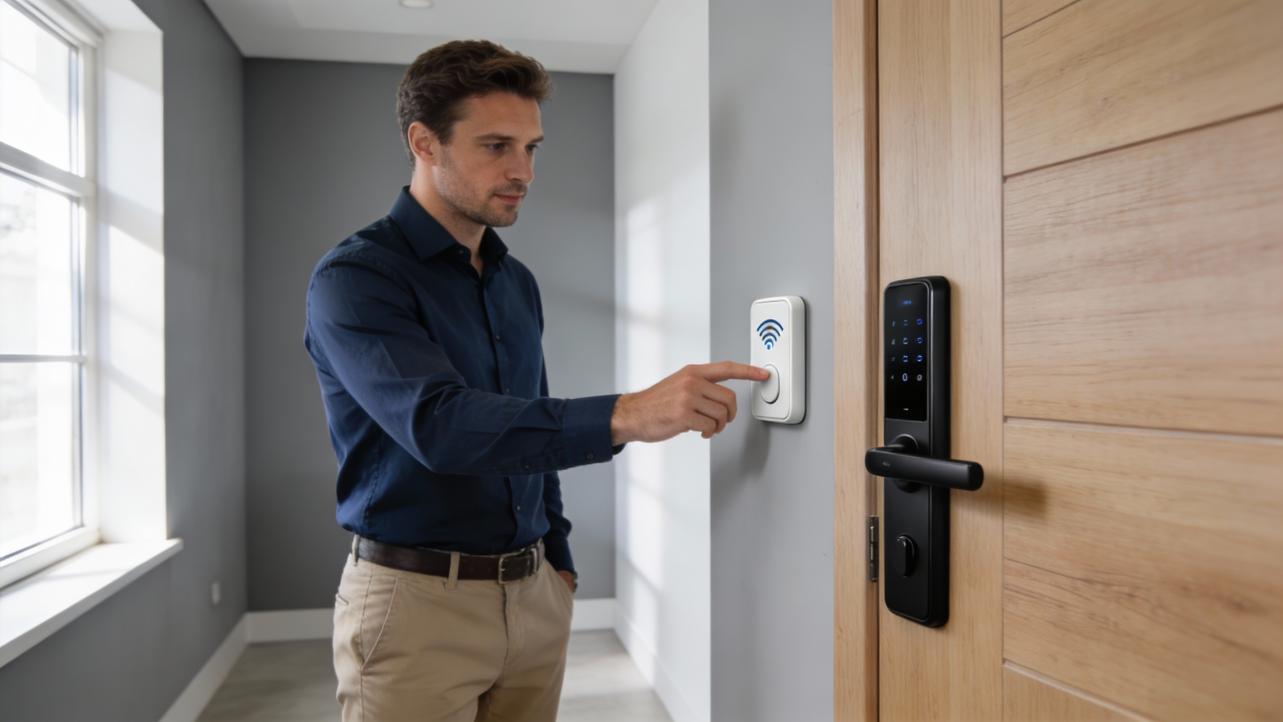
Request-to-exit devices, such as push-to-exit buttons or motion sensors, allow people to leave a secured area without presenting credentials while still signaling the system to unlock and log the event, in line with the role of request-to-exit hardware described in access control hardware guide content. For many doors, especially those on egress paths, these devices are also part of meeting fire and life-safety code requirements so people can always exit quickly in an emergency.
Cameras, sounders, and strobes round out the picture by providing visual and audible confirmation of events, reflecting how integrated systems combine access control with video and local alerts in essential security system components every business needs. When a high-value door is forced or held open, a local alarm not only deters casual misuse but also tells staff exactly where to go, which shortens response time and prevents "everyone thought someone else was handling it" moments.
On the operations side, adding these small accessories can drastically reduce time-wasting investigations. Instead of spending twenty minutes asking who left the loading dock open, you can pull a report of door-held-open events tied to specific users and timestamps, then adjust training or schedules with facts, not hunches.
Turning the List Into a Purchase Plan
Once you know the buckets, the most efficient way to build a shopping list is to walk the site and classify each door by function, risk, and traffic, echoing the door-by-door survey approach recommended when planning access control deployments in access control hardware guide material. Exterior entrances with employee check-in, doors to sensitive areas like finance or IT, and high-traffic internal doors often justify higher-security hardware and more detailed logging than a closet that rarely sees traffic.
After that walk-through, map each door to a standard "kit" that includes a lock type, reader type, controller channel, power requirements, and safety accessories consistent with integrated, scalable design principles from essential security system components every business needs. For example, all main exterior doors might share a package of fail-secure electric strikes, card-plus-PIN readers, door position switches, request-to-exit sensors, and camera coverage, while low-risk interior doors share a simpler keypad-only kit.
Finally, add centralized items like panels, power supplies, and network switches with growth in mind, following the forward-looking, scalable mindset emphasized in access control technologies you need to know. If your plan calls for twelve controlled doors today, designing controller and power capacity for sixteen or more usually costs a bit extra in hardware now but saves substantial labor and disruption later when the business grows and you need to bring additional doors under control without tearing everything apart.
Quick FAQ
Is a keypad-only system enough for a small business?
Keypad-only systems are inexpensive and easy to install, but codes are easy to share or shoulder-surf and users tend to reuse or forget them, matching the weaknesses noted for PIN-only setups in access control discussions such as essential elements of physical access control and security. If you care about clean audit trails and payroll accuracy, combining cards or mobile credentials with unique PINs or biometrics gives you much stronger assurance that the person who "checked in" is actually the one on the schedule.
Do I need door position switches on every controlled door?
Door position switches are a small cost but a big win for any door where you care about doors being propped or forced, aligning with how door contacts are treated as key monitoring devices in access control hardware guides. For truly low-risk interior doors, you might skip them, but for exterior entrances, warehouse doors, and sensitive rooms they are a must if you want to catch and correct behaviors that undermine both security and clean time records.
How much extra capacity should I buy in controllers and power supplies?
Access control design guidance consistently recommends planning for growth rather than sizing everything to today's exact door count, similar to the scalability advice in the ultimate guide to access control systems. A reasonable rule is to leave at least twenty to thirty percent spare capacity in controller channels and power supply load, so adding a couple of doors or a few more readers later does not force a full redesign.
A clean, complete access system is not just about keeping bad actors out; it is about giving your operation a reliable, automatic record of who was where, when, so you can stop arguing over timecards and start fixing real process problems. Build your shopping list by door, cover all five hardware buckets, and you will end up with a system that pays you back every single pay period.


Share:
Access Control Wiring Diagram: Connecting Power, Controller, and Locks (Beginner's Guide)
The "Always Online" Generation: Real-Time Push Notifications Are the New Standard