
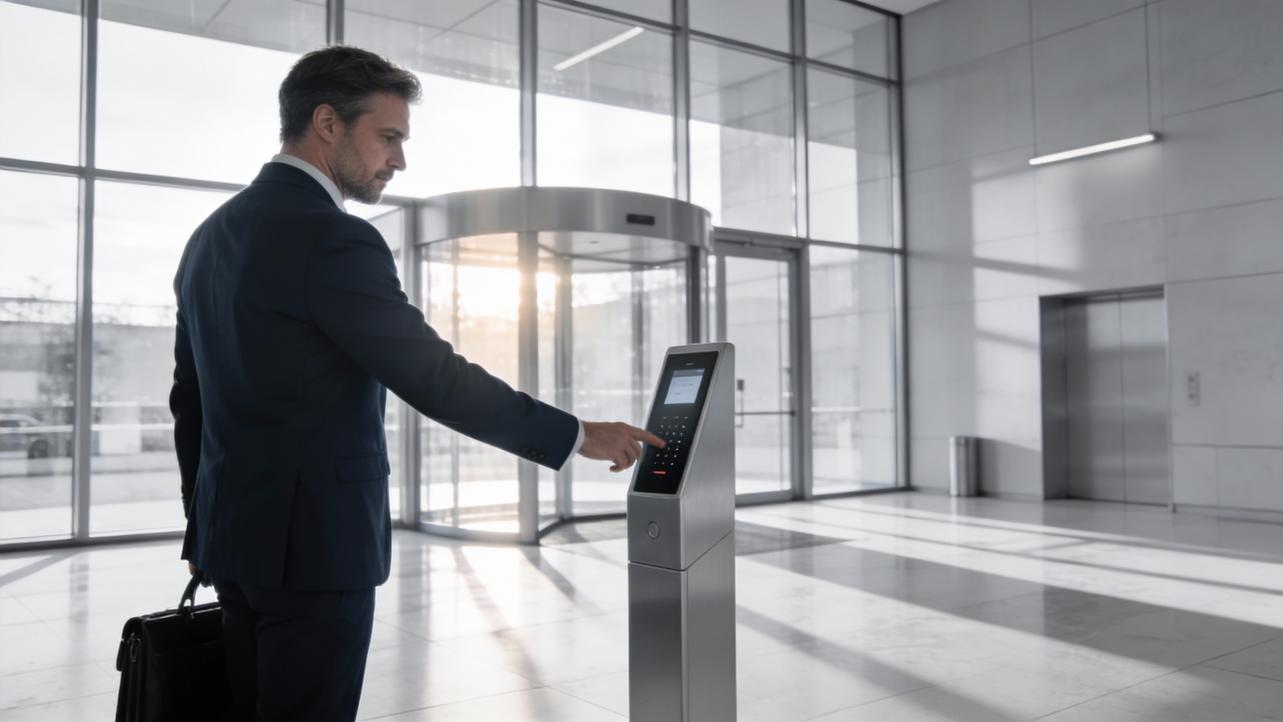
If you run operations for a business in 2026 and you are still chasing lost keycards, juggling visitor badges, and arguing over timesheets, you are burning time you do not need to be burning.
Across the access-control industry, the pattern is clear. Avigilon reports that about a third of businesses already use touchless access in some way and roughly another third plan to adopt it. ACRE Security cites Omdia research projecting the global electronic access-control equipment market to reach $9.6 billion with steady growth. The Security Industry Association bluntly says touchless entry is “here to stay,” not a temporary pandemic fix.
This guide is written from an operations and payroll point of view, not a gadget-nerd one. By the end, you should be able to decide whether touchless entry is worth it for your business, which technologies actually fit your situation, and how to roll it out without wrecking your week or your payroll process.
What Touchless Entry Actually Means in 2026
Different vendors throw around “keyless,” “contactless,” and “touchless” as if they are the same thing. They are not.
ButterflyMX defines touchless access control as a system where people unlock doors without physically inserting or touching a credential at the reader. CDVI, Oloid, and others describe the same idea: authorized users pass through doors without touching keypads, readers, or handles, while the system still enforces security policies.
Under the hood, almost every modern touchless system has four basic pieces, described consistently by ButterflyMX, GreatService, and several other providers. There is a credential, which might be a smartphone app, a Bluetooth token, a proximity card, or a biometric profile. There is a reader that detects that credential wirelessly. There is a controller or control panel that checks whether the credential is allowed at that door at that time. Finally, there is an electric door release, often paired with an automatic door operator if you want a fully hands-free experience.
The typical workflow is fast. Oloid notes that the process of reading a credential, checking authorization, and releasing the lock usually takes well under a second. That is why these systems are practical even for high-traffic environments.
It is also important to clarify what does not count as touchless entry. ButterflyMX points out that keycards you have to insert into a slot are not touchless. PIN pads that everyone taps all day are not touchless. Traditional keys definitely are not touchless. They might be “keyless” in the marketing sense, but they still require contact with shared surfaces.
If you visualize a staff member walking up to your front door at 8:55 AM, here is what a touchless workflow can look like. Their smartphone, in a pocket or bag, acts as a Bluetooth credential. As they approach, a wave-to-unlock sensor from a provider like Avigilon or an Openpath-style integration described by Allegion detects a gesture, the reader talks to the controller, the system logs the event, and an automatic door operator opens the door. No card tap, no handle pull, no keypad.
For visitors, Radius and GreatService describe setups where guests pre-register, receive a QR or mobile pass, and then authenticate with their own phone for a self-service, touchless check-in.
That is the baseline picture: you keep strong access control and logs, but people stop touching hardware every time they walk through a door.

Is It Really Worth Saying Goodbye to Keys and Keycards?
From an operations perspective, the question is simple. Does moving to touchless entry pay off in safety, time, and control enough to justify the cost and complexity?
Based on how vendors and industry bodies like Avigilon, ACRE Security, the Security Industry Association, Protex Central, and others describe the trend, the answer for most growing businesses is yes, especially if you plan to be in the same facility for a few years.
Health, hygiene, and peace of mind
After COVID-19, almost every serious access-control source brings up hygiene first. AIVIZ, Teeky, CDVI, Great Valley Lockshop, and Avigilon all emphasize that entry doors and keypads are among the most frequently touched surfaces in a building. Teeky calls touchless entry a necessity, not just a convenience, for commercial buildings, precisely because it reduces exposure to germs at those choke points.
In critical environments like hospitals, clinics, and labs, those shared surfaces are obvious risks. In offices, schools, and retail, they drive perception. Allegion notes that employees, tenants, and visitors feel safer when they are not constantly grabbing the same handles and pushing the same buttons. The Security Industry Association argues that lobby and entry redesigns made for pandemic safety should be built as long-term solutions, not temporary patches.
From an operations standpoint, you care less about the exact infection science and more about two practical outcomes. First, you want fewer days lost to illness in high-contact roles. Second, you want a building people feel comfortable entering, especially when you are asking them to come back on-site more days per week.
Touchless entry does not replace good cleaning or HVAC, but it removes one of the dirtiest touchpoints from the equation.
Stronger security and less liability
Radius Infotech summarizes the basic problem with traditional access methods: keys and cards can be lost, stolen, or misused, and they are relatively easy to duplicate. Teleco and Swiftlane make the same point: once a key is out of your hands, you have very little control left.
Touchless systems attack that problem in two ways.
First, they use credentials that are harder to copy or share. Radius and Oloid highlight biometric options like face, iris, and palm-vein recognition, which are difficult to forge. ButterflyMX, Kisi, and other providers point out that smartphone-based credentials are tied to devices people already protect with their own fingerprints or face unlock. Even when you still use proximity cards or fobs, Swiftlane notes that these cards can be managed centrally and revoked instantly, instead of rekeying locks.
Second, they give you much better logging and visibility. ButterflyMX, Teleco, GreatService, Kisi, and Protex Central all emphasize detailed event logs: who presented which credential at which door, at what time, sometimes with attached video. Those logs help you investigate incidents, satisfy audits for frameworks like HIPAA that Teleco mentions, and prove that you are meeting your duty of care in controlling access.
There is another security issue that shows up in the research: tailgating. The Security Industry Association and Boon Edam both warn that basic automatic sliding or swinging doors are still vulnerable to unauthorized people slipping in behind someone with a valid credential. Their guidance is to treat tailgating explicitly in your strategy by deciding where you want to deter it, where you want to detect it, and where you want to prevent it outright with high-security revolving doors or mantrap portals.
For a small business, you probably are not installing data-center-grade mantraps, but you should at least avoid assuming that “automatic” means “secure.” If anyone can follow your staff through that front door, you still have a people and process job to do alongside the tech.
Convenience and time savings for staff and admins
From a user-experience perspective, the advantage of touchless systems is obvious. ButterflyMX notes that people almost never forget their phones compared to badges. Sentry Interactive, Kisi, and GreatService all describe setups where employees install an app once and then simply approach doors, tap a phone, wave, or use voice commands for entry. For people carrying laptops, boxes, or kids, not having to juggle keys and handles is a meaningful improvement in daily friction.
The bigger win, though, is on the admin side.
Avigilon lists eight warning signs that your current keyless system is failing you, including too much time spent replacing credentials, frequent breakdowns, poor logging, and clunky management across multiple sites. Teleco, Swiftlane, Kisi, Sentry, and Great Valley Lockshop all show the other side of that picture: cloud-based dashboards where you add a new hire once, assign them to a role or group, set their schedule, and their credential is live in minutes across the doors they need. When someone leaves, you revoke access without chasing keys.
For multi-location operations, Protex Central and Kisi stress that you can manage doors in multiple buildings, sometimes in multiple cities, from a single control plane. No more driving to a branch just to update a lock schedule.
A practical example helps. AlarmMasters estimates that touchless systems average around $1,000 per door in hardware. Suppose you have a small clinic with three primary doors to secure. You are staring at something like $3,000 in hardware before software and installation. That is real money.
On the other side of the ledger, Avigilon and Teleco both highlight the cost of outdated systems: time spent on manual credential management, downtime when doors fail, and risk when you cannot properly audit who went where. Add in the payroll headaches that come from weak time records, and you are paying for the current model every month, just in a way that is hard to see on one invoice.
Is this really a long-term direction?
The adoption and market data suggest that touchless entry is not a fad. Avigilon’s figures show that roughly two-thirds of businesses are already on the path, either using touchless in some capacity or planning to adopt it. ACRE Security’s Omdia forecast reflects steady, multi-year growth in the underlying equipment market. Allegion and the Security Industry Association both explicitly frame touchless as part of future-proofing the built environment.
If you expect to be in your current or next space for several years, it is reasonable to plan as if touchless entry will be the default, not the exception.

The Main Touchless Entry Options and How To Choose
The research is clear on one thing: there is no single “right” touchless technology. Most organizations end up with a mix. The decision you are really making is which combination fits your risk level, budget, and workforce.
Here is a quick comparison, based on descriptions from Avigilon, ButterflyMX, Radius, Oloid, GreatService, Sentry, Allegion, GVLock, and others.
Option |
How it works |
Best fit |
Watch-outs |
Proximity cards and fobs |
RFID card or fob held near a reader triggers a wireless check before the lock opens |
Sites that already use card readers or want a simple, familiar credential |
Cards can still be lost or shared; basic systems may lack strong encryption; tailgating remains a risk |
Smartphone app, Bluetooth, NFC, or QR code acts as the key, often with tap-in-app or wave-to-unlock |
Offices, coworking, education, and multi-site businesses that want low card management overhead |
Depends on phones and connectivity; staff adoption and privacy concerns need managing |
|
Biometric readers |
Face, iris, fingerprint, palm vein, or even gait used as the credential |
High-security areas, data rooms, labs, and hygiene-critical spaces like hospitals |
Higher cost and complexity; requires careful handling of biometric data and user trust |
Motion, gesture, and automatic doors |
Sensors or wave-to-unlock readers open doors when authorized users approach |
High-traffic entrances, accessibility-focused areas, and lobbies where you want a “walk through” feel |
Basic automatic doors without good access control can invite tailgating |
Readerless and retrofit systems |
Wireless devices or mobile access layers attach to existing readers and locks, controlled by the cloud |
Buildings that want to modernize quickly without ripping out existing hardware |
Still requires planning around network, power, and compatibility with older systems |
Let us unpack the implications for your operations.
Proximity cards and fobs: the familiar workhorse
Proximity cards and fobs use short-range RFID. Avigilon and ButterflyMX both describe them as cards you hold a few inches from the reader, not ones you insert or swipe. Radius and GreatService note that you can integrate them with automatic door operators so people can present a card and have the door open without touching anything.
The big advantage is familiarity. If your building already has card readers at the main doors, adding or upgrading card-based access is often the lowest-friction option. Swiftlane and Teleco point out that these systems are easy to manage centrally: you can issue, deactivate, and reassign cards without rekeying locks.
The trade-offs are clear. Cards and fobs can still be lost, stolen, or loaned to a friend. Basic card systems may lack the encryption and multi-factor options available with newer mobile platforms. Tailgating is still possible if your culture is to hold the door for anyone walking behind you.
For a small business, proximity cards can make sense as part of a phased plan. For example, you might keep cards at low-risk interior doors while you move primary entrances and sensitive spaces toward mobile or biometric options.
Mobile credentials: your phone as the badge
Multiple sources, including ButterflyMX, Sentry Interactive, GreatService, Kisi, Oloid, and Protex Central, highlight smartphone-based access as the sweet spot for many properties.
The idea is straightforward. Employees install an app, which holds a secure credential. Unlock methods vary. ButterflyMX and Kisi mention tap-in-app and motion-based unlocking. Avigilon describes wave-to-unlock systems where a simple hand motion near a sensor triggers a Bluetooth authentication with the phone. Allegion’s work with Openpath shows how those mobile credentials can link to automatic door operators for fully hands-free entry.
The operational upsides are significant. You stop printing and tracking plastic badges. People rarely forget or lose their phones compared with cards. Prodatakey and Kisi note that, because credentials are digital, you can issue and revoke them instantly, sometimes automatically based on identity information from HR or directory systems. For multi-site businesses, it is easy to give a manager access to several locations without physically shipping anything.
AlarmMasters, Protex Central, and GVLock all point out the obvious risk: you become more dependent on smartphones and connectivity. Not every employee has a compatible device, and some people do not want to use their personal phone as a key. You also introduce a cybersecurity angle, since access now depends on apps and cloud infrastructure.
The fix is not to avoid mobile, but to plan for inclusivity and resilience. That means keeping fobs or cards available as an alternative, documenting what happens when someone loses a phone, and working with a vendor that offers strong encryption and multi-factor options, as Teleco and GreatService recommend.
Biometric and behavioral access: highest security, highest stakes
Biometric access shows up across several sources. AIVIZ, Radius, Oloid, Avigilon, GreatService, GVLock, and Teleco all mention modalities like facial recognition, iris scanning, palm-vein authentication, fingerprint recognition, and even behavioral biometrics that look at a person’s gait or posture.
These systems are powerful because the credential is tied to the person, not an object. Biometric data is hard to counterfeit, and you cannot hand your face or palm vein pattern to a friend. Avigilon notes that biometric touchless systems are often chosen for high-security areas and sensitive data environments. Oloid and GreatService emphasize that contactless biometrics also protect hygiene in hospitals, pharma, and other environments where shared surfaces are a problem.
The downsides are not subtle. ButterflyMX, AlarmMasters, and Protex Central all note privacy and cost concerns. Biometric systems require careful enrollment, secure storage, and compliance with privacy laws. GVLock and Teleco explicitly recommend choosing systems that encrypt data and comply with frameworks such as GDPR, CCPA, or sector-specific rules. Staff need to understand what data is collected and how it is used, or you risk resistance and mistrust.
For most organizations, the pragmatic move is to use biometrics surgically, not everywhere. An example is using facial recognition or palm-vein scanners for a server room, pharmacy, or executive suite, while using mobile or cards for standard office doors.
Motion sensors, wave-to-unlock, and automatic doors
Teeky, Avigilon, Allegion, and Boon Edam trace a long history of automatic doors using motion sensors, presence detectors, and touchless actuators. In a modern access-control system, these devices often sit behind a reader: once the credential is approved, a door operator opens the door so people walk through without touching anything.
These entrances shine at high-traffic points and for accessibility. Allegion and Teeky highlight that they help you meet ADA requirements and make the building easier to navigate for people with disabilities, older adults, or anyone carrying bags or equipment.
The catch, especially with simple sliding and swinging doors, is security. Boon Edam notes that automatic doors can be easy to tailgate if they are not paired with solid access control and design. The Security Industry Association recommends using higher-security entrances like security revolving doors or optical turnstiles at locations where you truly need to prevent piggybacking.
In a small-business setting, you might use automatic doors at the main lobby for accessibility and visitor experience, while relying on controlled, credential-based doors deeper in the space for serious security.
Readerless and retrofit systems: no “rip and replace”
Sentry Interactive’s description of its readerless Mobile Access product is a good example of the retrofit trend. Instead of ripping out existing wired readers, you can add a wireless credential device next to them. The system talks to the existing hardware and moves the intelligence and auditing into the cloud. Avigilon and GVLock also discuss retrofitting and phased upgrades as realistic paths for buildings with older infrastructure.
Allegion notes that pairing mobile access platforms with existing door operators can turn manual setups into touchless ones without huge construction projects. Protex Central suggests starting with an assessment of existing panels, locks, and wiring to identify where you can layer touchless capabilities on top.
The operations benefit is straightforward. You modernize your access experience, move management to the cloud, and capture better data, while keeping costs and downtime under control.
Operations Payoff: Time, Payroll Accuracy, and Better Decisions
Touchless entry is not just a security or hygiene project. It is an operations system that quietly generates high-quality data about who is in your space, when, and where they go. If you use that data well, you can tighten time tracking, reduce payroll disputes, and make better staffing and space decisions.
Cleaner time tracking and fewer disputes
GVLock explains that contactless systems can handle check-in and track arrival times in a touchless way. Teleco and GreatService both emphasize complete access records that show who entered or left, with exact timestamps and, in Teleco’s case, matching video clips. Kisi and Protex Central highlight reporting and analytics capabilities geared toward audits and compliance.
None of these systems is a time clock out of the box, but when you integrate access control with your HR or identity systems, as GreatService and Kisi describe, those door logs become a powerful cross-check for timesheets.
Imagine you have hourly staff who are supposed to start at 9:00 AM. They badge or use their phones at the main staff entrance. If someone routinely claims they arrived on time but the door logs show the first successful credential at 9:12 AM, you have objective data to back up a coaching conversation. Because biometric factors and phone-based credentials are difficult to share, as Radius and Oloid emphasize, it is much harder for one person to clock in on behalf of another.
For salaried or hybrid workers, access data can help resolve the classic “I was in the office” versus “I did not see you” disagreements. You do not need to micromanage; you just need a reliable record to fall back on when there is a dispute.
The key is to be transparent. Protex Central and GVLock both stress change management and training. If you plan to use access logs as part of your attendance and payroll verification, say so up front, document the policy, and give people a way to challenge incorrect data.
Real usage data for staffing and scheduling
Sentry Interactive, Protex Central, Oloid, and ACRE Security all talk about using access and occupancy data to understand building usage. Sentry describes property managers looking at peak and low access times and high-use areas. Protex Central mentions analytics on access patterns to refine safety protocols and capacity.
From an operations-fixer standpoint, this is where you move from guessing to knowing.
If your cafe’s door data shows heavy traffic from 7:30 to 9:00 AM and again at lunchtime, you know exactly when to schedule your strongest baristas and when to staff lighter. If your warehouse shows spikes at shift changes and shipping windows, you can match cleaning and security coverage to those patterns instead of spreading everyone thin all day. If a “must secure” area almost never sees legitimate access after 6:00 PM, you can tighten schedules without inconveniencing anyone.
Over time, those adjustments add up. You reduce understaffed crunch periods, trim dead time, and align labor spend more closely with actual demand.
Multi-site oversight without travel
Cloud-based management is a recurring theme in sources like Sentry Interactive, Kisi, Swiftlane, Teleco, GVLock, and Protex Central. The pattern is similar. You manage doors, credentials, schedules, and alerts from a web dashboard or app, sometimes across many properties at once.
Teleco mentions mobile apps that let you control doors from the “palm of your hand.” Sentry describes administrators granting or revoking access and setting automated schedules remotely. Kisi and Swiftlane emphasize managing multi-location portfolios without local IT at each site.
Operationally, this means your regional manager does not have to drive across town to let a vendor into a branch. They can issue a time-bound mobile pass, watch the entry happen in the logs, and revoke it afterward. During an incident, Teleco’s instant lockdown capabilities allow an operator to secure one or more doors with a single action, even when they are not on-site.
If you are responsible for three clinics, five retail stores, or a portfolio of small warehouses, centralizing that control saves hours every month and reduces the odds that someone forgets to update a schedule at a remote site.

Risks, Gotchas, and How To Avoid Them
Touchless entry is not magic. The research is full of caution notes about cost, reliability, cybersecurity, privacy, and inclusivity. The good news is that most of these are solvable with clear-eyed planning.
Upfront costs and phasing
AlarmMasters gives a blunt benchmark: touchless access averages about $1,000 per door. That does not include app development, deeper integrations, or migration costs when you change providers. For larger or multi-site facilities, that number can add up quickly.
Avigilon’s list of “upgrade signs” is a good way to sanity-check your situation. If your team spends a lot of time on credential administration, your system breaks down frequently, logging is weak, you cannot integrate with cameras or visitor management, you lack remote control, or you juggle separate systems for each location, the hidden cost of staying put is also high.
GVLock and Protex Central both recommend phased, modular upgrades. Start with the highest-impact doors: main staff entrances, sensitive storage rooms, and areas tied directly to your duty-of-care obligations. Sentry and Avigilon show how readerless and retrofit solutions can leverage existing hardware and wiring, reducing construction work. Allegion describes pairing mobile credentials with existing automatic operators as a practical retrofit path.
For operations, that approach means you get early wins where they matter most, keep cash flow manageable, and avoid shutting down large parts of your building for a big-bang project.
Power, network, and reliability
GVLock calls out dependence on strong network connectivity and stable power as a core challenge for cloud-based, contactless systems. Oloid’s discussion of cloud versus hybrid architectures echoes the same concern and suggests using on-premise decision-making components when you need resilience during outages.
Teleco and GreatService stress the importance of backups and redundancy. That means battery backup or UPS for critical controllers, clear fail-safe or fail-secure behavior when power drops, and fallback processes for doors in emergencies.
From an operations angle, you want to avoid surprises. Before you roll out touchless broadly, document answers to simple questions. What happens if the internet link fails? What if your identity provider is down? Which doors automatically unlock during a fire alarm, and which stay locked? Who has the authority and tools to override locks manually?
Testing these scenarios ahead of time is much cheaper than discovering the answers during a storm or a system outage.
Cybersecurity, privacy, and user trust
AlarmMasters, GVLock, Teleco, and Protex Central all draw attention to the cybersecurity and privacy implications of touchless systems, especially those using mobile apps and biometrics.
Teleco recommends systems with strong encryption, multi-factor authentication, and thorough access reporting. GVLock explicitly mentions choosing vendors that comply with privacy regulations and encrypt data end to end. Protex Central points out that cloud-based platforms allow remote management and analytics but must be integrated without breaking existing security policies.
In practical terms, your to-do list looks like this. Work with IT to review vendor security documentation. Confirm that credentials and door events are encrypted in transit and at rest. Enable multi-factor options where available, especially for admin accounts. Decide who can see logs and how long you keep them. For biometric deployments, follow GVLock’s guidance to pick vendors that align with regulations such as GDPR and CCPA and be transparent with staff about what is collected and why.
If you treat access control as part of your cybersecurity and privacy program from day one, you avoid having to retrofit controls later under pressure from auditors or regulators.
Inclusivity, ADA, and user adoption
Allegion emphasizes that touchless entry is not just about convenience; it is about accessibility and legal compliance. Automatic doors and touchless actuators make it easier for people with disabilities to enter buildings without handling heavy doors or awkward handles. Failing to meet ADA requirements can become both a legal and reputational problem.
At the same time, AlarmMasters points out a different inclusivity issue: smartphone dependence. People without smartphones, older staff, or those with certain disabilities can be left behind if you design a “phone or nothing” access system.
Teeky, Boon Edam, and CDVI all highlight the role of automatic doors in making buildings more inclusive. The practical approach is to offer multiple credential types. Use smartphones for most staff, but keep proximity cards, fobs, or other options available. Combine touchless readers with automatic operators at key entrances. Ensure signage is clear, and provide training that shows people how to use the new system.
GVLock and Protex Central both stress the value of training and change management. Walk people through the new process. Explain what happens if they lose a device. Make it easy to ask questions in the first few weeks. Adoption problems are usually solvable with communication, not more hardware.
Tailgating and the “illusion” of security
The Security Industry Association makes a strong point: swinging and sliding doors, even with access-control readers, are still vulnerable to tailgating. Boon Edam notes that automatic doors used alone allow unauthorized people to slip in behind others.
The fix is to treat this as a design problem, not just a technology one. For areas where you cannot tolerate tailgating, SIA and Boon Edam recommend high-security entrances like security revolving doors or mantrap portals that physically prevent more than one person entering on a single authorization. In lobbies and lower-risk areas, optical turnstiles can help detect piggybacking, especially when paired with cameras, as ACRE Security’s integration commentary suggests.
For a smaller operation inside a larger building, you may not control the lobby architecture, but you can still set expectations. Train staff not to hold internal doors open for unknown people. Use access logs and, where possible, camera footage to investigate suspicious patterns. Remember that going “touchless” on the hardware side does not automatically fix the human side of security.
Rolling Out Touchless Entry Without Wrecking Your Week
You do not need a giant project plan to begin. You do need a structured approach so the change helps your operations instead of disrupting them.
Start with a simple audit. Avigilon’s eight upgrade indicators make a useful checklist. Ask yourself whether your team spends too much time managing credentials, whether your current system breaks down frequently, whether logging and reporting are weak, whether you struggle to integrate with cameras, alarms, or visitor management, whether you lack remote access and control, and whether you are juggling separate systems for each site. If several of those sound familiar, it is a strong signal that a modernization effort is overdue.
Next, map your people flow. The Security Industry Association recommends categorizing building populations and separating entry and exit points to reduce congestion. Consider where employees, visitors, contractors, and deliveries should enter and leave. Teeky and Boon Edam both highlight how automatic doors and touchless entrances can streamline high-traffic lobbies while still supporting restricted areas with stronger controls.
Then choose your architecture. Oloid describes options ranging from fully cloud-based to hybrid models where local controllers keep making decisions during outages. Protex Central suggests reusing existing infrastructure where possible and sequencing work in phases to minimize disruption. Teleco and Sentry both champion cloud-connected systems for remote management, but the right choice depends on your tolerance for reliance on the internet and your existing IT stack.
Vendor selection should not be an afterthought. Swiftlane and Kisi advise focusing on providers with proven experience, cloud management, integrations with identity platforms, and strong support. Allegion and Sentry emphasize open APIs and mobile SDKs so you can integrate with building systems, visitor platforms, and calendars. Prodatakey’s commentary on mobile access reinforces the importance of encrypted credentials and easy provisioning.
Finally, run a pilot and iterate. GVLock and Protex Central all stress that change management is as important as hardware. Start with one or two doors in a single location. Train the people who use those doors the most. Monitor logs and support tickets for the first month. Use that feedback to adjust schedules, refine policies, and update training before you expand.
From a time-management and payroll perspective, this phased approach is ideal. You avoid a big bang that confuses everyone and instead layer in touchless entry in a way your teams can absorb.
FAQ: Touchless Entry Questions Leaders Keep Asking
Is touchless entry just a pandemic-era trend?
Everything in the research suggests it is not. The Security Industry Association explicitly frames touchless entry as a long-term part of lobby and building design. Allegion talks about touchless technology as a way to future-proof the built environment, not just to address one virus. Avigilon reports that roughly a third of businesses already use touchless access and another third plan to adopt it. ACRE Security’s Omdia forecast shows steady growth in the electronic access-control market, driven heavily by mobile credentials.
Health concerns pushed touchless entry into the spotlight, but the combination of hygiene, security, convenience, and data makes it a durable direction.
Do I have to rip out my existing access system to go touchless?
Not necessarily. Sentry Interactive’s readerless mobile access, Avigilon’s guidance on upgrading legacy keyless systems, and GVLock’s retrofit recommendations all show that you can often keep existing locks, wiring, and even readers. Sentry, for example, describes adding wireless credentials next to existing readers rather than replacing them. Allegion explains how pairing mobile credentials with existing automatic door operators can deliver a touchless experience without major construction.
Protex Central recommends starting with a site audit to see what you already have, then building a phased plan that reuses as much as possible. In many cases, the smartest move is to modernize the “brains” and credentials first and tackle mechanical door upgrades over time.
Is smartphone-based access actually secure enough for my business?
Used correctly, it can be very secure. ButterflyMX, GreatService, Prodatakey, Teleco, and Kisi all highlight encrypted mobile credentials, remote revocation when a device is lost, and the ability to layer phone-level biometrics on top of the access app. Avigilon and Allegion show how mobile credentials can be combined with wave-to-unlock sensors and automatic doors for security and convenience.
AlarmMasters and GVLock are right to warn about new cyber and privacy risks. The key is to follow their and Teleco’s advice. Require staff to lock their phones with biometrics or strong PINs, choose vendors that encrypt data and comply with relevant regulations, and enable multi-factor authentication for admin roles. For very sensitive areas, Oloid, Radius, and Avigilon all point to biometric readers as an additional layer.
In other words, smartphone access is secure enough for many use cases when you treat it as part of your overall security program, not as a shortcut.
Closing Thoughts
If you are tired of chasing keys, arguing over timestamps, and worrying about who is really in your building, touchless entry in 2026 is no longer experimental technology. It is a practical operations tool. Start where it hurts most: the doors that cause the biggest security, hygiene, or payroll headaches. Get one or two entrances right, wire the data into how you manage time and access, and you will feel the difference every single day you run your business.

References
- https://www.protexcentral.org/2024/12/05/the-rise-of-touchless-technology-in-access-control-and-building-management/
- https://www.securityindustry.org/2021/07/27/touchless-entry-is-here-to-stay-how-modifications-to-building-access-promote-both-security-and-safety/
- https://radiusinfotech.com/The-Interesting-Benefits-of-Touchless-Access-Control.php
- https://www.acresecurity.com/blog/the-irrefutable-importance-of-access-control-in-smart-buildings
- https://aiviz.me/rise-of-touchless-access-controls/
- https://www.avigilon.com/blog/keyless-entry-systems
- https://www.getkisi.com/blog/building-entry-systems
- https://www.greatservice.com/9-key-components-of-an-effective-touchless-access-system/
- https://www.oloid.com/blog/touchless-access-control
- https://www.prodatakey.com/single-post/commercial-door-entry-systems


Share:
Preparing for 2026: How to Upgrade Your Outdated Access Control
2026 IoT Security Device Buying List for Small Offices