
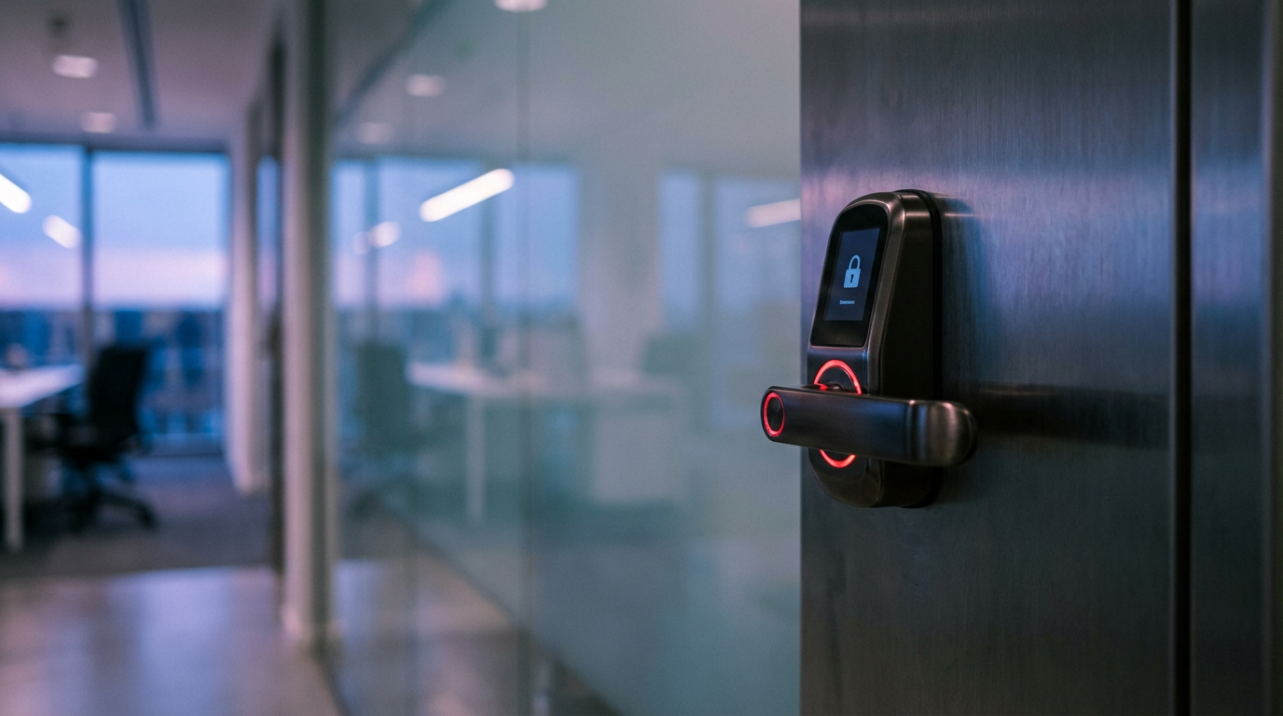
Picture a Monday morning when your team is lined up at the door, the smart lock is frozen, and nobody can badge in or clock their time. You are juggling calls from supervisors, payroll is already a mess, and all you get from your vendor is, "We are experiencing unusual traffic." Teams that tighten passwords, segment networks, and stay on top of updates see far fewer of these outages and spend less time fixing timesheets by hand. This guide shows how the new wave of automated attacks target smart access systems and gives you a practical playbook to keep doors opening for staff, not for attackers.
Smart Access Systems Are Now On The Front Line
Connected locks, cameras, and time clocks are part of a wave of billions of internet-linked devices reshaping homes and workplaces, with projections pointing to roughly 40 billion such objects by 2030 smart devices may reach about 40 billion objects by 2030. For small operations, that means badge readers on warehouse doors, Wi‑Fi time clocks at remote sites, and app-based keys for supervisors who move between locations. Every one of those gadgets is another tiny computer on your network, and each one can be misused if it is not set up with security in mind.
Security incidents are no longer just a big-enterprise problem. More than half of companies now report a compromise involving a cell phone or connected device, up from about a third just a few years ago. For an operations or HR lead, that does not show up as a scary dashboard; it shows up as employees locked out, time punches missing, and arguments over whether someone really stayed until 7:30 PM. Imagine a site with 25 workers delayed 30 minutes because the access system is down; that single glitch is over 12 worker-hours lost, not counting supervisor time spent untangling payroll afterward.

What IoT Botnets Do To Your Doors And Time Clocks
Behind many of these outages is not just a random glitch but a network of hijacked devices working together, often called an IoT botnet IoT botnets are networks of compromised connected devices. Instead of one attacker hammering your systems, thousands of hacked cameras, routers, or smart gadgets across the world send traffic or login attempts in sync, controlled by a hidden command system. These conscripted devices are recruited through weak passwords, unpatched software, and insecure communication channels, then used to flood targets, steal data, or spread more malware.
When smart access systems are in the crosshairs, that swarm of compromised devices can cause real-world jams. Your door controllers or cloud access portal might be overwhelmed with bogus requests, leaving legitimate traffic waiting in line. Or the access app your managers use could be hit with automated login attempts using password dumps from other breaches, hoping one of your people reused the same password they used for a streaming service. In both cases, the damage is measured in late starts, manual badge overrides, and messy timesheets rather than abstract technical errors.
Smart access platforms also rely heavily on internet connectivity, so attacks do not even need to hit the lock directly. A botnet can target the vendor's public website or API, and if that falls over, your on-site hardware suddenly has no one to talk to. In a multi-site operation where all time data flows into a cloud system used for payroll, one attack can ripple into missed overtime calculations or late approvals across every location at once.
How These Threats Show Up In Everyday Operations
From the floor's point of view, a botnet-driven denial-of-service attack looks like a slow, unreliable system that "just keeps spinning" when people tap their badge. IoT-focused denial-of-service campaigns work by flooding devices or services with junk traffic until they become slow or unavailable to real users IoT denial of service attacks overwhelm devices or. One small manufacturer saw door readers behave perfectly during off-hours, then fail right at shift change, because that was when the attack traffic and legitimate use peaked together.
On the other side, credential-based attacks tend to be quiet until they succeed. Automated tools try large numbers of stolen username and password pairs on your cloud access portal, banking on the fact that many users reuse credentials. Incidents where intruders spoke through baby monitors were traced back to reused passwords on consumer accounts, showing how often weak login habits become the root cause of connected-device abuse; password reuse allowed attackers to exploit compromised credentials elsewhere. For a smart access system tied into time tracking, a successful takeover could mean an outsider creating fake badges, unlocking doors after hours, or quietly changing schedules.
Here is a simple way to think about the operational impact:
Threat type |
What you see in operations |
Quick risk driver |
Fast stabilizer |
Traffic flood against access systems |
Doors or time clocks are slow or unavailable, especially at peak times |
Many insecure devices have been hijacked and are now swamping your vendor or router |
Rate limits and external DDoS protection at the provider, plus stronger local firewalls |
Credential takeover of access portal |
Suspicious logins, new badges you did not create, changed schedules |
Staff reusing passwords and lack of strong authentication |
Unique passwords plus multi-factor authentication for admin and manager accounts |
Compromised "harmless" device on same network |
Random outages, strange bandwidth spikes, or unknown devices on the router |
Cameras, smart plugs, or TVs share the same network as locks and time clocks |
Network segmentation and removal of unused or unknown devices |
New Attack Trends Hitting Smart Access In 2026
The basic idea of flooding a system or stealing a password is not new, but the scale and automation of attacks leveraging connected devices are changing fast, with recent reporting showing IoT botnet attacks climbing by more than 400 percent in a single year. As more door locks, badge readers, and time clocks come online, attackers have more raw material to weaponize and more targets worth disrupting. For operations teams, the important shift in 2026 is not just that attacks are more frequent; it is that they are more tailored to exploit how cloud-based access systems and time platforms are wired into everyday work.
Trend 1: Bigger, Smarter Denial-of-Service Hits On Access Infrastructure
IoT denial-of-service attacks increasingly mix different techniques, from simple traffic floods to protocol tricks that exploit how systems handle connections, all aimed at making devices and services slow or unavailable. With around 40 percent of all denial-of-service traffic now linked to hacked connected devices about 40% of DDoS traffic originates from hacked IoT bots, these campaigns are no longer rare events. The attacker does not need to know you by name; they just need your system to be in the blast radius.
For smart access systems, the new pattern is attacks that focus on the cloud APIs and authentication services your locks and clocks depend on, not just the public website. Imagine you run three locations with cloud-managed controllers; each door might only need a few kilobytes of data for a badge swipe, but if thousands of compromised devices start sending bogus requests every second, your vendor's bandwidth and processing power get chewed up quickly. From your vantage point, that shows up as random red indicators on readers and staff waiting at doors, while IT sees spikes in traffic and errors like 503s in the logs.
The good news is that denial-of-service is noisy, which gives you something to measure. Sudden traffic spikes, repeated server errors, or lots of access attempts from the same region can signal that your access infrastructure is under stress, and early warning signs include sudden traffic spikes and repeated 500/503 errors. A quick back-of-the-envelope check helps here: if your normal badge traffic is in the hundreds of requests per minute and suddenly jumps into the tens of thousands without a corresponding surge in headcount, something automated is probably at play.
Trend 2: Credential-Stuffing Attacks Against Cloud Access Portals
As more access control lives in the cloud, login pages for admin dashboards and manager apps have become prime targets, especially when users recycle passwords. Attackers regularly feed large lists of stolen usernames and passwords into automated tools, betting that a portion will match your accounts because so many people reuse credentials across services. For smart access, a single manager account that uses the same password as an email or streaming account is a weak link.
Consumer and enterprise research alike shows that password reuse leads directly to connected-device abuse, including cases where intruders spoke through networked cameras because owners reused credentials from another breach; password reuse has led to attacks on internet-connected cameras and monitors. In a workplace setting, the same pattern could grant an attacker the ability to unlock doors, approve time edits, or add fake users. The convenience of cloud access, where managers can unlock a door from their cell phone or correct a time entry from home, comes with the downside that those same interfaces are reachable from anywhere on the internet.
The upside of cloud access is real; it can speed up after-hours responses and give HR real-time visibility into who is on-site. The downside is that you inherit the global threat surface of internet-exposed logins. Strong, unique passwords and multi-factor authentication for admin and manager accounts blunt this trend significantly, and security guidance consistently highlights those steps as foundational strong authentication and access control, including multi-factor. If you have ten supervisors and each uses a 16-character passphrase plus a second factor, your odds of an automated credential-stuffing attack landing on a valid combination drop dramatically.
Trend 3: Quiet Takeover Of "Harmless" Devices And Lateral Movement
The third trend that matters for 2026 is how attackers treat non-security devices like cameras, smart TVs, or even connected coffee machines as stepping stones. Security experts have long warned that these gadgets expand the attack surface because they often ship with weak defaults and limited protections. If those "harmless" devices share a network with your locks, time clocks, or payroll systems, a compromise in one spot can become a pivot into more critical tools.
Guidance for securing connected environments now strongly recommends placing IoT gear on separate networks and avoiding direct connections between smart gadgets and systems that handle sensitive data like banking, email, or HR records placing IoT gear on a separate wireless network. Picture a small office where the same Wi‑Fi supports guest laptops, a smart TV in the break room, IP cameras, and cloud-connected badge readers. If malware lands on the TV through a compromised app, it can scan locally, find the access controller, and start poking at it, all without ever touching your perimeter firewall.
From an operations perspective, this trend often looks like random glitches: the time clock that occasionally reboots, the camera feed that stutters, or the router that "just needs a reboot" more often than it used to. Underneath, those symptoms can be a hijacked device sending out traffic as part of a botnet while probing nearby systems. Given that connected-device compromises have already hit over half of companies, treating these anomalies as potential security signals rather than mere IT headaches is now part of running a reliable operation, and a significant share of companies report security compromises.

A Practical Defense Playbook For Operations And HR
The goal is not to turn operations leaders into full-time security engineers; it is to harden smart access in ways that directly protect time, payroll accuracy, and physical safety. The first step is basic visibility. You need a clean list of every connected lock, time clock, camera, and access gateway, plus which network they sit on and who administers them; properly inventorying and configuring IoT assets so no devices run without owner awareness is a core recommendation. Even a simple spreadsheet that tracks location, device type, IP address, and update status gives you a control panel instead of a guessing game when something odd happens.
Next, attack the low-hanging fruit of passwords and login protection. Security bodies and regulators repeatedly stress changing factory-default usernames and passwords and using strong, unique credentials for every device or account immediately changing default usernames and passwords to strong,. For your environment, that means no shared "admin/admin" logins on controllers, unique supervisor accounts, and regular rotation of any credentials used by service vendors. Adding multi-factor authentication wherever the platform allows it, especially for admin and HR roles, significantly reduces the chance that leaked credentials from another breach can unlock your building or your timesheets multi-factor authentication is recommended to ensure only authorized.
Then, separate what must be trusted from what is nice to have. Network segmentation is one of the simplest ways to keep a compromised gadget from taking everything down, and guidance from security organizations encourages placing IoT devices on their own networks away from laptops and sensitive systems network segmentation and isolating IoT devices into dedicated. In practice, that might mean one Wi‑Fi network for point-of-sale and office workstations, another for smart locks and time clocks, and a third for guest access or nonessential gadgets. For a three-site business, even starting with separate Wi‑Fi for staff and visitors cuts a large chunk of risk.
Keeping software and firmware current is the next line of defense. Many successful botnet infections ride on known bugs that have already been patched, but only if the patches are actually installed regular and preferably automated firmware and software updates. For smart access, that means turning on automatic updates where you trust the vendor, scheduling maintenance windows for controller firmware, and ensuring the apps that talk to your locks and clocks are updated on staff phones. If your operation has 30 access-related devices, even a quarterly check where you confirm update status and retire any hardware that no longer receives patches is a big win.
Finally, give this work a clear owner and a simple playbook for when something looks wrong. Human-centered research shows that people often feel confused by connected-device security and keep using gadgets despite concerns, which leads to gaps in how settings are managed day to day people often feel unsure how to protect themselves. Name one person or a small cross-functional group that owns smart access security, including reviewing router logs for unknown devices, checking access logs for odd patterns, and coordinating with vendors if denial-of-service or credential attacks are suspected. Make it easy for supervisors to report "weird" behavior from locks or time clocks without feeling like they are creating extra work.
Quick FAQ
Are small businesses really a target for IoT botnets?
Yes. Research shows that connected-device compromises now hit organizations of all sizes, not just large enterprises, and more than half of companies have experienced a compromise. Small operations are attractive because they often have weaker defaults, shared passwords, and limited monitoring, yet they still control valuable doors, schedules, and data. The same malware that hijacks a smart TV in a living room can just as easily recruit a time clock or door controller in a shop.
Who should own smart access security: IT, HR, or operations?
Ideally, it is shared. IT understands networks and updates, operations understands how doors and clocks affect workflow, and HR understands the impact on timekeeping and compliance. Security guidance emphasizes aligning device security with broader policy and training so that technology does not become a weak link in an otherwise well-run organization. In many small businesses, the right move is to pick one accountable lead and give them a simple checklist that touches all three areas.
Smart access systems are now core to how people get into buildings and how hours become paychecks. Treating them as part of your operational backbone, not just clever hardware, is the mindset shift that keeps staff moving, doors secure, and payroll clean while botnets and new attack trends keep evolving.


Share:
Free Hardware Security: Will Providers Start Acting Like Cell Phone Carriers?
Credential Stuffing: Why Single Passwords Are Dead for Access Systems in 2026