
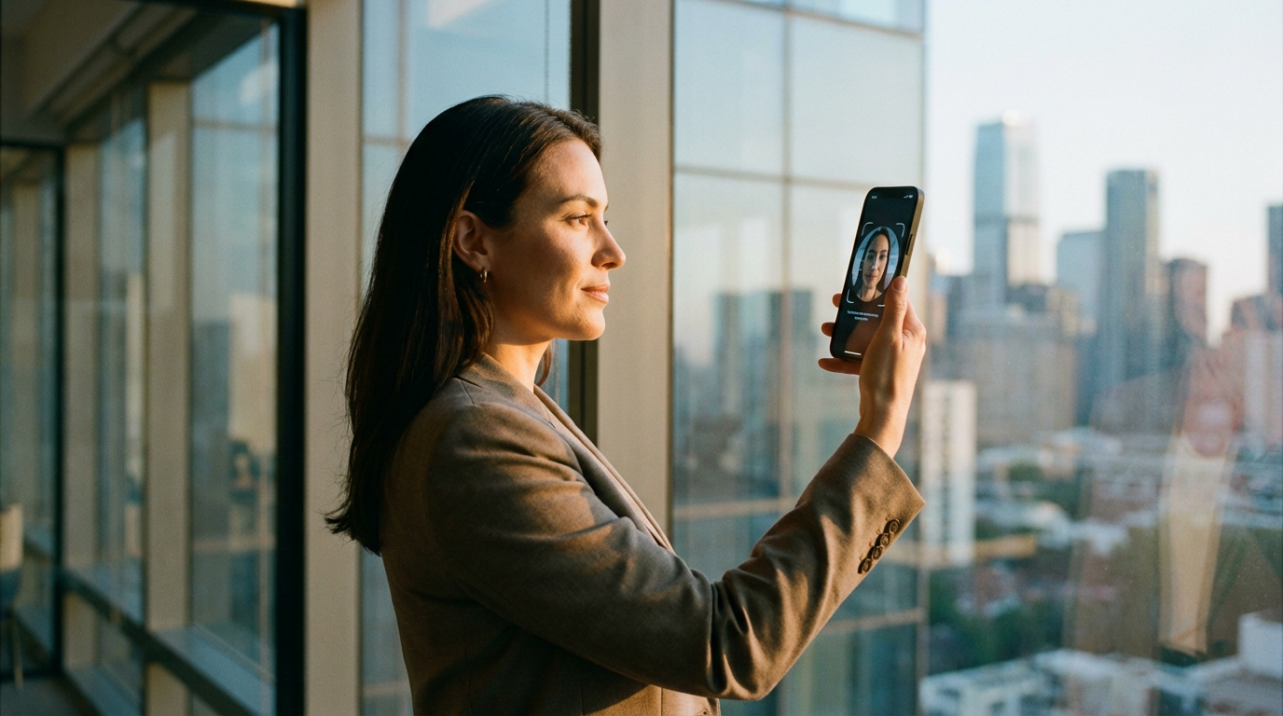
Ever stared at a timesheet approval, a bank-detail change, or a big bonus run and thought, "I really hope the right person clicked this"? With identity theft reports already in the hundreds of thousands this year and AI-generated fakes exploding across financial services, hoping is no longer a plan. This article shows how to confirm "this is the same trusted person" with face or voice checks without storing risky piles of raw biometric data, plus the tradeoffs and practical steps to roll it out.
Why Identity Proofing Now Hits Timekeeping and Payroll
Identity verification used to sit quietly with compliance and IT. Now it shows up every time someone is hired remotely, clocks in from their cell phone, changes their bank account, or requests access to payroll systems.
Thomson Reuters notes that regulators logged roughly 552,000 identity theft reports in the first half of 2024 alone, and research summarized by Daon shows external fraud as the top operational concern for financial risk leaders, with the total cost of fraud reaching more than four times the face value of the transaction. Add in U.S. fraud losses rising to about $12.7 billion in 2024 according to Jumio, and the message is blunt: if you handle wages, benefits, or tax data, identity fraud is now an operations problem, not just a security problem.
At the same time, fraudsters are getting better tools. Sumsub's 2025 research reports deepfake attacks against facial checks growing more than tenfold, and Deloitte projects about $40 billion in AI-driven fraud losses by 2027. When someone submits a selfie to reset a password or activate a new device for payroll access, you can no longer assume that video is genuine or that the person behind it is who they claim to be.
That pressure pushes small businesses toward stronger verification, often including biometrics like face or voice. The catch is obvious: if you store raw biometric data, a breach does not just expose passwords; it exposes people's faces and voices in a way they can never change.
The question becomes: how do you prove identity strongly enough for payroll and timekeeping without storing the biometric equivalent of a nuclear waste dump?

Identity Verification Versus Authentication in Plain English
Before diving into privacy-first biometrics, it helps to separate two ideas that many vendors blur.
Identity verification, often called identity proofing in guidance from NIST and federal identity programs, is the upfront process of proving someone really exists and is who they say they are. That is the "show me your driver's license and a selfie" moment during hiring or onboarding.
Authentication happens later, every time that person comes back. It answers, "Is this the same verified person logging into payroll, changing bank details, or clocking in?"
You might do a heavy one-time proof at hiring, but then you need ongoing, low-friction checks when the person uses your systems.
For operations, that translates directly into workflows like "trust this new hire enough to give them an account" and "trust this returning employee enough to approve payroll actions quickly."
How Common Identity Methods Stack Up
Traditional tools are still everywhere: passwords, one-time codes, security questions, and document checks. They each bring different security, privacy, and productivity impacts.
Method |
What it does in your business |
Security reality |
Privacy risk and data held |
Friction for staff |
Passwords and PINs |
Basic login to HR/payroll or time apps |
Weak on their own; easily stolen or reused, fueling account takeovers per Daon |
Low data storage risk, but huge breach risk if reused elsewhere |
High; resets and lockouts eat manager and IT time |
One-time passcodes (SMS/email) |
Confirms control of a phone or inbox |
Better than passwords alone but vulnerable to SIM swaps and email compromise |
Phone and email data stored; no biometric risk |
Medium; codes expire, staff lose phones |
Security questions (KBA) |
"What was your first car?" type challenges |
Widely reported as weak by HyperVerge, Incode, and others; answers often online |
Stores personal history that users never meant to share broadly |
Annoying; people forget answers or feel interrogated |
Document checks |
Upload or scan ID during hiring or for sensitive access changes |
Strong at onboarding when combined with liveness or database checks per Jumio |
You often store ID images and personal details, raising breach and audit exposure |
Medium; image capture can cause drop-off |
Server-side biometrics |
Central face or fingerprint database to log in or approve actions |
High security but creates a "honeypot" for attackers per KuppingerCole |
Very high; central store of biometric templates and sometimes raw images |
Low ongoing friction; high integration responsibility |
These methods are why regulators, banks, and vendors push multi-layered, risk-based verification that uses stronger checks for riskier actions. The pattern across sources like HyperVerge, AIPRise, Youverify, and Jumio is consistent: use several factors and tune them to the risk of the transaction.
For a small business, the problem is that most strong options above either add friction, pile up sensitive data you do not want to store, or both.
Privacy-First Biometrics: Strong Identity Without Raw Data
This is where privacy computing trends change the game. Instead of choosing between "weak but private" and "strong but creepy," newer models let you keep the strength of biometrics without ever storing raw face or voice data in your systems.
On-Device Biometrics: A Good Start, But With Gaps
LoginRadius and KuppingerCole highlight the first privacy-friendly pattern most people already use: device-native biometrics. Think of the face or fingerprint check on a modern smartphone.
In this model, the user's face or fingerprint is turned into an encrypted template and stored only in secure hardware on the device. The biometric data never leaves the phone or tablet. When your payroll or timekeeping app uses standards like FIDO2 or WebAuthn, it simply asks the device, "Is this the right person?" The device answers with a cryptographic yes or no, not with the underlying biometric.
That means you get fast, passwordless logins and, according to LoginRadius, can cut credential-related support tickets by up to 90%. You also avoid storing raw biometric data on your servers, which drastically reduces your exposure if your systems are breached.
The downside is that this mainly proves the device, not the ongoing human identity behind it. If someone passes a work phone to a friend, the system cannot tell. If an employee gets a new device, you need to enroll again. And from a pure identity point of view, your business still does not hold a durable, independent way to bind "this real person we hired" to "this digital account," beyond whatever you did at onboarding.
Decentralized and Zero-Knowledge Biometrics
The next wave, described by KuppingerCole and vendors like Keyless and 1Kosmos, takes privacy further using privacy-enhancing cryptography.
The idea is simple in principle: never store the biometric itself, even as a template, and never let any single party reconstruct it.
When a user enrolls with a face scan on their device, advanced cryptography and secure multi-party computation transform that scan into non-reversible cryptographic pieces. No raw images or traditional biometric templates are stored on servers or on the device. The pieces are useless by themselves and cannot be linked across services.
At login or during a sensitive action, the system repeats the transformation on a fresh face scan, then uses those cryptographic pieces to run a distributed match protocol. If the math says the same person is present, the user is authenticated. Because the device is also cryptographically bound to the account, you effectively get multiple factors in one gesture: something the user is and something they have.
KuppingerCole categorizes this as decentralized biometric authentication. It aligns with Gartner's view of zero-knowledge biometrics and with passwordless, key-pair-based digital identity wallets described by 1Kosmos. Importantly, some deployments have been accepted by regulators at high assurance levels precisely because there is no central biometric database to attack.
For a small business, the benefit is practical: you get a strong, user-friendly way to approve high-risk actions like payroll changes or administrator access, without ever owning a vault of faces or fingerprints that could become a legal and reputational nightmare.
Liveness Detection Without Hoarding Face Images
All of this only works if you can tell a live person from a video, mask, or deepfake. That is where liveness detection comes in.
Modern systems look for natural signals such as light reflections in the eyes, tiny skin movements, depth information from different angles, and even micro-pulses in the cheeks. Some solutions, like the passive liveness described in KuppingerCole material, do this silently in the background without asking the user to blink or move.
In a privacy-first setup, liveness analysis is performed on transient image data and produces risk scores or cryptographic results, not stored video. Vendors who follow best practices retain only what is needed for audit and regulatory evidence, and even then often in heavily protected environments or on your own infrastructure.
That lets you defend against AI-generated faces and replay attacks while staying consistent with your promise to employees: "We verify you, but we are not building a permanent biometric museum behind the scenes."

How This Shows Up in Everyday Operations
None of this matters if it does not make day-to-day work faster and safer. Privacy-first biometric verification typically plugs into small business operations in a few clear spots, based on workflows described across Daon, 1Kosmos, AIPRise, and federal identity guidance.
During hiring and onboarding, you run an identity proofing flow once. That usually means capturing a government ID, checking it with automated document analysis, running basic database checks where appropriate, and asking for a face scan with liveness detection. Many platforms, like those described by Incode and Jumio, can do this in seconds instead of days.
Instead of storing the face image, a decentralized biometric system converts that single, verified scan into cryptographic material. From that point on, the employee logs into HR, timekeeping, and payroll with a quick face check on a device, but what your systems hold is only the cryptographic identity, not the raw biometric.
In time and attendance, this reduces "buddy punching" and account sharing. If you require a biometric-backed login from each device used to clock in, then pair it with behavioral or device analytics as AIPRise recommends, it becomes much harder for someone to clock in for a friend without leaving a suspicious trail.
For payroll changes and other high-risk actions, you step up the assurance. When someone edits bank details, runs an off-cycle payment, or approves a large commission batch, your system can trigger a fresh, high-assurance biometric check instead of just a password. Daon, DocuSign, and others recommend reserving your strongest methods, including dual biometrics, for exactly these kinds of transactions.
Because verification is fast and friction is low, managers spend less time chasing down "Was this really you?" emails and more time fixing schedule and cost issues that actually move the business.
Pros and Cons of Verifying Without Raw Biometrics
No approach is free of tradeoffs. Compared with traditional server-side biometrics, privacy-first methods create a different set of operational questions.
Aspect |
Benefits when you avoid storing raw biometrics |
Tradeoffs and limitations |
Security |
Removes a huge breach target; even if servers are hacked, attackers cannot steal faces |
Requires careful vendor selection; systems must still guard cryptographic keys and device bindings |
Compliance and legal risk |
Easier arguments to regulators and auditors; aligns with principles in NIST and federal guidance |
Some sectors still expect retained evidence; you may need clear policies on what is logged and for how long |
User trust and adoption |
Easier to explain to staff: "We do not store your face, only math derived from it" |
Some employees will still be uneasy about any camera-based checks and may need education and alternatives |
Operational efficiency |
Faster logins, fewer lockouts, reduced help desk volume, and quicker approvals |
Upfront integration work and process redesign; you may need to rework manual identity recovery processes |
Inclusivity and access |
Works well for mobile-first teams; supports remote and deskless employees |
Government guidance warns about people without IDs, bank accounts, or modern devices; you must design fallbacks |
Government identity-proofing best practice notes from identity.gov emphasize equity: not everyone has a driver's license, stable internet, or a recent smartphone. For your policies, that means pairing biometric-based flows with well-governed alternatives such as in-person verification, notarized IDs, or supervised video calls when needed.
Practical Implementation Steps for a Small Team
Turning this into reality does not require a giant transformation program, but it does require deliberate planning.
Start by mapping where identity really matters in your workflows. For most small businesses, that includes new-hire onboarding, first access to HR and payroll systems, remote time punches, and any action that moves money or exposes sensitive data. List these flows in plain language and mark which ones would really hurt if someone impersonated an employee.
Next, look at your current tools. Many HR and payroll platforms now offer built-in document and biometric verification, but the details matter. Ask vendors directly where biometric data lives, whether it is stored as raw images, device-local templates, or decentralized cryptographic material, and how they handle liveness detection. Cross-check their answers against independent benchmarks like the NIST facial recognition tests and certifications such as FIDO biometric components or ISO/IEC 30107-3 presentation attack detection.
Then, run a contained pilot. A practical pattern is to start with one high-impact use case, such as verifying bank-detail changes or approving large payroll batches. Configure a privacy-first biometric option for that action, keep a traditional method as backup, and measure the impact on fraud attempts, completion times, and support tickets.
Use lighter methods such as one-time codes for lower-risk events and reserve biometric-backed, privacy-preserving checks for the points where fraud would really sting: new accounts, account recovery, and money movement.
Finally, communicate the change clearly to your team. Spell out what you collect, what you do not store, and how this protects both the business and each employee's identity. Train managers on what to do when someone fails a check or loses a device, so recovery is secure but not chaotic.
Brief FAQ
Is this overkill for a company with fewer than 100 employees?
Not if you run payroll, hold bank details, or manage sensitive customer data. Identity.com cites research showing that stronger identity verification reduced fraud incidents for most financial institutions studied. Even one fraudulent payroll change or account takeover can wipe out the perceived savings from "keeping it simple."
What if some staff refuse to use face or voice checks?
Regulators and federal identity guidance recognize that not everyone can or will use biometrics. Provide secure alternatives such as supervised document checks, in-person verification for local staff, or video-based proofing for remote workers, and reserve biometric-backed flows for those who opt in and have compatible devices.
How do I know a vendor truly is not storing raw biometric data?
Ask them to document their architecture in writing. Look for clear statements that no raw images or biometric templates are stored centrally, that privacy-enhancing cryptography or on-device secure modules are used, and that they have independent certifications or test results from bodies such as NIST or FIDO programs. If the explanation is vague, treat that as a risk signal.
Handled well, privacy-first identity verification becomes just another strong process: invisible when it works, ruthless when it needs to block a bad actor. Put structure around how you prove "this really is our employee" without stockpiling their face or voice, and you protect your people, clean up your payroll risk, and give yourself time back to fix the next operational bottleneck on your list.
References
- https://www.nasa.gov/reference/5-3-product-verification/
- https://www.idmanagement.gov/experiments/pid/bestpractice/
- https://www.asisonline.org/security-management-magazine/monthly-issues/security-technology/archive/2025/october/6-Methods-to-Use-for-Identity-Verification/
- https://www.aiprise.com/blog/online-identity-verification-guide
- https://www.docusign.com/blog/3-ways-to-provide-secure-id-verification-without-disrupting-the-customer-experience
- https://www.fraud.com/post/identity-proofing
- https://www.identity.com/the-identity-verification-process-comprehensive-guide/
- https://www.jumio.com/customer-identity-verification-methods/
- https://www.kuppingercole.com/watch/securing-biometric-digital-identity-eic25
- https://youverify.co/blog/3-methods-for-verifying-someones-identity


Share:
Free Hardware Security: Will Providers Start Acting Like Cell Phone Carriers?
IoT Botnet Threats: New Attack Trends Facing Smart Access Systems in 2026